

In This Article
Stepping into university calculus feels like entering a completely different mathematical universe. The days of simple algebraic equations are behind you, and suddenly you’re wrestling with limits, derivatives, integrals, and multi-variable functions that make your head spin. Here’s the thing though: having the right calculator for university calculus can transform this challenging journey from overwhelming to manageable.

I’ve watched countless students struggle through first-year calculus because they brought inadequate tools to the fight. According to research published in the International Journal of Research in Education and Science, students using appropriate graphing calculator technology show significantly higher achievement in complex mathematical concepts compared to those without. Canadian universities, from UBC to U of T, have specific calculator policies and many mathematics departments now integrate these powerful tools into their curricula—but not all calculators are created equal.
Whether you’re tackling differential equations at the University of Toronto, exploring multi-variable calculus at McGill, or preparing for engineering mathematics at UBC, this guide will walk you through the top calculator options available in Canada. We’ll explore everything from budget-friendly scientific models to premium symbolic computation calculators that can handle the most complex calculus operations. Let’s find the perfect calculator that’ll support your academic success without breaking the bank.
Quick Comparison Table
| Calculator Model | Type | Price Range (CAD) | CAS Support | Best For | Rating |
|---|---|---|---|---|---|
| TI-Nspire CX II CAS | Symbolic/Graphing | $210-$250 | ✅ Yes | Engineering, Advanced Calc | 4.8/5 |
| HP Prime G2 | Touchscreen/CAS | $195-$230 | ✅ Yes | Multi-variable Calculus | 4.7/5 |
| TI-84 Plus CE | Graphing | $140-$180 | ❌ No | General Calculus | 4.6/5 |
| Casio fx-CG50 | Colour Graphing | $120-$165 | ❌ No | Budget-Conscious Students | 4.5/5 |
| TI-Nspire CX II | Graphing/Programming | $175-$210 | ❌ No | Statistics & Calculus | 4.6/5 |
| TI-84 Plus | Standard Graphing | $110-$145 | ❌ No | Entry-Level University | 4.4/5 |
| Casio fx-9750GIII | Basic Graphing | $75-$95 | ❌ No | Tight Budgets | 4.3/5 |
💬 Just one click – help others make better buying decisions too! 😊
✨ Don’t Miss These Exclusive Deals!
🔍 Take your calculus studies to the next level with these carefully selected calculators available in Canada. Click on any highlighted model to check current pricing and availability on Amazon.ca. These tools will help you master complex mathematical concepts with confidence!
Top 7 Calculator for University Calculus: Expert Analysis
1. Texas Instruments TI-Nspire CX II CAS – The Ultimate Symbolic Powerhouse
When it comes to tackling university-level calculus, the Texas Instruments TI-Nspire CX II CAS stands in a league of its own. This isn’t just a calculator—it’s a complete mathematical computing system that fits in your backpack.
Key Specifications:
- Computer Algebra System (CAS) for symbolic manipulation
- 3.5-inch full-colour display with 320×240 resolution
- Python programming support
- Rechargeable lithium-ion battery
- 64MB RAM with expandable memory
The CAS functionality means you can solve equations symbolically, perform calculus operations with exact answers (not just decimals), and manipulate algebraic expressions just like you would on paper. For calculus students, this is revolutionary. According to research from Computers & Education, students using CAS-enabled calculators demonstrated improved understanding of abstract mathematical concepts and achieved higher performance scores in calculus assessments.
Canadian university students particularly appreciate its approval for major standardized exams, though you’ll want to verify your specific institution’s policies. The University of Toronto’s Department of Mathematics notes that while calculators may not be permitted during some exams, they’re invaluable tools for homework, problem sets, and deepening conceptual understanding.
Price in Canada: $210-$250 CAD on Amazon.ca
Canadian Customer Feedback: Students from Canadian universities praise its durability and comprehensive feature set. One McGill engineering student mentioned it “saved countless hours on complex multi-variable calculus assignments” and appreciated the touchpad navigation. However, some users note the learning curve can be steep initially.
Pros:
✅ Symbolic computation handles exact values
✅ Python programming for advanced applications
✅ Exam-approved in most Canadian institutions
Cons:
❌ Premium price point
❌ Steeper learning curve for beginners

2. HP Prime G2 – Touch Your Way Through Calculus
The HP Prime G2 brings smartphone-like functionality to mathematical computing, making it one of the most innovative calculator for university calculus options available in Canada today.
Key Specifications:
- 3.5-inch multi-touch colour display
- Advanced Computer Algebra System
- 256MB RAM, 512MB Flash memory
- ARM Cortex processor for lightning-fast calculations
- Wireless connectivity capability
What sets the HP Prime G2 apart is its intuitive touchscreen interface. You can literally pinch, zoom, and swipe through your graphs and equations—a feature that feels natural for students who grew up with smartphones. The calculator supports dynamic geometry, advanced statistics, and sophisticated 3D graphing capabilities essential for multi-variable calculus courses.
Research from CITE Journal demonstrates that interactive features like those in the HP Prime significantly enhance student engagement and mathematical understanding. The ability to manipulate graphs directly with your finger creates immediate visual feedback that reinforces conceptual learning.
Price in Canada: $195-$230 CAD on Amazon.ca
Canadian Customer Feedback: Canadian students report the touchscreen feels responsive and scratch-resistant. One UBC physics student noted, “The touch interface makes exploring parametric equations so much more intuitive than button-mashing.” Some users mention the documentation could be more up-to-date.
Pros:
✅ Intuitive multi-touch interface
✅ Powerful processor handles complex calculations quickly
✅ Exam mode for standardized testing
Cons:
❌ Documentation sometimes lags behind firmware updates
❌ Slightly smaller user community than TI products
3. TI-84 Plus CE – The Colourful Classic
The TI-84 Plus CE represents the evolution of one of the most trusted names in educational calculators. This model brings vibrant colour and modern design to the proven TI-84 platform that has served generations of students.
Key Specifications:
- High-resolution backlit colour display
- 6× more memory than previous TI-84 models
- Rechargeable battery (30% lighter than older models)
- Pre-loaded apps for calculus and statistics
- MathPrint technology displays equations as they appear in textbooks
This calculator strikes an excellent balance between capability and familiarity. Most Canadian high school students entering university have experience with TI-84 models, making the transition seamless. The colour display lets you differentiate between multiple graphs using different colours—incredibly helpful when studying functions and their derivatives simultaneously.
The Alberta Education calculator guidelines specifically list the TI-84 Plus CE as approved for diploma exams, and this approval extends to many university calculus courses across Canada. Science Atlantic’s calculus preparation materials reference TI-84 functionality throughout their resources.
Price in Canada: $140-$180 CAD on Amazon.ca
Canadian Customer Feedback: University of Alberta students appreciate the familiar interface and reliable performance. “It’s like reuniting with an old friend but with a gorgeous colour screen,” one mathematics student shared. The rechargeable battery eliminates the constant AAA battery purchases, saving money long-term.
Pros:
✅ Familiar interface for TI-84 users
✅ Vibrant colour screen enhances visualization
✅ Widely accepted in Canadian institutions
Cons:
❌ No Computer Algebra System
❌ Less powerful than CAS-enabled competitors
4. Casio fx-CG50 PRIZM – Budget-Friendly Innovation
For students seeking a capable calculator for university calculus without the premium price tag, the Casio fx-CG50 PRIZM delivers impressive functionality at a more accessible price point.
Key Specifications:
- Large high-resolution colour display (65,000+ colours)
- 3D graphing capabilities
- Natural textbook display
- Python programming support
- Picture Plot technology for real-world applications
Casio designed this calculator with visual learners in mind. The natural textbook display shows fractions, square roots, and other expressions exactly as they appear in your calculus textbook, reducing cognitive load and potential transcription errors. The 3D graphing feature proves invaluable when you progress to multi-variable calculus and need to visualize surfaces and contour plots.
The Picture Plot functionality deserves special mention—you can import images and overlay mathematical functions on them, making abstract calculus concepts tangible. According to SpringerLink research on graphing calculators, visual representation tools significantly improve student comprehension of complex mathematical relationships.
Price in Canada: $120-$165 CAD on Amazon.ca
Canadian Customer Feedback: Canadian college students praise its value proposition. One student from a Toronto college remarked, “I got 90% of the functionality of premium calculators at 60% of the cost.” The colour display impressed users who’ve used monochrome calculators previously. Some noted that while battery-powered (4 AAA batteries), rechargeable NiMH batteries work excellently.
Pros:
✅ Excellent value for money
✅ Intuitive menu system
✅ Natural textbook display reduces errors
Cons:
❌ Smaller online community for troubleshooting
❌ No built-in CAS
5. TI-Nspire CX II (Non-CAS Version) – Programming and Statistics Excellence
The TI-Nspire CX II offers much of the power of its CAS sibling but at a more accessible price point, making it an excellent calculator for university calculus students who don’t need symbolic manipulation.
Key Specifications:
- Full-colour display with multiple representation views
- Python programming integrated
- Advanced statistics and probability tools
- Animated path plot for dynamic visualization
- Built-in spreadsheet functionality
This calculator excels at helping students visualize mathematical concepts through its dynamic linking between different representations. Change a value in the spreadsheet, and watch the graph update in real-time—this immediate feedback reinforces understanding of functional relationships central to calculus.
The Python support positions this calculator for the future. As Canadian universities increasingly integrate programming into STEM curricula, having Python capabilities directly on your calculator creates opportunities for computational problem-solving that traditional button-based programming can’t match.
Price in Canada: $175-$210 CAD on Amazon.ca
Canadian Customer Feedback: Students in data science and statistics programmes particularly value this model. A Carleton University student shared, “The statistics features are phenomenal, and having Python right on the calculator opened up possibilities I hadn’t imagined.” The rechargeable battery receives consistent praise for convenience.
Pros:
✅ Python programming for modern computational approaches
✅ Excellent for statistics-heavy courses
✅ Dynamic visualization of mathematical relationships
Cons:
❌ Cannot perform symbolic algebra
❌ Premium price without CAS functionality

6. TI-84 Plus (Standard Version) – Reliable and Proven
The TI-84 Plus standard version remains a dependable choice for students seeking proven technology at a reasonable price. This calculator has supported millions of students through calculus courses across North America.
Key Specifications:
- Split-screen display capability
- Preloaded apps for calculus and statistics
- USB connectivity for data transfer
- Runs on 4 AAA batteries
- Compatible with vast library of programs
Sometimes reliability trumps fancy features. The TI-84 Plus has been refined over decades to deliver consistent performance for core calculus functions—graphing, numerical integration, derivative approximation, and solving systems of equations. According to CITE Journal research, the widespread adoption of TI-84 technology in education means extensive support resources, tutorial materials, and peer assistance are readily available.
Canadian universities with strict calculator policies often allow the TI-84 Plus when more advanced models face restrictions. This makes it a safe choice if you’re uncertain about your institution’s specific requirements.
Price in Canada: $110-$145 CAD on Amazon.ca
Canadian Customer Feedback: Students appreciate its straightforward operation. “It just works, every single time,” one University of Manitoba student noted. The monochrome display doesn’t bother most users who prioritize functionality over aesthetics. Battery life impresses, with 4 AAA batteries lasting an entire semester under typical usage.
Pros:
✅ Proven reliability over decades
✅ Extensive online resources and tutorials
✅ Accepted in virtually all Canadian institutions
Cons:
❌ Monochrome display lacks visual appeal
❌ Less memory than newer models
7. Casio fx-9750GIII – The Budget Champion
For students on strict budgets, the Casio fx-9750GIII proves that capable calculator for university calculus functionality doesn’t require a massive investment.
Key Specifications:
- Icon-based menu for intuitive navigation
- Exam mode compliant with Canadian regulations
- Natural textbook display
- Battery operated (4 AAA batteries)
- USB connectivity
This calculator covers the essential graphing and computational needs for introductory calculus courses. While it lacks the colour displays and advanced features of premium models, it handles function graphing, numerical derivatives, definite integrals, and statistics with competence. The Alberta Education calculator guidelines specifically approve the fx-9750GIII for diploma exams when properly configured in Exam Mode.
Research from ResearchGate indicates that graphing calculator access significantly benefits students across all achievement levels—high, average, and low performers all showed improved outcomes when using appropriate technology in calculus courses.
Price in Canada: $75-$95 CAD on Amazon.ca
Canadian Customer Feedback: Community college students and those taking single calculus courses find this calculator perfectly adequate. “It does everything I need without the bells and whistles I’d never use,” one student explained. The price point allows purchase even on tight student budgets. Some users wish for a colour screen but acknowledge the tradeoff for the lower cost.
Pros:
✅ Extremely affordable for students on budgets
✅ Covers essential calculus functions
✅ Exam mode compliance in Canada
Cons:
❌ Monochrome display only
❌ Limited advanced features
❌ Less robust build quality
Understanding Calculator Types for University Mathematics
Not all calculators serve the same purpose, and understanding the differences helps you make an informed choice for your specific calculus needs.
Scientific Calculators vs. Graphing Calculators
Scientific calculators handle numerical computations—trigonometric functions, logarithms, exponentials, and basic statistics. They’re sufficient for high school mathematics but severely limited for university calculus. Graphing calculators add visual representation capabilities, displaying functions as graphs and allowing you to analyze their behaviour visually. This visualization proves essential for understanding limits, continuity, derivatives, and integrals—the foundations of calculus.
CAS vs. Non-CAS Technology
Computer Algebra Systems represent the next evolution in calculator technology. While standard graphing calculators work numerically (giving decimal approximations), CAS calculators manipulate symbols algebraically. They can solve equations exactly, simplify expressions, compute derivatives and integrals symbolically, and factor polynomials—all showing work in the same form you’d use when solving by hand.
For university calculus, CAS technology offers significant advantages. You can verify your manual work, explore patterns in solutions, and handle problems too complex for hand calculation. However, many Canadian universities restrict or prohibit CAS calculators during exams to ensure students master fundamental techniques. The University of Toronto’s mathematics department emphasizes that calculator capability never substitutes for conceptual understanding.
Touchscreen vs. Traditional Button Interface
Modern calculators like the HP Prime G2 incorporate touchscreen technology, while traditional models rely on button-based input. Touchscreens offer intuitive interaction—you can drag graphs, pinch to zoom, and manipulate objects directly. Button interfaces provide tactile feedback and don’t require battery power for the screen itself. According to Wikipedia, the HP Prime’s touchscreen functionality makes it one of the slimmest CAS-enabled calculators available, though some users prefer traditional buttons for exam conditions where precision under time pressure matters most.

Essential Features for Calculus Success
Symbolic Computation Capabilities
When you’re working through multi-variable calculus or differential equations, symbolic computation transforms your calculator from a numerical tool into an algebraic assistant. Symbolic computation calculators like the TI-Nspire CX II CAS can find exact antiderivatives, solve differential equations, and manipulate complex algebraic expressions—capabilities that prove invaluable for checking homework and exploring mathematical relationships.
Multi-Variable Calculus Support
Upper-level calculus courses explore functions of multiple variables, requiring 3D visualization and partial derivative calculations. Calculators supporting 3D graphing let you visualize surfaces, contour plots, and vector fields. The Casio fx-CG50 and HP Prime G2 excel in this area, providing intuitive tools for exploring multi-dimensional mathematical objects.
Programming and Customization Options
Python programming capabilities, now available in the TI-Nspire CX II series and Casio fx-CG50, extend your calculator’s functionality far beyond factory settings. You can write custom functions for repeated calculations, simulate mathematical scenarios, and implement numerical methods not included in standard calculator menus. According to research in the International Electronic Journal of Mathematics Education, programmability encourages deeper engagement with mathematical concepts as students become active creators rather than passive users of technology.
Battery Life and Reliability
Nothing disrupts an exam like a dead calculator. Rechargeable models like the TI-Nspire and HP Prime offer convenience but require periodic charging. Battery-powered models using AAA batteries provide reliability—you can always carry spare batteries. Canadian students should consider our climate too; rechargeable batteries sometimes struggle in extreme cold, while alkaline batteries maintain performance better in harsh conditions.
Calculator Requirements at Canadian Universities
Ontario Universities
The University of Toronto’s Faculty of Arts & Science requires Grade 12 Calculus (MCV4U) for admission to many programmes. Their mathematics department emphasizes that calculator policies vary by course, with many first-year calculus courses prohibiting calculator use during exams to focus on conceptual understanding. However, calculators prove invaluable for homework and problem sets.
Western Canadian Universities
The University of British Columbia’s mathematics department offers multiple calculus streams, each with distinct calculator policies. Science Atlantic, which supports mathematics education in Atlantic Canada, notes that some first-year calculus courses prohibit calculators entirely in tests and exams, though students can use them for lectures and homework. This approach ensures students develop strong algebraic fundamentals alongside technological proficiency.
Quebec and CEGEP System
Quebec’s CEGEP system introduces calculus earlier than other provinces. Students completing Science programmes tackle differential and integral calculus in their first CEGEP year. Calculator policies vary by institution, but graphing calculator access is generally permitted and often encouraged for visualization and exploration activities.
Alberta Diploma Exam Requirements
Alberta Education publishes detailed calculator guidelines for diploma exams in mathematics and science. The 2025-2026 guidelines specify approved models and proper configuration procedures, including Press-to-Test modes for TI-Nspire calculators and Examination Mode for Casio models. Students planning to write Alberta diploma exams should verify their calculator meets these specific requirements before purchase.
Financial Calculator vs. Graphing Calculator Comparison
Some students wonder whether financial calculators might serve double duty for both business and calculus courses. Let’s clarify the differences and limitations.
Purpose-Built Design
Financial calculators excel at time value of money calculations, amortization schedules, bond pricing, and investment analysis. They’re optimized for business mathematics, not calculus. Graphing calculators prioritize function visualization, numerical analysis, and mathematical exploration—capabilities financial calculators lack entirely.
Functional Limitations
You cannot effectively use a financial calculator for calculus. They don’t graph functions, compute derivatives or integrals, solve systems of equations, or handle matrix operations. While both calculator types use sophisticated computational power, they apply that power to fundamentally different problem sets.
The Best Approach
If your programme requires both calculus and finance courses, invest in a proper graphing or CAS calculator for mathematics and either use online financial calculator tools or purchase an inexpensive financial calculator separately. The TI BA II Plus financial calculator costs around $40 CAD—far less than compromising your calculus performance with inadequate tools.
Choosing the Right Calculator for Your Major
Engineering Students
Engineering programmes demand the most from calculators. Multi-variable calculus, differential equations, linear algebra, and complex analysis require advanced capabilities. The TI-Nspire CX II CAS serves engineering students best, with its symbolic computation, Python programming, and comprehensive mathematical coverage supporting you from first-year calculus through advanced engineering mathematics.
Life Sciences and Pre-Med
Life sciences students need strong statistics capabilities alongside calculus functionality. The TI-Nspire CX II (non-CAS) or TI-84 Plus CE provide excellent statistics support while covering calculus requirements for biology, biochemistry, and health sciences programmes. The colour displays help visualize biological data alongside mathematical functions.
Business and Economics
Business calculus courses typically cover differential calculus and basic integration with emphasis on applications to business problems. The TI-84 Plus CE offers appropriate functionality at a reasonable price. Its widespread use means extensive business calculus resources specifically reference TI-84 techniques and procedures.
Mathematics and Physics Majors
Pure mathematics and physics students benefit most from CAS technology. The HP Prime G2 or TI-Nspire CX II CAS provide the symbolic manipulation, programming capabilities, and computational power these rigorous programmes demand. The ability to explore abstract concepts through both symbolic and numerical approaches deepens mathematical intuition.
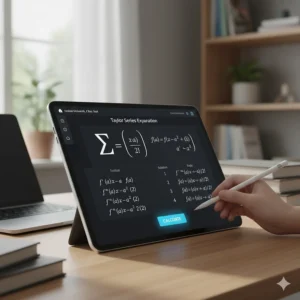
Calculator for Statistics Courses Alongside Calculus
Many Canadian universities require both calculus and statistics for STEM degrees. Fortunately, most advanced graphing calculators handle both subjects effectively.
Statistical Analysis Features
Look for calculators offering: hypothesis testing (z-tests, t-tests, chi-square), confidence intervals, regression analysis (linear, polynomial, exponential), probability distributions (normal, binomial, Poisson), and box plots and histograms. The TI-84 Plus CE and TI-Nspire series excel in statistics, with built-in functions for nearly every statistical procedure encountered in undergraduate courses.
Real-World Data Collection
Some calculators support data collection through sensors and probes. The TI-Nspire CX II integrates with Vernier sensors for collecting real-time physics and chemistry data, then performing statistical and calculus analyses on that data. This integration proves valuable for students in experimental sciences who need to analyze collected data using statistical and calculus-based methods.
Maximizing Your Calculator Investment
Learning Resources and Tutorials
Texas Instruments and HP both offer extensive online resources for their calculators. The TI Education website provides curriculum-aligned activities, video tutorials, and teacher-created resources. YouTube hosts thousands of calculator tutorials covering everything from basic operations to advanced calculus techniques. Canadian students should look for resources that align with their specific course content and calculator model.
Software and Computer Connectivity
Most modern calculators connect to computers via USB, enabling you to: back up important programs and data, transfer Python scripts and calculator programs, update calculator operating systems and software, and use computer-based emulators for easier input of complex problems. The computer software versions often offer larger displays and keyboard input convenience while maintaining calculator functionality.
Protective Cases and Accessories
Invest in a quality protective case. Calculators face significant wear and tear in backpacks, dropped on floors, or crushed under textbooks. Hard-shell cases cost $15-30 CAD but protect your $200+ investment. Screen protectors, available for touchscreen models like the HP Prime G2, prevent scratches that could impair usability.
Common Calculator Mistakes to Avoid
Buying Too Basic or Too Advanced
Many students either purchase inadequate calculators (scientific models for calculus courses) or overpay for features they’ll never use (CAS technology when their programme prohibits it during exams). Assess your programme’s specific requirements before purchasing. Contact your university’s mathematics department if calculator policies aren’t clearly stated online.
Neglecting to Learn Your Calculator
Owning a powerful calculator doesn’t automatically improve your mathematics performance. Take time before classes start to learn your calculator’s capabilities. Work through the user manual, watch tutorial videos, and experiment with features you’ll need. According to research in Computers & Education, students who received proper calculator instruction showed significantly better outcomes than those who simply owned the technology without training.
Ignoring Calculator Mode Settings
Degree vs. radian mode causes countless student errors in calculus. Trigonometric functions behave completely differently depending on this setting, and many students fail to check before solving problems. Similarly, floating-point vs. exact mode on CAS calculators produces different outputs—sometimes you want decimal approximations, other times exact symbolic answers. Develop habits for checking mode settings before starting problems.

❓ Frequently Asked Questions
❓ Do I need a CAS calculator for university calculus in Canada?
❓ What's the price range for a calculator for university calculus in Canada?
❓ Can I use my high school calculator for university calculus?
❓ Are touchscreen calculators better for calculus courses?
❓ How do I know if my calculator is allowed on exams in Canada?
Conclusion: Investing in Your Mathematical Success
Choosing the right calculator for university calculus represents more than just buying a tool—you’re investing in your academic success and building capabilities that’ll serve you throughout your STEM career. The research is clear: appropriate technology, used thoughtfully, enhances mathematical understanding, improves problem-solving performance, and provides visualization capabilities that deepen conceptual grasp.
For most Canadian university calculus students, I recommend the TI-84 Plus CE as the optimal balance of capability, cost, and institutional acceptance. Its colour display aids visualization, the familiar interface reduces the learning curve, and widespread adoption ensures abundant support resources. Students in engineering or planning to pursue advanced mathematics should seriously consider the TI-Nspire CX II CAS or HP Prime G2 despite their higher costs—the symbolic computation and advanced features justify the investment for intensive mathematical programmes.
Budget-conscious students shouldn’t despair. The Casio fx-CG50 PRIZM delivers impressive functionality at accessible prices, proving that financial constraints needn’t prevent access to quality mathematical tools. Remember that calculator choice represents just one factor in calculus success—strong algebraic fundamentals, consistent practice, conceptual understanding, and seeking help when needed matter far more than having the fanciest technology.
Before making your final decision, verify your university’s specific calculator policies, consider whether you’ll take additional mathematics courses beyond first-year calculus, and honestly assess your budget. With the right calculator for university calculus supporting your efforts, you’ll transform those intimidating integrals and derivatives into conquered concepts, building mathematical confidence that extends far beyond the classroom.
Recommended for You
- Calculator Rules for OSSLT & EQAO Ontario 2026
- 7 Best Graphing Calculators for Grade 12 Canada 2026
- Best Scientific Calculators Under $50 Canada 2026
Disclaimer: This article contains affiliate links to Amazon.ca. If you purchase products through these links, we may earn a small commission at no additional cost to you.
✨ Found this helpful? Share it with your friends! 💬🤗
