
In This Article
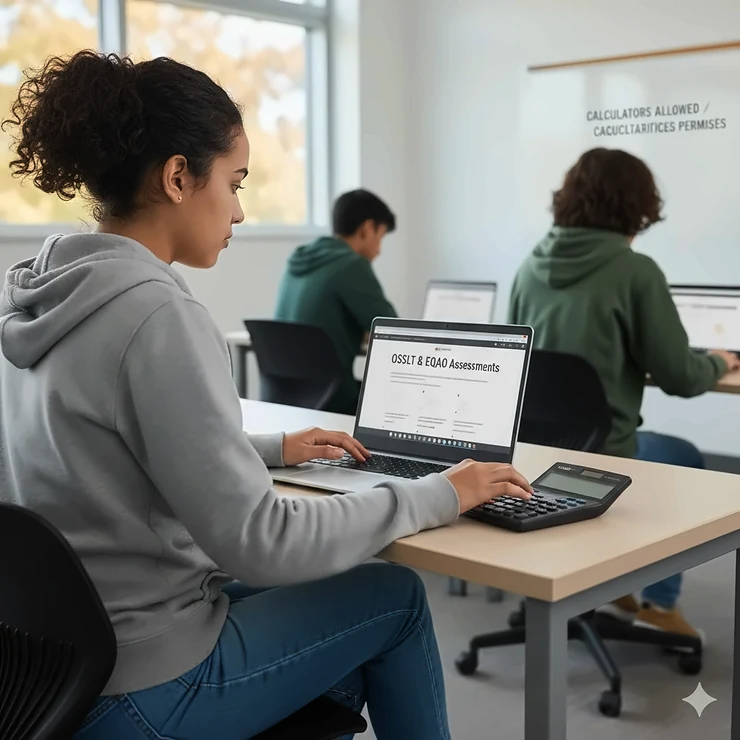
If you’re a parent or student in Ontario preparing for provincial assessments, you’ve probably wondered about calculators allowed on OSSLT and EQAO Ontario tests. Here’s the truth that might surprise you: the Ontario Secondary School Literacy Test doesn’t actually require calculators at all, while EQAO math assessments do permit specific calculator types.
The OSSLT, administered by the Education Quality and Accountability Office (EQAO), assesses literacy skills only and focuses on reading and writing abilities that students are expected to have learned by the end of Grade 9. Since there’s no mathematics component on this test, calculators aren’t part of the equation – literally.
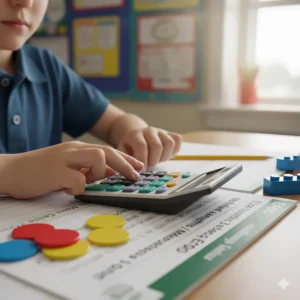
However, EQAO math assessments for Grades 3, 6, and 9 follow different rules. Ontario students taking standardized math tests are allowed to use calculators, including online calculators and traditional handheld devices, as part of updated EQAO testing policies. Understanding these distinctions is crucial for proper test preparation.
In this comprehensive guide, I’ll walk you through everything you need to know about Ontario provincial exam calculator rules, help you choose the right calculator for EQAO math tests, and recommend seven excellent options available on Amazon.ca that meet all requirements for standardized tests in Canadian schools.
Quick Comparison Table: OSSLT vs EQAO Calculator Policies
| Assessment | Grade Level | Calculator Allowed? | Type of Calculator | Purpose |
|---|---|---|---|---|
| OSSLT | Grade 10 | ❌ No | Not applicable | Literacy test (reading/writing only) |
| EQAO Math | Grade 3 | ✅ Yes | Basic four-function or online calculator | Elementary math assessment |
| EQAO Math | Grade 6 | ✅ Yes | Basic four-function or online calculator | Junior division math |
| EQAO Math | Grade 9 | ✅ Yes | Scientific or graphing calculator | De-streamed mathematics course |
💬 Just one click – help others make better buying decisions too! 😊
Top 7 Basic Calculators for EQAO Math Tests: Expert Analysis
While the OSSLT doesn’t require calculators, EQAO math assessments do – and having the right simple four-function calculator can make all the difference. Based on thorough research of products available on Amazon.ca, here are my top recommendations for Ontario students in 2026.
1. Amazon Basics Easy-to-Use LCD Display Desktop Calculator
Amazon Basics has long been a reliable name for affordable school supplies, and their desktop calculator delivers exactly what EQAO students need without unnecessary complexity.
Key Specifications:
- 12-digit LCD display with clear visibility
- Basic four-function operations (add, subtract, multiply, divide)
- Solar and battery dual power system
- Compact size: 14.7 x 10.4 x 3 cm
Price Range: $7.63 – $12.28 CAD
This memory-free calculator requirements meet perfectly with EQAO standards. Canadian buyers consistently praise its durability and straightforward design, noting that it’s ideal for elementary and junior students who need reliable calculations without programmable features.
Pros:
- ✅ Excellent value for money
- ✅ Dual power system ensures it never dies mid-test
- ✅ Large, easy-to-read display
Cons:
- ❌ Basic functionality only (no scientific functions)
- ❌ Slightly larger than pocket-sized options
Target User: Perfect for Grade 3 and 6 EQAO math assessments, homework, and general classroom use.
2. Enday Basic Small Solar and Battery Operated Calculator
The Enday Calculator offers a colourful, portable solution that’s become increasingly popular in Ontario schools for its reliability and kid-friendly design.
Key Specifications:
- 8-digit display with angled panel to reduce glare
- Four-function basic operations
- Dual power: solar with AA battery backup (included)
- Available in blue, green, red, purple, grey, and pink
- Protective hard cover included
Price Range: $15-20 CAD
Canadian customers particularly appreciate the protective cover, which makes this simple four-function calculator ideal for tossing into backpacks. The variety of colours allows students to personalize their supplies while meeting non-programmable calculator list Ontario requirements.
Pros:
- ✅ Durable protective case
- ✅ Fun colour options for student engagement
- ✅ Lightweight and portable (perfect for on-the-go studying)
Cons:
- ❌ 8-digit display may be limiting for some advanced calculations
- ❌ Keys can feel a bit small for larger hands
Target User: Ideal for elementary students taking EQAO assessments and needing a reliable calculator for daily schoolwork across Canada.
3. LEIFIDE 24-Pack Pocket Calculator Bulk Set
For families with multiple children or teachers stocking their classrooms, LEIFIDE’s bulk pack represents outstanding value while meeting approved calculator list ministry of education standards.
Key Specifications:
- 24 calculators in 4 colours (blue, dark green, red, yellow-green)
- 8-digit LCD display
- Basic four-function with percentage and square root
- AG10 button battery included (approximately 1-year lifespan)
- Compact size: 10 x 6.3 x 0.8 cm
Price Range: $25-35 CAD for 24-pack (approximately $1.25-1.50 per calculator)
This is an exceptional choice for Ontario families preparing multiple children for calculator policy Ontario schools requirements. Canadian reviewers note these are perfect for keeping extras at home, in lockers, and in backpacks.
Pros:
- ✅ Unbeatable value per unit
- ✅ Multiple colours help identify individual calculators
- ✅ Memory functions (M+, M-, MR, MC) support learning
Cons:
- ❌ Non-replaceable batteries
- ❌ May have more calculators than single-student families need
Target User: Perfect for teachers, homeschooling families, or households with several students writing EQAO exams.
4. Casio FX-300ESPLUS2 Scientific Calculator
While basic calculators work for Grades 3 and 6, Grade 9 EQAO math allows scientific calculators. The Casio FX-300ESPLUS2 is widely approved and popular across Canadian schools.
Key Specifications:
- Natural textbook display shows formulas as they appear in textbooks
- 274 functions including statistics and regression
- 2-line display for viewing input and output simultaneously
- Dual-powered (solar with battery backup)
Price Range: $15.44 – $18.38 CAD
This calculator meets all basic calculator for standardized tests requirements while offering advanced functionality that grows with students through high school. Students are allowed to use scientific calculators during Grade 9 EQAO math assessments as long as they don’t have instructional materials like glossaries built in.
Pros:
- ✅ Approved for many standardized tests including SAT and PSAT
- ✅ Natural textbook display aids understanding
- ✅ Excellent build quality from trusted brand
Cons:
- ❌ Learning curve for students new to scientific calculators
- ❌ Overkill for elementary-level EQAO tests
Target User: Grade 9 students taking EQAO Assessment of Mathematics and planning to continue with advanced math courses.
5. Cute Basic Four-Function Calculator (Multiple Colours)
Sometimes a little personality helps reduce test anxiety. This cute desktop calculator combines functionality with appealing aesthetics that resonate with Canadian students.
Key Specifications:
- 8-digit LCD display
- Four basic functions (addition, subtraction, multiplication, division)
- Durable silicone buttons with good tactile feedback
- Available in blue, pink, and other colours
- Size: 5.5 x 3.2 inches
- Auto-shutdown feature
Price Range: $12-18 CAD
Canadian buyers, particularly nursing students and teachers, report this calculator strikes the perfect balance between simple functionality and engaging design. The anti-slip design with gaskets prevents sliding during OSSLT exam regulations 2025 preparation sessions and EQAO practice tests.
Pros:
- ✅ Appealing design increases student engagement
- ✅ Durable construction with quality silicone buttons
- ✅ Perfect size for young hands
Cons:
- ❌ Limited to basic functions
- ❌ Some users find colours too bold for professional settings
Target User: Elementary and junior students who benefit from more engaging school supplies during EQAO math preparation.
6. Mr. Pen Standard Function Calculator
Mr. Pen has built a reputation for quality office and school products, and their standard calculator maintains that tradition with mechanical switch technology.
Key Specifications:
- 12-digit LCD display
- Large buttons with satisfying mechanical switches
- Dual power (solar and battery)
- Desktop size with substantial feel
- Standard function operations
Price Range: $12-20 CAD
The mechanical switches provide excellent tactile feedback that helps students confirm their inputs – a valuable feature when accuracy matters on EQAO assessments. Canadian customers particularly praise the button quality and display clarity.
Pros:
- ✅ Mechanical switches provide excellent feedback
- ✅ Large 12-digit display
- ✅ Solid, premium feel
Cons:
- ❌ Larger desktop size less portable than pocket options
- ❌ Slightly more expensive than ultra-budget options
Target User: Students who prefer a more substantial calculator for home study and EQAO preparation.
7. PATIKIL Basic Calculator with Protective Cover
Rounding out our recommendations, the PATIKIL calculator offers a slim, portable option that’s perfect for students on the move throughout Ontario’s school year.
Key Specifications:
- 8-digit LCD display (42 x 8 mm)
- Silicone keyboard for quiet operation
- Plastic protective cover included
- Ultra-slim profile: 110 x 63 x 20 mm
- Requires one AA battery (not included)
Price Range: $6-9 CAD
This memory-free calculator requirements compliant option fits easily in pencil cases and pockets. While some Canadian reviewers noted quality concerns at this price point, many found it perfectly adequate for elementary EQAO math assessments where basic functionality is all that’s required.
Pros:
- ✅ Extremely portable and slim
- ✅ Quiet silicone keys won’t disturb classmates
- ✅ Affordable entry-level option
Cons:
- ❌ Build quality varies by batch according to reviews
- ❌ No solar power option
Target User: Budget-conscious families needing a basic calculator for Grade 3 or 6 EQAO math assessments.
What Is the Ontario Secondary School Literacy Test (OSSLT)?
The OSSLT is administered province-wide by EQAO to determine whether students have the literacy skills required to meet standards expected by The Ontario Curriculum for understanding and creating various text forms across all subjects up to the end of Grade 9. This computer-based assessment is a graduation requirement for earning an Ontario Secondary School Diploma.
Key Facts About OSSLT:
- Administered in fall (November-December) and spring (March-April) testing windows
- Consists of two sessions totaling approximately 150 minutes
- Tests only reading and writing skills – no mathematics
- The test is grounded in Ontario Curriculum expectations for all subjects that address reading and writing skills up to the end of Grade 9
- Students typically take it for the first time in Grade 10
Since the OSSLT focuses exclusively on literacy, no calculators are permitted or needed. The online test platform provides built-in tools like text-to-speech, zoom functions, highlighters, and annotation features – but not calculators.
Understanding EQAO Math Assessment Calculator Policies
Unlike the OSSLT, EQAO’s mathematics assessments at various grade levels do incorporate calculator use, though policies differ by grade:
Grade 3 and 6 Math Assessments
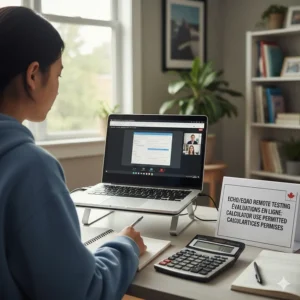
Students taking EQAO tests are able to access online calculators and can use headphones during testing, reflecting changes made to better mirror regular classroom assessment environments. Basic four-function calculators are appropriate for these elementary levels.
Permitted Tools:
- Basic handheld calculators
- Online calculators (built into the e-assessment platform)
- Four-function operations only
- No programmable or graphing calculators needed
Grade 9 Assessment of Mathematics
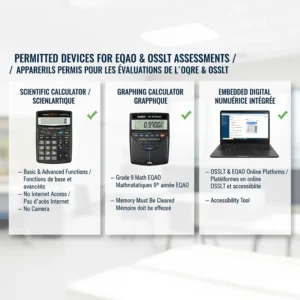
Students enrolled in the Grade 9 mathematics course can use their own calculator (scientific or graphing) and have access to pencil and paper for rough work during the assessment. This reflects the more advanced mathematical concepts tested at this level.
Permitted Tools:
- Scientific calculators (like the Casio FX-300ESPLUS2)
- Graphing calculators
- Calculator applications on tablets (with same functionality as regular calculators)
- Online graphing applications like Desmos (in test mode)
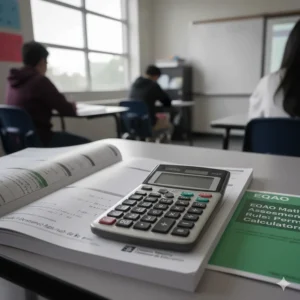
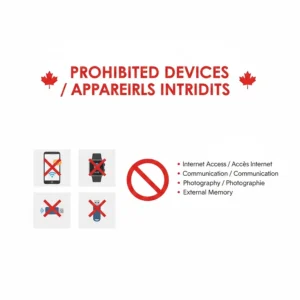
Important Restrictions: Calculators must not contain glossaries, provide tutorials or definitions, or have instructional materials built in. The focus is on computational assistance, not access to stored information.
How to Choose the Right Calculator for Ontario Provincial Exams
Selecting an appropriate calculator involves understanding both official requirements and practical considerations for Canadian students:
1. Match Calculator to Grade Level
Elementary students (Grades 3-6) benefit from simple four-function calculators with large buttons and clear displays. These basic models prevent confusion and focus attention on fundamental math operations. Grade 9 students need scientific calculators capable of handling more complex functions like trigonometry, logarithms, and statistical calculations.
2. Consider Dual Power Options
Ontario classrooms can have varying lighting conditions. Solar-powered calculators with battery backup ensure your calculator works reliably regardless of environment. This is particularly important during EQAO testing windows when you cannot simply replace a dead battery.
3. Verify Non-Programmable Status
The approved calculator list ministry of education explicitly excludes programmable calculators with memory storage of formulas or instructions. Stick with basic calculators or standard scientific models without programming capabilities to avoid any issues during standardized testing.
4. Prioritize Durability for School Use
Calculators face rough treatment in backpacks, lockers, and busy classrooms across Canada. Look for models with protective covers, solid construction, and responsive buttons that won’t wear out quickly. The modest investment in a durable calculator pays off over years of school use.
5. Choose Appropriate Display Size
Young elementary students benefit from larger displays with bigger numbers. As students advance, they can manage smaller displays in exchange for portability. Consider your child’s visual comfort and the calculator’s primary use location (home desk vs. portable for school).
Ontario Ministry of Education Calculator Guidelines
The calculator policy Ontario schools follow aligns with broader principles about assessment authenticity and equity:
Core Principles:
- Calculators should reflect tools students regularly use in classroom instruction
- Students who wear headphones or use instructional tools during regular class time will be able to use them during EQAO testing
- Assessment environments should feel natural, not artificially restrictive
- Tools should support calculation, not provide answers
What’s NOT Allowed:
- Calculators with built-in glossaries or dictionaries
- Devices with instructional tutorials or formula storage
- Internet-connected apps beyond specific approved calculator functions
- Any device that could facilitate cheating or unfair advantage
Special Accommodations: Students with Individual Education Plans may have additional calculator accommodations. Parents should discuss these with school administrators well before test dates to ensure proper setup.
Common Questions About EQAO Math Testing
Can My Child Use a Calculator App on a Phone?
No. Cellphones are not permitted in testing rooms during EQAO assessments. However, calculator applications on school-provided tablets or Chromebooks may be allowed if they match the functionality of standard scientific or graphing calculators and don’t provide instructional content.
What If the Calculator Battery Dies During the Test?
This highlights the importance of checking battery life before test day. Many schools recommend dual-powered (solar + battery) calculators to prevent this situation. Students should ensure their devices are fully charged and working before OSSLT exam regulations 2025 testing sessions, and the same principle applies to calculator batteries for EQAO math tests.
Are Online Calculators Better Than Physical Ones?
Both have advantages. Online calculators built into EQAO’s e-assessment platform are always available and don’t require maintenance. However, many students perform better with familiar physical calculators they’ve practiced with throughout the school year. The choice often depends on individual student comfort and learning style.
Preparing for OSSLT and EQAO Success in Ontario
Success on these provincial assessments extends far beyond calculator selection:
For OSSLT Preparation
Since calculators aren’t part of the OSSLT, focus on literacy skills:
Reading Strategies:
- Practice reading diverse text types (information texts, news articles, narratives)
- Work on identifying main ideas and supporting details
- Develop skills in making inferences and drawing conclusions
- Time yourself to build reading speed and comprehension
Writing Preparation:
- The OSSLT assesses students’ ability to analyze and interpret texts, write clearly and effectively, and demonstrate understanding of different writing styles and formats
- Practice both short and longer writing responses
- Review grammar, punctuation, and sentence structure
- Familiarize yourself with the online testing platform using practice tests at eqao.com
For EQAO Math Assessments
Calculator Familiarization: Spend time with your calculator before test day. Understanding where keys are located and how functions work reduces stress and saves time during the actual assessment. Practice problems using the exact calculator model you’ll bring to the test.
Content Review: Review Ontario Curriculum expectations for your grade level. EQAO provides sample questions and practice tests that mirror actual assessment formats. Work through these using your calculator to build confidence with both content and tools.
Test-Taking Strategies:
- Read questions carefully before calculating
- Show your work even when using a calculator
- Check answers for reasonableness
- Manage your time across all questions
The Evolution of Calculator Use in Ontario Education
Understanding the history helps contextualize current policies. EQAO introduced changes allowing students to use headphones and access online calculators after consultations with educators and parents to better reflect regular assessment environments in classrooms. This shift recognizes that modern mathematics instruction incorporates technology as a standard tool.
The goal isn’t to make tests easier but to ensure assessments measure mathematical understanding rather than manual calculation speed. When students can focus on problem-solving strategies and conceptual understanding rather than arithmetic details, assessments better reveal their true mathematical abilities.
✨ Don’t Miss These Exclusive Deals!
🔍 Take your Ontario provincial exam preparation to the next level with these carefully selected calculators available on Amazon.ca. Click on any highlighted product name to check current pricing and availability. These tools will help you create authentic success in EQAO math assessments that your family will celebrate!
Memory-Free Calculator Requirements Explained
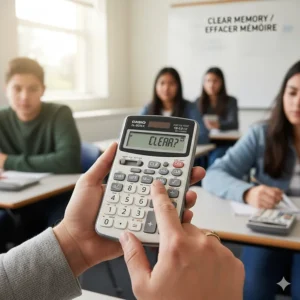
The term “memory-free calculator” appears in various Ontario education documents, but what does it mean? This refers to calculators that don’t store formulas, programs, or instructional content in memory. The key distinction:
Acceptable Memory Functions:
- M+ (memory add)
- M- (memory subtract)
- MR (memory recall)
- MC (memory clear)
These basic memory operations for temporary number storage are perfectly fine and helpful for multi-step calculations.
Unacceptable Memory Features:
- Stored formulas or equations
- Programmable sequences
- Saved notes or text
- Built-in reference materials
All the calculators recommended in this guide meet memory-free requirements while providing the memory functions that legitimately support calculation accuracy.
Calculator Maintenance and Care for Canadian Students
Extending your calculator’s lifespan ensures it serves through multiple years of schooling:
Battery Management
Replace batteries before they’re completely dead. Keep spare batteries at home for quick replacement. For calculators with non-replaceable batteries, track approximately how long they’ve been in use and plan for replacement before they fail.
Physical Protection
Use protective covers when available. Store calculators in pencil cases rather than loose in backpacks where they can be crushed or damaged. Clean displays gently with soft, dry cloths – avoid liquids that could seep inside.
Testing Before Important Dates
Check calculator function several days before EQAO test dates. This gives time to replace or repair if issues arise. Confirm all buttons respond properly and the display shows clearly.
Backup Planning
Consider having a backup calculator, especially for older models nearing end-of-life. The modest cost of a spare calculator is insignificant compared to the stress of calculator failure during important assessments.
Environmental Considerations for Calculator Purchases
Canadian families increasingly consider environmental impacts when making purchases:
Battery Selection
Choose rechargeable batteries when possible for calculators with replaceable batteries. This reduces waste and long-term costs. Solar-powered calculators represent the most environmentally friendly option, though they still typically include a backup battery.
Durability Over Disposability
Investing in quality calculators like Casio models that last for years proves more environmentally responsible than repeatedly replacing cheap calculators. The higher initial cost often balances out over time while generating less electronic waste.
Bulk Buying Considerations
While bulk calculator packs offer value, consider whether you’ll genuinely use all units. Unused calculators sitting in storage benefit no one. If buying bulk, consider sharing extras with schools or community programs rather than hoarding them.
The Future of Calculators in Ontario Education
Education technology continues evolving. Looking ahead:
Increased Digital Integration
More EQAO assessments may move toward built-in digital calculators within e-assessment platforms. This ensures standardized tools for all students and eliminates concerns about calculator availability or capabilities.
Graphing Calculator Apps
Some Ontario school districts have approved Desmos Test Mode app for use during mathematics assessments, following verification that the calculator application has the same functionality as regular scientific or graphing calculators. This trend toward app-based calculation tools may expand.
Artificial Intelligence Considerations
As AI tools become more sophisticated, education systems will need to establish boundaries between legitimate calculator assistance and AI-powered problem-solving that undermines assessment validity. Expect continued policy evolution in this area.
Provincial Exam Success Beyond Calculator Selection
While having the right tools matters, long-term academic success in Ontario depends on developing strong foundational skills:
Build Literacy Foundations
The OSSLT graduation requirement reflects the critical importance of reading and writing across all subject areas. Regular reading, writing practice, and vocabulary development throughout elementary and middle school years prepare students for OSSLT success regardless of calculator policies.
Develop Mathematical Reasoning
Calculators assist with computation but can’t replace mathematical understanding. Focus on developing number sense, problem-solving strategies, and conceptual understanding. When students truly understand mathematical relationships, calculator use becomes a tool for efficiency rather than a crutch for confusion.
Practice Test Conditions
Familiarize yourself with computer-based testing environments. Both OSSLT and EQAO math assessments use online platforms with specific interfaces and tools. Practicing with official sample tests helps students navigate technology smoothly during actual assessments.
Supporting Your Child Through Provincial Assessments
Parents play crucial roles in test preparation and emotional support:
Maintain Perspective
While EQAO results inform system-level decisions and the OSSLT is a graduation requirement, individual test results don’t define student worth or potential. Encourage your child to do their best while maintaining healthy perspective about the tests’ actual significance.
Provide Practical Support
Ensure adequate sleep, proper nutrition, and calm mornings on test days. Verify your child has all necessary tools (charged Chromebook, working calculator for EQAO math, etc.) the night before. These practical steps reduce test-day stress.
Communicate with Educators
Schools send information to families about testing dates and procedures. Read these communications carefully and reach out with questions. Teachers and administrators want to support student success and can clarify policies or address concerns.
Special Education and Calculator Accommodations
Students with Individual Education Plans may have specific calculator-related accommodations:
Talking Calculators
Some students benefit from audio feedback calculators that speak numbers and operations aloud. These specialized tools require advance arrangement with school administrators.
Large Display Calculators
Students with visual impairments may use calculators with extra-large displays or increased font sizes. These modifications support accessibility while maintaining assessment integrity.
Extended Time with Calculator Use
Students who receive extended time accommodations maintain access to calculators throughout their extended testing period for EQAO math assessments (though this doesn’t apply to OSSLT since calculators aren’t used).
FAQs About Calculators and Ontario Provincial Exams
❓ Are calculators allowed on the OSSLT in Ontario?
❓ What type of calculator is best for Grade 3 and 6 EQAO math tests in Canada?
❓ Can Grade 9 students use scientific calculators during EQAO math assessments?
❓ Where can I buy approved calculators for EQAO tests in Canada?
❓ Do calculator batteries need to be fresh for EQAO test day?
Conclusion: Making Informed Calculator Choices for Ontario Education
Understanding calculators allowed on OSSLT and EQAO Ontario assessments requires recognizing the fundamental distinction: OSSLT is a literacy test with no calculator use, while EQAO math assessments actively incorporate calculators as assessment tools.
For Ontario families preparing for provincial assessments in 2026, the key takeaways are:
For OSSLT: Focus preparation energy on reading comprehension, writing skills, and familiarity with the digital testing platform. Calculators simply aren’t part of this assessment.
For EQAO Math: Invest in an appropriate calculator based on your child’s grade level. Elementary students (Grades 3-6) need simple four-function calculators with clear displays and reliable power sources. Grade 9 students benefit from scientific calculators they’ll continue using throughout high school mathematics courses.
The seven calculators featured in this guide represent the best options available on Amazon.ca for Canadian students. Each meets approved calculator list ministry of education standards while offering reliable performance at reasonable prices. From the budget-friendly Amazon Basics model to the professional Casio scientific calculators, there’s an option for every student and budget.
Most importantly, remember that calculators are tools that support mathematical thinking – they don’t replace understanding. Combined with solid preparation in the Ontario Curriculum content, the right calculator helps your child demonstrate their true abilities on EQAO assessments while building skills for future academic success.
Invest in a quality calculator, ensure your child knows how to use it effectively, and approach provincial assessments with confidence. Ontario’s education system provides clear guidelines, and armed with the right information and tools, your student can succeed on both OSSLT and EQAO assessments.
Recommended for You
- Best Calculator for University Calculus Canada 2026
- 7 Best Graphing Calculators for Grade 12 Canada 2026
- Best Scientific Calculators Under $50 Canada 2026
Disclaimer: This article contains affiliate links to Amazon.ca. If you purchase products through these links, we may earn a small commission at no additional cost to you.
✨ Found this helpful? Share it with your friends! 💬🤗
