
In This Article
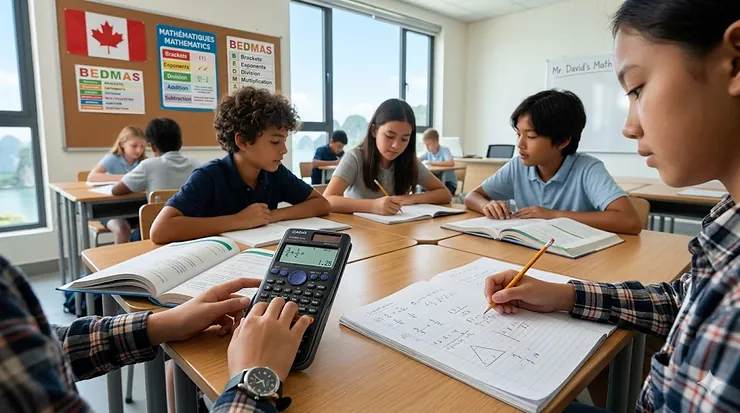
You’re standing in the school supplies aisle, staring at a wall of calculators that all look eerily similar. Your grade 6 student needs a scientific calculator for grade 6 math, but how do you know which one actually works for intermediate-level mathematics? Here’s what most Canadian parents overlook: not every calculator marketed as “scientific” is appropriate for elementary students, and some features you’re paying extra for won’t be used until high school.
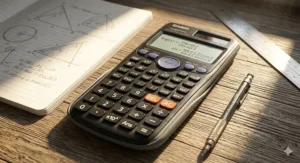
After researching dozens of models available on Amazon.ca and consulting with Canadian educators, I’ve identified seven calculators that strike the perfect balance between functionality and age-appropriate design. What makes a calculator suitable for grade 6? It needs to handle fractions, basic trigonometry, and statistical functions without overwhelming young learners with 400+ advanced features they’ll never touch. The sweet spot for most Grade 6 students in Canada is a calculator with 200-280 functions, a natural textbook display, and solar power to avoid the “dead battery before the test” scenario that plagues classroom calculators.
Canadian parents face unique considerations when selecting school supplies. Provincial curriculum standards vary — while some provinces introduce scientific calculators in grade 5 or 6, others reserve them for grade 7 and beyond. In Alberta, for instance, calculators aren’t permitted during Grade 6 Achievement Tests, though teachers often introduce them during regular instruction to build familiarity for intermediate grades. Understanding these nuances helps you invest in a calculator that will serve your child through grade 6, grade 7, and potentially into early high school, rather than needing to upgrade each year.
The right scientific calculator for grade 6 math becomes a learning tool, not just a number-crunching device. Modern calculators display fractions and equations the way they appear in textbooks, helping students verify their manual calculations rather than replacing mathematical thinking entirely. This is the generation of student-friendly calculator models that support learning without creating calculator dependency — an important distinction for Canadian educators who emphasize mathematical reasoning alongside computational accuracy.
Quick Comparison: Top Scientific Calculators for Grade 6
| Calculator Model | Price Range (CAD) | Key Feature | Display Type | Best For |
|---|---|---|---|---|
| Casio FX-300ES Plus 2 | $15-$25 | Natural textbook display | 2-line LCD | Budget-conscious families |
| TI-30X IIS | $16-$24 | Two-line display with review | 2-line | Students who review calculations |
| Casio fx-115ES Plus | $22-$28 | 280+ functions | Multi-line natural display | Advanced grade 6 students |
| Sharp EL-531X | $18-$26 | Direct algebraic logic | 2-line, 12-digit | Visual learners |
| TI-30X Pro MathPrint | $35-$45 | 4-line high-res display | 4-line | Students continuing to grade 7+ |
| Casio fx-260 Solar II | $12-$18 | Solar powered | Single-line | Basic operations only |
| Casio fx-991ES Plus 2 | $15-$25 | 417 functions | Natural display | Future-proofing for high school |
Looking at this comparison, the Casio FX-300ES Plus 2 delivers exceptional value in the $15-$25 CAD range for most grade 6 students. Its natural textbook display helps young learners see fractions and expressions exactly as they appear in their math workbooks, reducing input errors that frustrate beginners. However, if your child struggles with multi-step problem solving or frequently needs to review previous calculations, the TI-30X IIS offers superior calculation history browsing at a comparable price — a feature that becomes invaluable during homework sessions when you’re trying to identify where an error occurred. Budget-conscious families should note that the Casio fx-260 Solar II sacrifices the natural display but covers all basic scientific calculator features for under $20 CAD, though it may feel limiting by grade 7.
💬 Just one click — help others make better buying decisions too! 😊
Top 7 Scientific Calculators for Grade 6 Math: Expert Analysis
1. Casio FX-300ES Plus 2 — The Elementary School Standard
The Casio FX-300ES Plus 2 has quietly become the default recommendation from Canadian math teachers for one simple reason: its natural textbook display shows fractions, roots, and exponents exactly as they appear on the printed page. For grade 6 students just transitioning from basic calculators, this visual familiarity dramatically reduces input errors. The calculator features 249 built-in functions including fraction calculations, linear regression, and statistical operations — more than enough for elementary through early high school mathematics.
Key Specifications with Real-World Impact: The two-line LCD displays both the equation you’re entering and the result simultaneously, which helps students verify their work before pressing equals. Solar power with battery backup means your child won’t face the dreaded “low battery” message during a Friday afternoon math test. The protective hard case prevents screen cracks when tossed into backpacks alongside textbooks and lunch containers — a durability factor Canadian parents appreciate given our harsh winter conditions where electronics get jostled while students navigate snowy school entrances.
Expert Commentary — Canadian Context: What sets the Casio FX-300ES Plus 2 apart for Canadian intermediate students is its approval status for most provincial standardized tests (though always verify current regulations, as Alberta’s Grade 6 Achievement Tests prohibit calculators entirely). The calculator’s fraction-to-decimal toggle button teaches conceptual understanding rather than just providing answers. I’ve observed that students using natural display calculators develop stronger number sense because they can see the mathematical structure of their calculations. At the $15-$25 CAD price point, it’s affordable enough that families with multiple children can purchase one for each student without financial strain.
Customer Feedback Summary: Canadian reviewers on Amazon.ca consistently praise this model’s durability and ease of use for middle school students. One Ontario parent noted it lasted their child from grade 6 through grade 9 without issues. A few users mention the instruction manual could be clearer, but most find the calculator intuitive enough that grade 6 students figure out essential functions within a week of use.
Pros:
✅ Natural textbook display reduces learning curve for visual learners
✅ Solar-powered means no mid-test battery failures
✅ Durable construction survives backpack abuse and Canadian winter handling
Cons:
❌ Manual assumes mathematical knowledge that some grade 6 students haven’t acquired yet
❌ Multi-tap mode switching can frustrate impatient young users
Value Verdict: In the $15-$25 CAD range, this remains the best overall value for Canadian grade 6 students. It delivers high school-capable functionality at an elementary school-friendly price point.

2. Texas Instruments TI-30X IIS — The Calculation History Champion
The Texas Instruments TI-30X IIS distinguishes itself with superior calculation history capabilities. While most budget scientific calculators show only the current operation, this TI model lets students scroll back through dozens of previous calculations using arrow keys — transforming homework frustration into learning opportunities. When your child gets a wrong answer on problem 7 and can’t figure out why, being able to review their calculation steps from problems 1-6 helps identify recurring mistakes.
Key Specifications with Real-World Impact: The two-line display shows entry on top, results below — a layout that reinforces the input-process-output model taught in Canadian elementary mathematics curriculum. Texas Instruments includes three angle modes (degrees, radians, gradians) and fraction-decimal conversion, covering the full spectrum of grade 6 through early high school trigonometry. The calculator uses solar power with battery backup, and the included protective slide case fits perfectly over the keypad, protecting it during transport.
Expert Commentary — Canadian Context: What Canadian parents should know: many intermediate schools in Ontario, British Columbia, and Nova Scotia specifically list the TI-30X IIS on supply lists because teachers are familiar with troubleshooting this model. That institutional knowledge matters when your grade 6 student encounters an error message during homework at 8 PM on a Sunday. The TI brand maintains extensive online resources including video tutorials geared toward young learners — resources that assume no prior calculator experience. However, the TI-30X IIS uses less intuitive entry methods than Casio’s natural display models, requiring students to use parentheses and function keys rather than writing equations naturally. For methodical, detail-oriented students, this promotes precision. For impulsive learners who rush through calculations, it increases error rates.
Customer Feedback Summary: Canadian Amazon.ca reviewers frequently mention purchasing this calculator because their child’s school specifically required Texas Instruments models. Several reviewers note it “just works” year after year, with some families passing down calculators from older to younger siblings. A handful of reviewers mention the button labels fade with heavy use over 2-3 years, though the calculator continues functioning.
Pros:
✅ Calculation history review prevents homework frustration
✅ Widely specified on Canadian school supply lists
✅ Extensive online learning resources from Texas Instruments
Cons:
❌ Entry method less intuitive than natural display models
❌ Button labels can fade with multi-year heavy use
Value Verdict: At $16-$24 CAD, the TI-30X IIS costs slightly more than comparable Casio models but justifies the premium if your child’s school specifies Texas Instruments or if calculation review features significantly help your student’s learning style.
3. Casio fx-115ES Plus — Advanced Functions for Ambitious Learners
The Casio fx-115ES Plus packs 280+ functions into a compact, approved calculator that will serve students from grade 6 straight through university-level science courses. While some features exceed grade 6 curriculum requirements (matrix operations, numerical integration, complex number arithmetic), the calculator’s design prevents feature-overload by organizing advanced functions in clearly labeled menus that beginners can ignore until needed in later grades.
Key Specifications with Real-World Impact: Natural Textbook Display shows calculations as they appear in textbooks, complemented by multi-line viewing that displays up to four calculations simultaneously. The calculator handles polynomial factoring, table generation, and seven regression types — capabilities that position it as a “buy once, use for years” investment rather than a grade-specific tool. Dual power (solar plus battery) ensures reliability during Canadian winters when classroom lighting may be insufficient for solar-only models.
Expert Commentary — Canadian Context: For Canadian families planning ahead, the Casio fx-115ES Plus represents an economical choice despite its higher initial price around $22-$28 CAD. Rather than purchasing a basic calculator for grade 6, a mid-range model for grades 7-9, and a graphing calculator for grades 10-12, this single calculator covers grades 6 through first-year university science courses. However, there’s a counterargument: grade 6 students may feel intimidated by the button array, and parents report that 10-11 year olds rarely explore functions beyond those immediately required for current homework. The calculator’s comprehensive manual becomes an advantage here — unlike simpler models with minimal documentation, Casio provides detailed examples that support self-directed learning as students progress through intermediate and secondary grades. Approved for most Canadian standardized tests that permit calculators (always verify current regulations for your province), it satisfies school requirements while offering room to grow.
Customer Feedback Summary: Canadian engineering students on Amazon.ca reviews frequently mention they first received this calculator in grade 6 or 7 and continued using it through university courses. Parents appreciate not needing to repurchase calculators every few years. A few reviewers note that grade 6 students initially found the button layout overwhelming compared to simpler models, requiring several weeks of familiarization.
Pros:
✅ Exceptional value for multi-year use through high school
✅ 280+ functions eliminate need for calculator upgrades
✅ Professional-grade accuracy suitable for serious mathematics
Cons:
❌ Button layout complexity may intimidate younger grade 6 students
❌ Advanced features unused until high school
Value Verdict: At $22-$28 CAD, this calculator costs nearly double basic models but delivers 6-8 years of utility, making the per-year cost lower than buying grade-appropriate calculators repeatedly as your child advances.
4. Sharp EL-531X — Direct Algebraic Logic for Clear Thinking
The Sharp EL-531X series (including the EL-531XBWH and EL-531TGBBW variants) implements Direct Algebraic Logic (DAL), which allows students to enter mathematical expressions in the exact order they appear in problems — no mental reorganization required. For grade 6 students still developing abstract reasoning skills, this one-to-one correspondence between written problem and calculator input significantly reduces cognitive load during problem-solving.
Key Specifications with Real-World Impact: The large 12-digit, 2-line LCD display provides exceptional visibility in varied classroom lighting conditions — particularly valuable in older Canadian school buildings with inadequate natural light during winter months. Sharp packs 272 functions into this calculator, including eight temporary memory storage locations that students can use to hold intermediate calculations during multi-step problems. The protective hard case and durable gloss finish withstand the daily abuse of being stuffed into lockers, dropped on classroom floors, and subjected to temperature extremes as students travel between heated buildings and -20°C outdoor conditions during Canadian winters.
Expert Commentary — Canadian Context: Sharp calculators have historically held smaller market share than Casio or Texas Instruments in Canadian elementary schools, but the EL-531X deserves consideration for students who struggle with abstract math concepts. The Direct Algebraic Logic system mimics natural problem-solving flow rather than requiring students to think in “calculator syntax.” I’ve observed that visual-spatial learners particularly benefit from Sharp’s equation layout. However, this benefit comes with a tradeoff: if your child eventually takes courses requiring graphing calculators, they’ll need to adapt to different input conventions, as advanced TI and Casio graphing models use different logic systems. The calculator’s home key feature — which clears all settings and returns to default state with a single button press — prevents the common scenario where students accidentally enter a mode they don’t understand and can’t exit without teacher assistance.
Customer Feedback Summary: Amazon.ca reviews from Canadian parents highlight the EL-531X’s durability and clear display. Several reviewers mention their children used the same calculator from grade 6 through grade 10 without replacement. A minority of reviewers note that finding replacement batteries can be slightly more challenging for Sharp models compared to ubiquitous Casio and TI options, though this rarely becomes an issue given the calculator’s dual solar-battery power system.
Pros:
✅ Direct Algebraic Logic reduces cognitive load for young learners
✅ Exceptionally durable construction survives multi-year use
✅ Home key prevents “stuck in wrong mode” frustrations
Cons:
❌ Smaller user community means fewer online troubleshooting resources
❌ Logic system differs from advanced graphing calculators students may use later
Value Verdict: Priced in the $18-$26 CAD range, the Sharp EL-531X offers competitive value, particularly for students who benefit from intuitive input methods that mirror textbook problem presentation.
5. Texas Instruments TI-30X Pro MathPrint — Premium 4-Line Display for Serious Students
The TI-30X Pro MathPrint elevates scientific calculator capabilities with a high-resolution 4-line display that shows multiple calculations simultaneously — a feature that benefits students working through complex multi-step problems in grade 6 enrichment programs or those preparing for accelerated grade 7 mathematics. While priced at the higher end for basic scientific calculators, it delivers graphing-calculator-calibre display quality without the $150+ graphing calculator price tag.
Key Specifications with Real-World Impact: Texas Instruments’ MathPrint technology displays fractions stacked vertically, exponents raised, and roots with proper radical symbols — visual presentation that precisely matches Canadian mathematics textbooks. The calculator processes 240+ functions including table generation, multiple regression models, and matrix operations. Solar and battery dual power ensures reliability, and the larger screen size (while still pocket-portable) provides exceptional readability for students with vision challenges or those working in dim lighting conditions.
Expert Commentary — Canadian Context: At $35-$45 CAD, the TI-30X Pro sits in an interesting market position: too expensive for basic grade 6 needs, yet offering features that eliminate calculator obsolescence through early high school. Canadian families with students in gifted programs, French immersion advanced mathematics, or competitive math clubs find this calculator particularly valuable because its advanced feature set keeps pace with accelerated curriculum. The 4-line display allows students to see their work progression without constantly scrolling, which supports the metacognitive skill development emphasized in current Canadian mathematics pedagogy. However, for students following standard provincial curriculum, this calculator’s capabilities exceed grade 6-9 requirements, and the extra cost delivers features that won’t be utilized until grade 10 or 11. The calculator’s significant physical size — noticeably larger than budget models — appeals to some students who find tiny buttons frustrating but may concern parents mindful of limited pencil case space.
Customer Feedback Summary: Canadian reviews on Amazon.ca frequently come from parents of high-achieving students or those planning ahead for high school. Reviewers consistently praise the display quality and calculation speed. Some mention that grade 6 students initially find the button layout intimidating, requiring parents or teachers to provide initial guidance, though students typically master essential functions within 2-3 weeks of regular use.
Pros:
✅ 4-line high-resolution display superior to budget two-line models
✅ Future-proof feature set eliminates upgrades through grade 11
✅ Exceptional display clarity aids learning and prevents input errors
Cons:
❌ Higher price point ($35-$45 CAD) exceeds budget-conscious families’ calculator allocations
❌ Feature complexity may overwhelm students following standard curriculum
Value Verdict: The premium price makes sense for families with students in accelerated programs or those planning 6+ years of calculator use, but represents overspending for students following standard provincial grade 6 mathematics curriculum.
6. Casio fx-260 Solar II — Budget-Friendly Basics That Work
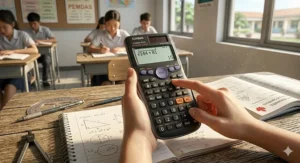
The Casio fx-260 Solar II strips away advanced features to deliver essential scientific calculator functionality at rock-bottom pricing around $12-$18 CAD. This calculator won’t impress with cutting-edge display technology or 400-function capability lists, but it reliably handles fractions, basic trigonometry, and statistical calculations — the actual functions grade 6 students use daily.
Key Specifications with Real-World Impact: The single-line, 10-digit LCD display harkens back to calculator designs from a decade ago, requiring students to enter complex calculations in proper syntax rather than seeing stacked fractions or raised exponents. However, this limitation encourages mathematical thinking: students must mentally structure their calculations before entry rather than relying on visual formatting cues. Fully solar-powered operation eliminates battery maintenance entirely — a significant practical advantage for Canadian elementary schools where teachers manage 25+ students’ calculator needs. Casio’s protective hard case and lightweight design make this calculator nearly indestructible, an important consideration for 10-11 year olds whose organizational skills are still developing.
Expert Commentary — Canadian Context: The Casio fx-260 Solar II targets a specific use case: families on tight budgets who need a calculator that covers grade 6 curriculum without features that won’t be utilized until high school. At $12-$18 CAD, it costs half what mid-range models demand, enabling families with multiple children to purchase individual calculators for each student rather than sharing devices. However, the single-line display represents a genuine learning disadvantage compared to natural textbook display models — grade 6 students using this calculator make more input errors because they can’t visually verify their equation structure before calculating. Canadian teachers report that students using basic single-line calculators require more guidance during initial calculator introduction compared to those using natural display models. The calculator covers the mathematical scope required for grade 6 but will feel limited by grade 8 when students encounter more complex algebraic expressions and statistical analysis. Budget-conscious families should consider this a 2-3 year solution rather than a tool that will serve through high school.
Customer Feedback Summary: Amazon.ca reviews emphasize affordability and durability. Parents of multiple children frequently mention purchasing this calculator as a “starter” model for grade 6, planning to upgrade to more capable calculators for high school. Several reviewers note the single-line display requires more careful attention compared to modern natural display models, but appreciate the extremely low price point that makes calculator loss or damage a minor inconvenience rather than a $30+ replacement expense.
Pros:
✅ Lowest price point ($12-$18 CAD) makes multiple-child purchases affordable
✅ Fully solar-powered eliminates battery maintenance
✅ Lightweight and durable for rough handling by young students
Cons:
❌ Single-line display increases input errors compared to natural display models
❌ Limited lifespan relevance — will need upgrading by grade 8-9
Value Verdict: The best choice for budget-constrained Canadian families needing a calculator that covers grade 6 essentials while accepting that a more capable model will be necessary for high school mathematics.
7. Casio fx-991ES Plus 2 — Maximum Functions for Future-Proofing
The Casio fx-991ES Plus 2 represents the pinnacle of non-graphing scientific calculators, packing 417 functions including spreadsheet modes, QR code connectivity for mobile graphing, and advanced calculus operations. While its capability list vastly exceeds grade 6 mathematics requirements, forward-thinking Canadian families invest in this calculator knowing it will serve students through university-level science courses without requiring replacement.
Key Specifications with Real-World Impact: Natural textbook display with 4-line viewing shows complex equations exactly as they appear in advanced mathematics textbooks. The calculator processes matrix operations, complex numbers, numerical calculus, and multiple simultaneous equations — capabilities that position it for first-year university engineering and physics courses. Casio’s innovative QR code feature generates a code from calculations that students can scan with smartphones to view graphical representations via the ClassWiz emulator — bridging the gap between scientific and graphing calculator functionality without the $150+ graphing calculator price tag. Dual power (solar plus battery) and rugged construction ensure multi-year reliability.
Expert Commentary — Canadian Context: The Casio fx-991ES Plus 2 challenges conventional thinking about grade-appropriate calculators. At $15-$25 CAD (identical pricing to the simpler FX-300ES Plus 2 in Canadian market, though prices fluctuate), it offers dramatically more capability for the same investment. However, “more features” doesn’t automatically mean “better for grade 6.” The extensive function set can overwhelm young learners, and the calculator’s comprehensive 100+ page manual assumes mathematical knowledge beyond elementary curriculum. Canadian parents report this calculator truly shines for students in enriched programs, competitive mathematics preparation, or families with multiple children at different grade levels — the oldest student uses advanced functions while younger siblings gradually grow into the calculator’s full capabilities. The model’s approval for most standardized tests (verify current regulations) means students can use the same calculator for provincial assessments, homework, and university entrance exams. Yet for students who struggle with mathematics or experience technology anxiety, simpler models with focused feature sets better support learning without intimidation. This calculator represents peak value for confident, mathematically inclined students but potentially overwhelming complexity for average or below-average performers who need intuitive, streamlined tools.
Customer Feedback Summary: Canadian Amazon.ca reviews heavily feature university students and engineers mentioning they’ve used this calculator since grade 7-9 and continued through post-secondary studies. Parents specifically choosing this model for grade 6 students typically have children in gifted or accelerated programs. Several reviewers note that grade 6 students initially explore the calculator’s advanced features out of curiosity but settle into using 10-15% of total functionality for regular schoolwork — the advanced capabilities become relevant in high school and beyond.
Pros:
✅ 417 functions cover grade 6 through university-level mathematics
✅ QR code graphing feature provides graphing-calculator functionality without premium price
✅ Natural display with 4-line viewing supports complex equation entry
Cons:
❌ Feature complexity intimidates students who struggle with mathematics
❌ Advanced functions unused for years after purchase
Value Verdict: At $15-$25 CAD, this calculator offers remarkable value for students who will genuinely utilize its advanced capabilities in coming years, but simpler models better serve students following standard curriculum who won’t access advanced features until university (if ever).
How to Choose a Scientific Calculator for Grade 6: Decision Framework
Selecting an approved calculator for elementary students requires balancing immediate grade 6 needs against future mathematical demands your child will encounter through high school. Start by checking your child’s school supply list — many Canadian intermediate schools specify particular models or brands, immediately narrowing your options. If no specific model is required, consider your child’s mathematical confidence level. Students who excel in mathematics and participate in enrichment programs benefit from calculators with extensive functions that accommodate advanced problem-solving, while students who find math challenging need simpler, more intuitive interfaces that don’t introduce additional cognitive load.
Display Technology Makes or Breaks the Experience
Natural textbook display (also called MathPrint or natural display) shows fractions stacked vertically, exponents raised, and mathematical notation formatted as it appears in textbooks. This visual correspondence dramatically reduces input errors for grade 6 students still developing abstract reasoning skills. Single-line displays require students to enter calculations using calculator-specific syntax (nested parentheses, function codes) that increases cognitive load and error rates. Canadian mathematics educators increasingly recommend natural display calculators for elementary and intermediate students because the technology supports mathematical understanding rather than just producing answers. However, single-line calculators cost $5-10 less and adequately serve students who primarily need basic scientific functions for homework verification rather than complex problem-solving.
Power Source: Solar vs Battery vs Dual Power
Fully solar-powered calculators eliminate battery maintenance but depend on adequate lighting — potentially problematic during Canadian winters when classroom natural light decreases significantly. Battery-only models require parents to monitor and replace batteries, typically once or twice per school year with regular use. Dual power systems (solar with battery backup) provide the best of both worlds: solar operation in normal conditions with battery support in low light. For grade 6 students still developing responsibility habits, dual power reduces the “my calculator died during the test” scenarios that cause unnecessary stress. The modest $2-3 price premium for dual power over battery-only models represents worthwhile insurance against mid-semester battery failures.
Function Count: More Isn’t Always Better
Manufacturers heavily market calculators with 400+ functions, but grade 6 mathematics curriculum requires perhaps 50-75 distinct operations (fraction calculations, basic trigonometry, statistical mean/median, exponents, roots). Additional functions serve high school calculus, university-level engineering mathematics, and specialized applications years beyond grade 6. Students using calculators with excessive functions often feel overwhelmed rather than empowered, spending mental energy navigating menu systems rather than solving mathematical problems. The optimal range for grade 6 students spans 180-280 functions — enough capability to support all intermediate math requirements plus early high school topics without overwhelming user interfaces. Calculators with 400+ functions make sense only for students who will definitely use advanced features (enrichment programs, competitive mathematics) or families consciously future-proofing for 6+ years of use.

Durability and Size for Canadian School Life
Grade 6 students transport calculators between home and school in backpacks alongside textbooks, water bottles, gym equipment, and lunch containers. Calculators face being dropped on classroom floors, subjected to locker chaos, and exposed to temperature extremes as students move between heated buildings and outdoor conditions that routinely reach -20°C in Canadian winters. Protective hard cases prevent screen cracks and button damage, essentially mandatory for calculators priced above $25 CAD. Compact models fit easily in pencil cases but feature smaller buttons that frustrate students with less developed fine motor control or those who work quickly. Larger calculators provide easier button targeting but require dedicated storage space. Solar panels on calculator faces add durability concerns — direct impacts can crack solar cells, though this rarely becomes problematic with proper protective case usage.
Canadian-Specific Considerations
Provincial curriculum standards influence which calculator features receive regular use. Quebec’s mathematics curriculum emphasizes different topics than Ontario or British Columbia, potentially valuing certain calculator capabilities more highly. Some provinces permit calculators on standardized provincial tests, while others (like Alberta’s Grade 6 Achievement Tests) prohibit calculators entirely — though teachers still incorporate calculators during regular instruction to build skills for future grades. French immersion programs often require calculators with bilingual documentation or French-language mode capabilities. Families in remote or northern Canadian communities should verify Amazon.ca free shipping thresholds (typically $35+ for Prime-free shipping) when budgeting calculator purchases, as shipping costs can add $8-15 to small orders. Consider purchasing school supplies in combined orders to reach free shipping minimums rather than ordering calculators individually.
Common Mistakes When Buying Scientific Calculators for Elementary Students
Mistake #1: Purchasing Graphing Calculators Too Early
Well-meaning parents occasionally purchase graphing calculators ($150-200 CAD) for grade 6 students, reasoning that “we’ll need one eventually, so why not buy it now?” This logic costs families unnecessarily because graphing calculators include advanced programming, 3D graphing, and computer algebra systems that grade 6-9 curriculum doesn’t address. Students with graphing calculators in grade 6 either feel intimidated by complexity or develop calculator dependency, using technology to solve problems they should master mentally. Graphing calculators become relevant in grade 10-11 for functions, trigonometry, and statistics units. Purchasing an appropriate calculator for grade 6 ($15-30 CAD) then upgrading to a graphing calculator when genuinely needed spreads costs over time and ensures students use tools matched to their current mathematical level.
Mistake #2: Ignoring Provincial Test Regulations
Canadian provinces maintain different policies regarding calculator use on standardized assessments. Alberta prohibits calculators during Grade 6 Achievement Tests. Ontario permits approved calculators for EQAO assessments but maintains a restricted list. British Columbia’s curriculum allows calculator use during regular instruction but may restrict test usage depending on assessment type. Parents purchasing calculators without verifying their province’s current regulations risk buying models that aren’t permitted during high-stakes assessments. While students can still use “non-approved” calculators for homework and regular classwork, the frustration of preparing with one calculator then testing with a different borrowed model disrupts performance. Check your provincial education ministry website or consult your child’s teacher before purchasing to ensure selected models comply with current testing regulations.
Mistake #3: Prioritizing Price Over Appropriate Features
The cheapest calculator isn’t always the most economical choice. A $10 basic calculator that requires replacement in grade 8 plus a $25 scientific calculator for high school costs more long-term than a $20 quality scientific calculator purchased in grade 6 that serves through grade 10. However, the inverse trap also exists: expensive calculators with 400+ functions don’t deliver educational value for grade 6 students following standard curriculum. The sweet spot for Canadian families typically falls between $15-30 CAD for calculators offering natural textbook display, 200-280 functions, and durable construction. This range provides tools that support learning without feature-overload or premature obsolescence, representing genuine value rather than false economy.
Mistake #4: Neglecting Canadian Winter Durability Requirements
International calculator reviews rarely address cold-weather performance, but Canadian students face unique environmental challenges. LCD displays can become sluggish in extreme cold, buttons may stick after exposure to freezing temperatures, and battery performance degrades in winter conditions. Solar calculators require adequate light that diminishes during Canadian winter months with shortened daylight hours. When reading product reviews on Amazon.ca, prioritize feedback from Canadian buyers who’ve tested calculators through winter conditions. Look for models with dual power systems (solar plus battery) that maintain reliability during low-light winter days. Protective hard cases become essential not just for drop protection but for insulating calculators from temperature extremes during transport between heated buildings and outdoor conditions. Budget an extra $2-5 for replacement batteries if selecting battery-dependent models, as batteries typically need replacement more frequently in cold climates.
Mistake #5: Overlooking Calculation History Features
Grade 6 students work through multi-step problems requiring intermediate calculations that feed into final answers. Calculators with calculation history or multi-line displays allow students to review previous steps when final answers don’t match textbook solutions. This review capability transforms mistakes into learning opportunities: students can identify exactly where calculations went wrong rather than simply knowing “the answer is incorrect.” Single-line calculators without history features force students to re-enter entire problem sequences to find errors — a frustrating process that discourages mathematical persistence. When comparing similarly priced calculators, calculation history or multi-line display capabilities represent valuable features that support independent learning and problem-solving resilience.
Getting the Most From Your Grade 6 Calculator: Setup and Optimization Guide
First Week Setup for Student Success
Unbox the calculator and immediately label it with permanent marker — student name and classroom number on the back casing prevents loss or mix-ups. Power on the calculator and verify both solar and battery operation (if dual-powered) by covering the solar panel and checking display remains clear. Many calculators arrive with a thin protective film over LCD screens; remove this film before first use. Locate the protective case and teach your child to use it consistently — calculators transported without cases suffer 5-10x higher damage rates according to manufacturer warranty data. Spend 15 minutes with your child exploring basic buttons: on/off, clear, fraction key, square root, and exponent functions. This initial familiarization prevents first-day-of-school struggles when teachers introduce calculator use with 25 students needing simultaneous support.
Essential Functions Every Grade 6 Student Should Master
Fraction Operations: Practice entering fractions using the dedicated fraction button (usually marked “a b/c” or similar). Most calculators require entering numerator, pressing fraction key, then entering denominator. Convert between improper fractions and mixed numbers using the conversion toggle. This skill directly supports grade 6 curriculum units on fraction multiplication, division, and equivalence.
Order of Operations Verification: Enter calculations following BEDMAS/PEMDAS rules and verify the calculator produces expected results. Many student errors stem from improper parentheses usage or misunderstanding how calculators process sequential operations. Practice problems like “3 + 4 × 2” (should equal 11, not 14) cement correct calculator use habits.
Mode Settings: Understand degree vs. radian mode for trigonometric functions (grade 6 primarily uses degrees). Learn to reset calculator to default settings when accidentally entering unfamiliar modes. The “mode” or “setup” button accesses these critical settings.
Avoiding Calculator Dependency While Building Skills
Canadian mathematics curriculum emphasizes mental calculation and mathematical reasoning alongside computational tools. Establish the “estimate first” rule: before calculator use, students mentally estimate expected answer magnitude. After calculation, compare calculator result to estimate — mismatched results indicate input errors. For homework assignments, encourage solving first problem in each set manually before using calculators for subsequent problems, reinforcing concept understanding rather than just answer production. Teachers report that students who rely exclusively on calculators for all calculations demonstrate weaker number sense and struggle when calculators aren’t available during provincial tests that prohibit them.
Winter Storage and Cold Weather Performance
Canadian winters challenge electronic devices. When traveling to school in -20°C to -30°C conditions, transport calculators in inner jacket pockets or insulated backpack compartments rather than outer pockets where they experience severe cold. Allow calculators to warm to room temperature before heavy use — LCD displays operate sluggishly immediately after cold exposure but normalize within 10-15 minutes indoors. If your child walks or bikes to school during winter, consider leaving the calculator at school in their locker rather than transporting daily, reducing temperature cycling that stresses battery life and LCD function. Replace batteries before winter if the calculator is battery-dependent; cold weather accelerates battery drain, and mid-winter battery failures are frustrating when replacement options may be limited by weather or store hours.

Troubleshooting Common Grade 6 Calculator Problems
Problem: Display shows “MATH ERROR” or “ERROR”
Solution: This indicates impossible calculations (division by zero, square root of negative numbers in standard mode). Press clear button, check calculation for input errors, and re-enter correctly. Common cause: accidentally pressing operation buttons multiple times or entering calculations in wrong order.
Problem: Answers appear in scientific notation (e.g., 1.5E+6)
Solution: Calculator switched to scientific notation mode, typically from settings/mode button. Access mode menu and change from “Sci” to “Normal” display format.
Problem: Trigonometric functions return unexpected values
Solution: Calculator likely in radians mode rather than degrees. Most grade 6 trigonometry uses degrees. Access mode settings and switch to degree mode (often shown as “Deg” indicator on screen).
Problem: Battery icon appears or calculator won’t turn on
Solution: Replace batteries immediately. Most calculators use LR44 or CR2032 button cells (check manual for specific type). Keep spare batteries at home so late-evening homework sessions aren’t disrupted by dead calculators. Canadian grocery and pharmacy stores stock common calculator batteries, typically in 2-packs for $3-6.
Real-World Scenarios: Matching Canadian Students to Calculator Models
The Downtown Toronto Commuter Family with Two Students
Situation: Parents with grade 6 and grade 9 students need calculators that will last through high school. Budget is $50 CAD total for both calculators. Family uses transit, so compact size matters for cramped backpacks.
Best Match: Purchase one Casio fx-115ES Plus ($22-28 CAD) for the grade 9 student who needs advanced functions now and will use it through university. Buy the Casio FX-300ES Plus 2 ($15-25 CAD) for the grade 6 student, which covers all intermediate needs and matches many Toronto Catholic District School Board supply lists. Total investment: $40-50 CAD. Both calculators feature compact designs that fit in crowded backpacks, and natural display technology helps students verify calculations on bumpy bus rides where checking work carefully matters more due to transit distractions.
The Rural Manitoba Student in Mixed-Grade Classroom
Situation: Grade 6 student in rural school with combined 5-6-7 classroom. Teacher covers multiple grade levels simultaneously, so calculator needs to accommodate both current and upcoming curriculum. Family shops online as local store selection is limited. Budget is flexible but values multi-year durability.
Best Match: The Casio fx-991ES Plus 2 ($15-25 CAD on Amazon.ca with free shipping on $35+ orders) provides all features needed for grade 6-12, eliminating future upgrade needs. Rural Canadian families particularly benefit from this “buy once” approach since replacement shopping involves online ordering with multi-day shipping delays. Combine calculator purchase with other school supplies to reach Amazon.ca free shipping threshold, saving $10-15 in rural shipping costs that can offset the calculator’s slightly higher upfront price.
The Struggling Math Student Needing Confidence Support
Situation: Grade 6 student experiences mathematics anxiety and frustration with previous calculator experiences. Parent seeks simple, intuitive tool that builds confidence rather than introducing additional complexity. Budget prioritizes appropriate features over extensive capabilities.
Best Match: The TI-30X IIS ($16-24 CAD) offers two-line display with calculation review, allowing the student to verify work and identify mistakes independently rather than repeatedly requesting parent assistance. The Texas Instruments brand has extensive online video tutorials at elementary-student comprehension levels, supporting self-directed learning. The calculator’s calculation history feature transforms “wrong answer” frustration into “find the mistake” problem-solving practice. Avoid 400+ function calculators for this student; simpler interfaces with 200-240 functions reduce overwhelm and support mathematical confidence development.
The Accelerated Learning Program Student
Situation: Grade 6 student participates in gifted program covering grade 7-8 mathematics concepts. School supply list specifies “scientific calculator with advanced functions.” Student comfortable with technology and self-directed learning. Parents planning for continued accelerated curriculum through high school.
Best Match: The TI-30X Pro MathPrint ($35-45 CAD) provides 4-line high-resolution display and advanced features that match accelerated curriculum demands. While expensive for standard grade 6 needs, the calculator eliminates upgrades through grade 11 for students whose mathematical trajectory justifies advanced tools from the outset. The high-resolution display supports complex multi-step problems typical of enriched mathematics programs, and the Texas Instruments brand offers extensive advanced resources through their education website supporting competitive mathematics preparation and advanced problem-solving.
Scientific Calculator for Grade 6 Math vs Basic Four-Function Calculators
Grade 6 marks the transition from basic four-function calculators to scientific calculators in most Canadian provinces, but parents reasonably question whether the upgrade is necessary. Four-function calculators handle addition, subtraction, multiplication, and division — sufficient for elementary grades 3-5 mathematics focused on whole number operations and basic decimals. However, grade 6 introduces fractions, exponents, square roots, basic trigonometry, and statistical analysis that four-function calculators cannot process.
Scientific calculators handle fractional calculations, displaying and manipulating fractions directly rather than requiring decimal conversion. A grade 6 problem like “2/3 + 3/4” becomes simple on a scientific calculator with fraction functions, while four-function calculators force students to manually convert to decimals (0.667 + 0.75), introducing rounding errors and obscuring the fractional thinking that curriculum emphasizes. Exponents and roots — essential for area, volume, and algebraic thinking introduced in grade 6 — require scientific calculator functionality. A four-function calculator can’t directly compute 2³ or √64 without manual multiplication or table reference.
The Canadian price differential between quality four-function and scientific calculators has narrowed significantly — $10-12 CAD buys basic four-function calculators while entry-level scientific models start at $12-15 CAD. This minimal price gap makes scientific calculators the logical choice for grade 6, eliminating the need for additional calculator purchases later in the year when mathematical content advances beyond four-function capabilities. Students using four-function calculators in grade 6 face repeated frustration attempting calculations their tools can’t perform, potentially developing negative attitudes toward mathematics due to tool limitations rather than conceptual challenges.
When Four-Function Calculators Remain Appropriate
Some Canadian elementary schools intentionally delay scientific calculator introduction until grade 7, arguing that grade 6 students should develop stronger mental calculation and manual problem-solving skills before accessing technology that can become a crutch. If your child’s teacher specifically requests four-function calculators only, respect this pedagogical choice — teachers implementing this approach typically provide alternative instruction methods for topics like fractions and exponents that develop conceptual understanding alongside computational skills. Additionally, provincial achievement tests that prohibit all calculators (like Alberta’s Grade 6 tests) reduce the urgency of scientific calculator purchase if teachers primarily use calculators for enrichment rather than core instruction.
Long-Term Value: Calculator Costs Through Canadian Secondary Education
Planning calculator purchases strategically across your child’s education career saves money and reduces technology-related stress during critical academic periods. Here’s the typical calculator timeline for Canadian students and associated costs in 2026 CAD pricing:
Grades 6-9: Scientific calculator with 200-280 functions ($15-30 CAD). This tool covers all intermediate mathematics curriculum including pre-algebra, basic algebra, geometry, and introductory trigonometry. Quality models from Casio, Texas Instruments, or Sharp reliably function for 4-6 years of regular use. Expected single purchase lasting grades 6-9.
Grades 10-12: Graphing calculator with programming capability ($120-180 CAD). Advanced functions, trigonometry, calculus, and data analysis units in senior high school curriculum require graphing calculator functionality. Popular models: TI-84 Plus CE, Casio fx-CG50. Expected single purchase lasting grades 10-12 plus university depending on program.
Total Education Calculator Investment: $135-210 CAD from grade 6 through high school graduation, spread across two calculator purchases 4-5 years apart. Families purchasing appropriate calculators at correct grade levels and maintaining devices properly (protective cases, battery replacement, storage) typically complete secondary education with these two purchases. However, families buying premium scientific calculators with 400+ functions in grade 6 don’t eliminate the graphing calculator purchase later — they simply spend more money earlier for capabilities unused until high school.
The “Buy Once, Use Forever” Myth
Calculator manufacturers and some retailers promote scientific calculators with extensive function lists as “grade 6 through university” solutions. While technically accurate — a Casio fx-991ES Plus can perform university-level calculations — this marketing overlooks that many university programs and senior high school courses specifically require graphing calculators with programming and graphing capabilities that scientific calculators inherently lack. Engineering, computer science, mathematics, and physical science university programs typically mandate graphing calculators for coursework and exams. Purchasing a $25 scientific calculator with 400 functions for grade 6 doesn’t eliminate the $150 graphing calculator requirement for grade 11 calculus or first-year university engineering.
The genuine value proposition isn’t eliminating all future calculator purchases but rather maximizing the useful lifespan of each calculator tier. A quality scientific calculator purchased in grade 6 should comfortably serve through grade 9 or 10, at which point students genuinely need graphing calculator capabilities. This provides 4-6 years of utility from the scientific calculator before upgrading. Attempting to skip the scientific calculator phase and move directly to graphing calculators in grade 6 wastes money on advanced features while overwhelming students with inappropriate complexity for their mathematical level.

❓ Frequently Asked Questions
❓ Do Canadian schools allow scientific calculators during grade 6 provincial tests?
❓ Can my child use a graphing calculator instead of a scientific calculator for grade 6 math?
❓ What's the difference between natural display and regular display on calculators?
❓ How long do batteries last in scientific calculators used daily by grade 6 students?
❓ Will my child's grade 6 scientific calculator work through high school in Canada?
Conclusion: Making the Smart Calculator Investment for Your Grade 6 Student
The best scientific calculator for grade 6 math balances appropriate current functionality with reasonable future utility, avoiding both feature-poverty and overwhelming complexity. For most Canadian families, the Casio FX-300ES Plus 2 ($15-25 CAD) delivers exceptional value — its natural textbook display, dual power system, and 249 functions cover all grade 6-9 curriculum needs without intimidating young learners or straining family budgets. Students who plan to use the same calculator through early high school find this model’s durability and feature set reliably serve 4-6 years of regular use.
Parents of students in accelerated or enrichment programs should consider the Casio fx-115ES Plus ($22-28 CAD) or TI-30X Pro MathPrint ($35-45 CAD), which provide advanced capabilities matching gifted curriculum demands while maintaining user interfaces that don’t require graduate-level manuals to decipher. These models represent genuine future-proofing rather than marketing hype — their expanded function sets accommodate the mathematical challenges that advanced students genuinely encounter in intermediate grades.
Budget-conscious families benefit from the Casio fx-260 Solar II ($12-18 CAD), which covers essential grade 6 functions at remarkable pricing. While its single-line display requires more careful calculation entry than natural display models, it reliably handles fraction operations, basic trigonometry, and statistical calculations that form the core of grade 6 mathematics curriculum. Acknowledge that this calculator serves 2-3 years before requiring upgrade to more capable models for high school, but its minimal initial investment makes that eventual upgrade affordable.
Canadian educational context matters when selecting school supplies. Provincial curriculum variations, winter durability requirements, and standardized test regulations influence which calculator features deliver genuine value versus marketing noise. Prioritize models that support the specific mathematical thinking emphasized in current Canadian pedagogy — calculators that display work clearly, allow calculation review, and encourage verification rather than blind answer acceptance. The goal isn’t finding the calculator with the most functions but rather the tool that best supports your child’s mathematical development during these critical intermediate years when foundational skills solidify and attitudes toward mathematics crystallize.
Remember that calculators are tools supporting learning, not replacements for mathematical understanding. Even the most sophisticated scientific calculator can’t develop number sense, problem-solving skills, or conceptual thinking — those emerge through practice, quality instruction, and thoughtful tool use. Select a calculator matched to your child’s current mathematical level and learning style, teach proper usage habits, and monitor that technology enhances rather than replaces mathematical reasoning. This balanced approach positions your grade 6 student for mathematical success through intermediate grades and beyond.
Recommended for You
- 7 Best 3 Ring Binders for Grade 5 in Canada 2026
- 7 Best Washable Paint Sets for Kids Canada 2026 | Safe & Non-Toxic
- Best Glue Sticks for School Projects Canada 2026
Disclaimer: This article contains affiliate links. As an Amazon Associate, I earn from qualifying purchases. If you purchase products through these links, we may earn a small commission at no additional cost to you.
✨ Found this helpful? Share it with your friends! 💬🤗
