

In This Article
Choosing a graphing calculator for high school in Canada is one of those deceptively tricky decisions. It looks simple — until you realize your kid’s Ontario MCV4U class requires specific features, or that your BC Calculus 12 teacher has actually memorized which models she’ll accept on test day. Then there’s the price shock: Canadian retail pricing on these things runs noticeably higher than what you see advertised on American websites, so doing your research before clicking “Add to Cart” on Amazon.ca is absolutely worth it.
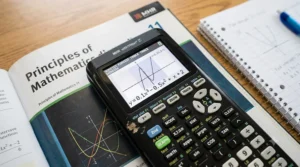
Here’s the good news: the market in 2026 is genuinely exciting for the first time in years. Texas Instruments just dropped the TI-84 Evo in late April — a proper generational upgrade to the calculator that’s dominated Canadian high school classrooms for two decades. Casio has been quietly improving its lineup. And more affordable options now exist for budget-conscious families than ever before.
A graphing calculator for high school isn’t just a one-time purchase you use in grade 10 and forget. If you’re heading into grade 12 calculus, whether that’s Ontario’s MCV4U (Calculus and Vectors), Alberta’s Math 31, or BC’s Calculus 12, your calculator becomes a daily tool you’ll rely on through university too. Buying well now saves you from buying twice.
In this guide, I’ve researched every major graphing calculator currently available on Amazon.ca (in CAD), verified which models are approved for Canadian standardized exams, and matched each one to a specific type of Canadian student. Whether you’re shopping on a tight budget or want the absolute best tool money can buy, there’s a pick here for you.
All prices are listed in Canadian dollars (CAD). Let’s get into it. 🇨🇦
Quick Comparison: Best Graphing Calculators for Canadian High School Students (2026)
| Model | Best For | Price Range (CAD) | Exam Approved | CAS | Display |
|---|---|---|---|---|---|
| TI-84 Plus CE | Most students (standard pick) | $130–$175 | ✅ SAT/ACT/IB/AP | ❌ | Colour, 2.8″ |
| TI-84 Evo | Students wanting the newest model | $160–$210 | ✅ SAT/ACT/IB/AP | ❌ | Colour, larger |
| TI-84 Plus CE-T Python | Python + portability | $150–$200 | ✅ Most exams | ❌ | Colour, 2.8″ |
| Casio fx-9750GIII | Budget-conscious families | $65–$90 | ✅ AP/SAT/ACT | ❌ | High-res mono |
| Casio PRIZM FX-CG50 | Visual learners | $170–$220 | ✅ AP/SAT/ACT | ❌ | High-res colour |
| TI-Nspire CX II CAS | University-bound STEM students | $230–$290 | ⚠️ CAS restricted | ✅ | Colour, 3.5″ |
| HP Prime G2 | Engineers & advanced learners | $220–$280 | ⚠️ CAS restricted | ✅ | Touch, 3.5″ |
Table Analysis: The TI-84 Plus CE remains the safest bet for most Canadian high school students — it’s recommended by name in Alberta and BC school supply lists, it costs a fraction of premium CAS models, and it’ll last through university calculus without breaking a sweat. That said, if you’re already eyeing engineering at Waterloo or McGill, the TI-Nspire CX II CAS justifies its higher price tag with symbolic math capabilities that genuinely change how you approach problems. Budget families should look hard at the Casio fx-9750GIII — it punches well above its price range.
💬 Just one click — help others make better buying decisions too! 😊
✨ Don’t Miss These Exclusive Deals!
🔍 Take your grade 12 calculus game to the next level with these carefully selected graphing calculators. Click on any highlighted item to check current pricing and availability on Amazon.ca. These tools will help you build the mathematical confidence you need for university!
Top 7 Graphing Calculators for High School: Expert Analysis 🧮
1. Texas Instruments TI-84 Plus CE Graphing Calculator
The TI-84 Plus CE is, without exaggeration, the de facto standard graphing calculator for Canadian high school students — and for very good reason. It’s specifically recommended by name in Alberta school supply lists, widely accepted in Ontario and BC classrooms, and the interface is so well-documented that your teacher, your tutor, and half of YouTube knows exactly how to help you with it.
The colour display at 320 × 240 pixels on a 2.8-inch (7.1 cm) screen renders graphs in 15 different colours, which matters more than you’d think when you’re plotting multiple functions in your MCV4U unit on derivatives. The rechargeable battery charges via standard USB and lasts a solid week under regular classroom use — you’re not scrambling for AAA batteries the night before a final exam, unlike older TI models. At around 84 g, it’s light enough to forget it’s in your backpack through a full school day.
What most Canadian buyers overlook about this model is its massive ecosystem of community-made apps and study resources. Because essentially every Canadian math teacher has been using this calculator for a decade, there are province-specific tutorial guides, YouTube walkthroughs for Ontario’s MCV4U curriculum, and teacher-led classroom instructions written specifically around the TI-84’s interface. That institutional support is genuinely worth money.
Canadian buyers consistently praise its durability, noting that it handles the bump-and-drop reality of high school backpacks without complaint. One reviewer on Amazon.ca noted their kid used the same unit through four years of high school and first-year university engineering.
✅ Universally accepted on Canadian exams and in Canadian classrooms
✅ Rechargeable battery — no AA/AAA hassle
✅ Enormous community of tutorials, apps, and teacher resources
❌ Display resolution shows its age next to newer Casio models
❌ No CAS — can’t do symbolic algebra
Price range: around $130–$175 CAD. Prime-eligible, ships across Canada. At this price, it’s the clearest value recommendation in the whole roundup.
2. Texas Instruments TI-84 Evo Graphing Calculator
This is the one that calculator enthusiasts across Canada have been buzzing about since early 2026. Texas Instruments officially launched the TI-84 Evo on April 28, 2026, making it the first genuine generational successor to the TI-84 Plus CE series in years. It now features USB-C charging (finally!), a faster processor said to be three times quicker than the previous generation, and a redesigned home screen with an icon-based interface similar to the NumWorks — far more intuitive for students who’ve grown up on smartphones.
The bigger screen is immediately noticeable: graphs render larger and with more detail, which makes a real difference during the curve-sketching units in grade 12 calculus. The new MathPrint function key and a dedicated button to toggle between approximate and exact answers are clever additions that address two of the most common complaints about the old CE. The redesigned chassis is more rounded and ergonomic — it actually feels like a 2026 product rather than a 2004 design with a coat of paint.
Exam approval is in line with the standard TI-84 family — no CAS, so it’s permitted on SAT, ACT, AP, IB, and Canadian provincial exams without restriction. If your student is entering grade 10 or 11 right now and will use this calculator for three-plus years, paying a bit more for the Evo over the original CE makes a lot of sense — you’re getting a tool that’ll feel current rather than dated by the time university applications roll around.
Early Amazon.ca reviews are very positive, with students and parents noting the USB-C convenience as a standout quality-of-life improvement over the previous micro-USB model.
✅ USB-C charging — same cable as their phone
✅ 3× faster processor, larger graphs, icon-based home screen
✅ Full backward compatibility with TI-84 apps and resources
❌ Slightly higher price than the standard CE
❌ Newer, so teacher familiarity may lag slightly behind the CE
Price range: approximately $160–$210 CAD on Amazon.ca. Prime shipping available. Worth the premium for students starting their high school journey now.
3. Texas Instruments TI-84 Plus CE-T Python Edition Graphing Calculator
The CE-T Python Edition is the European variant of the TI-84 Plus CE that Texas Instruments ships into the Canadian market, and it brings one genuinely compelling addition: native Python programming support directly on the device. For students in Ontario’s computer science stream or those planning STEM degrees, being able to write and execute Python scripts on the same calculator they use for calculus is a meaningful skill builder.
The hardware specs are essentially identical to the standard CE — same 320 × 240 colour display, same 3 MB flash ROM, same rechargeable battery — but the Python environment adds a layer of computational versatility. You can write custom functions to automate repetitive calculations in your statistics or data management courses, experiment with algorithms, and get comfortable with the most widely used programming language in university without needing a laptop. The rechargeable battery can be charged via USB cable, charger, or TI-84 Plus CE-T charging station.
The main caveat is practical: verify with your school that the CE-T is accepted on any provincial exams you’ll write. The CE-T Python is generally approved for the same standardized exams as the standard CE, but it’s always worth confirming with your teacher directly — particularly for Alberta diploma exams or BC provincial assessments where calculator policy is strictly enforced.
✅ Python programming support — a genuine future-skills bonus
✅ Same familiar TI-84 interface students and teachers know
✅ Rechargeable battery with multiple charging options
❌ Confirm exam acceptance locally before purchase
❌ Python functionality overkill for students not interested in coding
Price range: $150–$200 CAD range on Amazon.ca. An excellent option for the student who’s curious about programming alongside calculus.
4. Casio fx-9750GIII Graphing Calculator
If “cheapest graphing calculator Canada” is your search query, stop here — the Casio fx-9750GIII is almost certainly the answer. The fx-9750GIII comes packed with USB connectivity, 3 MB flash memory, and supports courses from Pre-Algebra through AP Calculus, AP Statistics, Biology, Chemistry, Physics, and Finance. For a calculator sitting well under $90 CAD, that coverage is remarkable.
The natural textbook display is genuinely impressive at this price point — fractions appear as actual fractions, square roots look like square roots, and entering expressions feels intuitive rather than cryptic. This matters a lot during grade 12 calculus when you’re working with complex derivative expressions; being able to see your input formatted the way it appears in your textbook reduces entry errors significantly. Python programming is also included, which puts it in the same functional territory as calculators costing twice as much.
Where the fx-9750GIII shows its budget nature is the display: it’s a high-resolution monochrome screen rather than colour. For most day-to-day calculus and graphing work, this is genuinely fine — but if you’re the kind of visual learner who benefits from seeing multiple functions in different colours simultaneously, you’ll notice the limitation. The interface also takes slightly longer to master than the TI-84 ecosystem, simply because fewer Canadian teachers are walking students through Casio-specific menus in class.
That said, for a student in a family watching the budget, or for a grade 10 student not yet sure how deep into STEM they’ll go, this Casio delivers exceptional value. It handles everything the Canadian high school curriculum throws at it.
✅ Best price-to-performance ratio on Amazon.ca — under $90 CAD
✅ Natural textbook display and Python programming included
✅ Approved for AP, SAT, ACT exams
❌ Monochrome display — no colour graphing
❌ Less classroom teacher support than TI-84 ecosystem
Price range: $65–$90 CAD. The budget king. If price is the primary concern, this is a very easy recommendation.
5. Casio PRIZM FX-CG50 Colour Graphing Calculator
The Casio PRIZM FX-CG50 occupies a fascinating middle ground that doesn’t get nearly enough attention from Canadian shoppers. Its high-resolution colour display is genuinely excellent — sharper and more vivid than the TI-84 Plus CE’s screen — and the 3D graphing capability is something you simply won’t find on any Texas Instruments model at this price. For students taking grade 12 Data Management (MDM4U in Ontario) or any course involving visual statistical analysis, the PRIZM’s display clarity makes a real difference.
The Natural Textbook Display formats expressions exactly as you’d write them on paper, and the icon-based menu system is more approachable for newcomers than TI’s function-key-heavy interface. The FX-CG50 is approved for AP, SAT I/II, PSAT, NMSQT, and ACT tests, making it permitted on all major standardized exams.
What the spec sheet won’t tell you, but I will: the FX-CG50’s display is the real differentiator here. When you’re doing curve sketching in MCV4U — plotting a function, its derivative, and its second derivative simultaneously — seeing them rendered in distinct, vivid colours on a high-resolution screen is a legitimately better learning experience than squinting at a lower-res alternative. It’s one of those features that sounds like a marketing point until you’re actually using it at 11 PM the night before a test.
Canadian buyers on Amazon.ca rate this consistently at 4.7 stars across thousands of reviews, frequently noting its display quality as the standout feature. It’s Prime-eligible with standard national shipping.
✅ Best display quality in this price range — crisp colour, high resolution
✅ 3D graphing capability (unique at this price point)
✅ Exam-approved across major standardized tests
❌ Less teacher/community support than TI-84 ecosystem
❌ Interface learning curve for students switching from TI
Price range: $170–$220 CAD. An excellent visual-learning upgrade for students willing to invest a bit more.
6. Texas Instruments TI-Nspire CX II CAS Graphing Calculator
Here’s where we get into genuinely serious territory. The TI-Nspire CX II CAS is not a high school calculator that just happens to be powerful — it’s a university-level mathematical instrument that happens to be permitted in high school. The TI-Nspire CX II CAS includes a symbolic algebra engine, faster processor, Python scripting, and a file management system that supports multi-document workflows.
The CAS (Computer Algebra System) is the headline feature, and it fundamentally changes what a calculator can do. Instead of punching in numerical values to check a derivative, you input the algebraic expression and get an exact symbolic answer — simplified fractions, radical form, exact trig values. For a student working through Ontario’s MCV4U or university-level Calculus I, the ability to verify your manual work symbolically is an extraordinary study tool. It handles indefinite integration, symbolic differentiation, and even some differential equations.
The 3.5-inch (8.9 cm) colour screen is the largest in this roundup, and the document-based file system means you can save problem sets and return to them — treating the calculator more like a lightweight notebook than a scratch pad. The rechargeable battery can last up to two weeks on a single charge.
The critical caveat for Canadian students: CAS is restricted on certain exams. The ACT bans CAS calculators outright. Many provincial standardized tests in Canada prohibit CAS-enabled models, so always confirm with your school board before test day. For classroom learning and university prep, it’s exceptional; for high-stakes provincial exams, check the specific rules.
✅ Full CAS — symbolic algebra, exact answers, indefinite integrals
✅ Largest, clearest colour screen in this roundup
✅ Up to two weeks of battery life per charge
❌ CAS restricted or banned on some provincial and standardized exams
❌ Significantly higher price — hardest to justify if CAS is exam-blocked
Price range: $230–$290 CAD on Amazon.ca, Prime-eligible. Best for university-bound STEM students who’ll use it for years post-graduation.
7. HP Prime G2 Graphing Calculator
The HP Prime G2 is the wild card in this roundup, and I mean that as a compliment. It’s the only calculator here with a genuine multi-touch touchscreen — not a trackpad, but an actual swipe-and-pinch colour display that lets you annotate graphs, zoom by pinching, and navigate menus the way you would on a tablet. If you’ve ever used a TI-Nspire’s trackpad and found it clunky compared to a smartphone, the HP Prime G2 will feel like a revelation.
The HP Prime has a computer algebra system (CAS) that can solve, simplify, and factor expressions with variables, delivering all answers in simplified exact form — including simplified radicals, fractions, and trig functions, not decimals. You can also toggle the CAS off for exam environments where CAS is restricted, which gives it practical flexibility the TI-Nspire lacks. It’s approved for major standardized exams and supports secure classroom testing.
The HP Prime G2 also has 256 MB of RAM — more than any other calculator in this guide — which means complex computations run quickly and the system handles large data sets without slowing down. It’s genuinely built for engineers and advanced mathematicians, not just high school students. If your student is heading into mathematics, engineering, or physics at university, this tool will serve them well beyond the high school years.
The tradeoff is that HP’s calculator ecosystem is smaller than TI’s or Casio’s in Canada, so finding classroom-specific tutorials or teacher guides written around the HP Prime is harder. It’s a better tool in raw capability; it’s a less supported one in the Canadian classroom context.
✅ Only touchscreen calculator in this roundup — genuinely intuitive to navigate
✅ CAS with toggle-off for exam compatibility
✅ 256 MB RAM — fastest, most capable processor here
❌ Smaller Canadian classroom support community vs. TI
❌ CAS restrictions apply on many Canadian provincial exams
Price range: $220–$280 CAD on Amazon.ca. A premium choice for the student planning a STEM university degree.
Which Graphing Calculator Is Right for Your Canadian Student? A Real-World Decision Framework 🎯
Let’s skip the generic advice and speak directly to three specific Canadian student profiles, because the right answer genuinely depends on your situation.
Profile 1: The Ontario Grade 12 Student in MCV4U, Budget Conscious You’re in the final stretch of high school, you need a tool for calculus and vectors, and you don’t want to spend more than you have to. The Casio fx-9750GIII in the $65–$90 CAD range handles everything in the Ontario MCV4U curriculum without difficulty. It’s approved for the exams you’ll write, supports calculus functions natively, and the natural textbook display makes working through derivative rules significantly less confusing than older-style notation-heavy calculators. The money you save over a TI-84 can go toward textbooks, a tutor, or literally anything else.
Profile 2: The Alberta Grade 12 Student in Math 31 Planning for Engineering You need a calculator that’s recommended by name in Alberta school supply guides, will pass muster with your teacher on diploma exam day, and will carry you through first-year engineering calculus at the University of Alberta or U of C. The Texas Instruments TI-84 Plus CE Standard Edition is the recommended model for Alberta high school mathematics courses from Grade 10 through Grade 12, including Math 31. Buy the TI-84 Plus CE now, or spend a bit more for the new TI-84 Evo if you want USB-C charging and the newer interface. Either will serve you well through university.
Profile 3: The BC Student Heading to a UBC Science Program You’re in BC’s Calculus 12 course, you’re aiming for UBC or SFU, and you want a calculator that’ll genuinely develop your mathematical intuition rather than just getting you through high school. Consider the TI-Nspire CX II CAS — the CAS functionality means you’ll actually understand why an integral evaluates to a specific expression, not just what the decimal approximation is. BC’s Calculus 12 is specifically designed to smooth the transition between secondary school mathematics and university calculus, and having a CAS-enabled calculator in your corner during that transition is a genuine academic advantage (just confirm your specific exam’s calculator policy first).
How to Set Up Your Graphing Calculator for Canadian High School Success: A Practical Guide 📐
Getting the most from your calculator doesn’t start on the first test day — it starts the week you take it out of the box. Here’s what most students skip that genuinely matters.
Step 1: Update the firmware immediately. Whether you’ve bought a TI-84 Plus CE or a Casio, plug it into your computer on day one and check for firmware updates. Updated operating systems fix bugs and, on TI models, add features that older firmware doesn’t support. For TI calculators, this is done through the free TI Connect CE software (Mac/Windows). For Casio models, use the Casio FA-124 or FA-125 software. This takes ten minutes and matters.
Step 2: Customize your MODE settings for Canadian curriculum. For Ontario MCV4U and most Canadian calculus courses, set your calculator to radians (not degrees) for trig functions, and confirm your number display settings match what your teacher expects on assessments. A student who submits a radian-mode answer when the teacher expected degrees — or vice versa — is losing marks on a technicality.
Step 3: Learn your graphing window settings. The single most common mistake new graphing calculator users make is leaving the window at default settings and wondering why their function doesn’t appear on screen. Learn ZOOM → ZStandard for a quick reset, and practice manually setting XMIN, XMAX, YMIN, YMAX before test season. For the TI-84 family, the ZOOM → ZDecimal and ZInteger options are underused shortcuts that’ll save you time.
Step 4: Practice the TABLE function. Most teachers in Canada’s grade 12 calculus courses ask students to evaluate functions at specific inputs — the TABLE function (2nd → GRAPH on TI models) does this instantly. Students who don’t know this function are doing manual calculations that the calculator can handle in two keystrokes.
Step 5: Back up before provincial exams. If your calculator uses rechargeable battery storage (TI-84 Plus CE, TI-Nspire), a full power loss can wipe stored programs and custom settings. Charge fully the night before any major exam, and back up programs via TI Connect CE if they’re critical to your workflow.

Common Mistakes Canadian Students Make When Buying a Graphing Calculator 🚫
Mistake 1: Buying based on US recommendations. American review sites and Reddit threads are written for American students. The US curriculum, US standardized exams (SAT, ACT), and US Amazon pricing all differ from Canada. A calculator that’s “the best” for a Texas high school student might not be approved for Alberta’s Math 31 diploma exams, might cost $40 more on Amazon.ca than .com, and might have different warranty terms in Canada. Always verify on Amazon.ca specifically.
Mistake 2: Ignoring the CAS restriction on provincial exams. Several provinces have explicit, strict policies about CAS-enabled calculators on diploma and provincial assessments. Showing up to your Alberta Math 30-1 diploma exam with a TI-Nspire CX II CAS — even with CAS disabled — can result in it being confiscated. Confirm with your provincial education authority and your school before purchasing. The Government of British Columbia’s calculator policy is a good example of the kind of document to look for in your province.
Mistake 3: Buying a used, unlocked, or imported model without checking exam eligibility. Some TI calculators sold on Amazon.ca are European models (like the CE-T) or reconditioned units with older firmware. While most work fine, confirm that the specific model number is explicitly approved for your provincial exam. When in doubt, buy new from Amazon.ca directly — you get Prime shipping, Amazon.ca’s return policy, and the confidence of knowing exactly what you’re getting.
Mistake 4: Underestimating the value of the TI ecosystem. The most technically advanced calculator isn’t always the most useful one. When your teacher is walking the class through a derivative problem and referencing specific TI-84 keystrokes, having a Casio or HP Prime means you’re translating on the fly. For students who learn best by following along with their teacher, the TI-84 family’s dominant presence in Canadian classrooms is a genuine practical advantage — not just marketing.
Mistake 5: Waiting until the last minute. Amazon.ca’s delivery to remote or northern communities in Canada can take 7–14 days even with Prime. If you’re in northern Ontario, rural Saskatchewan, or anywhere without same-day delivery options, order your calculator at least two weeks before school starts. Don’t be the student who discovers their calculator is on backorder the night before grade 12 begins.
Graphing Calculator vs. Scientific Calculator for Grade 12: Do You Really Need One? 🔬
This question comes up constantly, and it deserves a direct answer: yes, if you’re taking grade 12 calculus in Canada, you almost certainly need a graphing calculator.
Here’s why a standard scientific calculator falls short for grade 12 calculus specifically. The Ontario MCV4U curriculum, Alberta’s Math 31, and BC’s Calculus 12 all involve graphing functions, analysing curves, and visualizing relationships between a function and its derivatives. A scientific calculator gives you numerical outputs; a graphing calculator shows you what’s actually happening visually. Calculus in Canadian high schools covers rates of change, derivatives, integrals, and vector geometry — courses designed to prepare students for university admission into STEM-based fields. Trying to learn curve sketching and optimization with only a scientific calculator is like trying to navigate a city with only compass headings and no map.
| Feature | Scientific Calculator | Graphing Calculator |
|---|---|---|
| Function graphing | ❌ | ✅ |
| Derivative approximation | ❌ | ✅ |
| Curve sketching | ❌ | ✅ |
| Table of values | Limited | ✅ Full |
| Exam approval (grade 12) | Varies | ✅ Generally approved |
| Price range (CAD) | $15–$40 | $65–$290 |
| Needed for MCV4U / Math 31? | ❌ Insufficient | ✅ Required |
Analysis: The performance gap between a graphing calculator and a scientific calculator grows dramatically as math complexity increases. At the grade 10–11 level, you can sometimes get away with a scientific calculator. By grade 12 calculus in any Canadian province, a graphing calculator is effectively required — both by curriculum expectations and by the practical reality of the coursework. The $65 CAD entry point for the Casio fx-9750GIII makes the upgrade very accessible.
✨ Don’t Miss These Exclusive Deals!
🔍 Ready to choose your perfect graphing calculator? Click any highlighted product above to check current pricing and availability on Amazon.ca. Free Prime shipping is available on many models, and most qualify once your order hits the $35 CAD threshold. Start your grade 12 calculus journey on the right foot!

What to Expect from a Graphing Calculator in Canadian Classrooms: Real-World Performance 📊
The spec sheet on any of these calculators will make them all sound fantastic. Here’s the honest version of what daily use in a Canadian high school looks like.
Battery life: On the rechargeable models (TI-84 Plus CE, Nspire, HP Prime), real-world battery life is excellent. Most students charge once a week. The non-rechargeable Casio fx-9750GIII runs on 4 AAA batteries, which typically last several months of daily classroom use — budget for a set of rechargeables.
Durability: All seven calculators in this roundup are built for student abuse. They handle being dropped, jammed into backpack pockets next to binders, and generally mistreated without complaint. The TI calculators have a particularly strong reputation for surviving years of high school; there’s a reason you constantly see 10-year-old TI-84s still functioning perfectly.
Cold weather consideration: This sounds like a strange concern for a calculator, but Canadian winters are real. LCD displays in graphing calculators can become sluggish at very low temperatures — if you’re walking to school in a Winnipeg winter and your backpack is cold, give your calculator a minute to warm up before a test. This isn’t a hardware failure; it’s just physics. The effect is most noticeable on colour LCD displays and resolves completely within a few minutes at room temperature.
Learning curve: Regardless of which calculator you choose, budget about two weeks of regular use to get genuinely comfortable with it before a major assessment. The TI-84 family has the shortest learning curve for Canadian students specifically because of the wealth of tutorial resources. For Casio and HP models, YouTube is your friend.
Long-Term Value: What Your Graphing Calculator Is Really Worth in Canada 💰
The sticker price on Amazon.ca is only part of the story. Here’s how to think about the real long-term value of each option.
The Casio fx-9750GIII at $65–$90 CAD sounds cheap and is cheap — but it handles grades 10 through 12 without issue, and many students successfully use it through first-year university science. If your student’s path leads away from STEM after high school, this calculator will have paid for itself many times over.
The TI-84 Plus CE in the $130–$175 CAD range represents the best combination of initial investment and long-term utility for the average Canadian student. It’s accepted everywhere, supported by every Canadian math teacher, and will last from grade 10 through university without ever becoming inadequate for standard coursework. Divide $150 CAD by six years of use and you’re paying $25 per year — genuinely good value.
The TI-Nspire CX II CAS at $230–$290 CAD is expensive up front, but if your student is heading into a STEM degree (engineering, mathematics, physics, computer science) at a Canadian university, this calculator’s symbolic CAS capabilities will save hours of manual computation in first and second-year university courses. For that student, it’s an investment with real academic returns — not just an expensive high school purchase.
Canadian pricing on these calculators typically runs 15–25% higher than equivalent US Amazon.com pricing due to import costs and exchange rate effects. The upside: you get proper Canadian warranty coverage, no customs delays, and Amazon.ca’s reliable return policy if anything goes wrong. That peace of mind has genuine value, especially for a purchase you expect to use for years.

FAQ ❓
❓ What is the best graphing calculator for high school students in Canada?
❓ Is the TI-84 Plus CE allowed on Canadian provincial exams?
❓ What is the cheapest graphing calculator in Canada available on Amazon.ca?
❓ Do I need a graphing calculator for grade 12 calculus in Canada?
❓ Can I buy a graphing calculator on Amazon.ca with free shipping in Canada?
Conclusion: Making the Smart Call for Your Canadian High School Student 🇨🇦
Here’s the bottom line: there is no single “best” graphing calculator for high school in Canada — there’s the best one for your student’s specific situation, provincial curriculum, and budget.
For the majority of Canadian families, the TI-84 Plus CE is the right answer. It’s supported by every teacher, approved for every exam, available on Amazon.ca, and built to last well beyond high school. If you want the latest version, the TI-84 Evo (just released April 2026) brings genuine upgrades — USB-C charging, faster performance, and a modernized interface — at a modest price premium.
Budget-focused families will be genuinely pleased with the Casio fx-9750GIII, which costs a fraction of TI’s lineup while handling the full Canadian curriculum. And students planning STEM degrees at Canadian universities should seriously consider the TI-Nspire CX II CAS or HP Prime G2 — these tools grow with you well into post-secondary education.
Whatever you choose, buy sooner rather than later. Give your student time to genuinely learn the calculator before the assessments that matter. A familiar tool in hand during a high-stakes exam is worth more than the best calculator in the world that you barely know how to use.
Check current prices and availability on Amazon.ca using the highlighted links throughout this guide, and don’t forget — Prime members get free shipping to most Canadian destinations, making this an easy purchase.
✨ Don’t Miss These Exclusive Deals!
🔍 Take your child’s grade 12 math success to the next level! Click on any highlighted calculator in this guide to check real-time pricing and availability on Amazon.ca. These tools are built to last from high school through university — make the smart investment today! 🧮🇨🇦
Recommended for You 📖
- Casio vs Texas Instruments Scientific Calculator High School Canada: 7 Best Picks in 2026
- Best Scientific Calculator for High School in Canada 2026: Top 7 Picks
- Best Binder Organization System for High School Students in Canada 2026
Disclaimer: This article contains affiliate links. As an Amazon Associate, I earn from qualifying purchases. If you purchase products through these links, we may earn a small commission at no additional cost to you.
✨ Found this helpful? Share it with your friends! 💬🤗
