

In This Article
TI-84 vs TI-Nspire which calculator for Canadian high school students is one of those questions that seems small until you’re standing in the Staples calculator aisle with a syllabus in one hand and a due-tomorrow supply list in the other. In plain terms: a graphing calculator is a handheld device that plots functions, solves equations, and runs statistical or scientific computations, and in Canada the two dominant families are Texas Instruments’ TI-84 line and its more advanced TI-Nspire cousin. Both are made by the same company, both show up on classroom supply lists from Halifax to Victoria, and both are approved for most of the exams that actually matter — yet they are built on completely different philosophies. Here’s the thing nobody tells you up front: this isn’t really a “which is better” question. It’s a “which is better for what you’re about to do for the next four years” question, and the answer changes depending on whether you’re staring down grade 9 academic math or gearing up for AP Calculus BC.
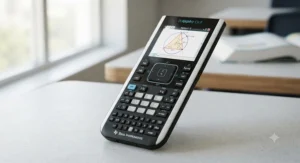
We dug into the real specs, the actual review patterns across Amazon and retailer listings, and the exam policies that govern AP, IB, and Canadian university admissions math contests to put together an honest, Canada-specific comparison. You’ll find seven real models here — budget, mid-range, and premium — plus the exam rules that could quietly disqualify the calculator you were about to buy. No fluff, no invented reviews, just the analysis you actually need before you spend C$100-plus on something you’ll be carrying around for years.
Quick Comparison Table
| Model | Type | Best For | Screen | Price Range (CAD) |
|---|---|---|---|---|
| TI-84 Plus CE | Non-CAS graphing | Most Canadian classrooms & AP exams | Colour LCD | around C$140-C$180 |
| TI-Nspire CX II CAS | CAS graphing | STEM-bound students, university prep | Colour touchpad | around C$180-C$230 |
| Casio fx-9750GIII | Non-CAS graphing | Budget-conscious families | Monochrome | under C$100 |
| HP Prime G2 | CAS graphing | Advanced/competition math students | Multi-touch colour | around C$180-C$230 |
Scanning this table, the split is really about symbolic math and screen technology, not raw power — the TI-84 Plus CE and Casio fx-9750GIII skip the algebra-solving CAS engine entirely, which is exactly why they’re welcomed at more exam doors. The TI-Nspire CX II CAS and HP Prime G2 add that symbolic horsepower but pay for it with stricter (sometimes provincial-contest-banning) exam restrictions and a steeper price tag. If you only remember one thing from this table, make it this: CAS capability is a feature that helps in class and can hurt you on test day, so check your course’s calculator policy before falling in love with the fancier screen.
💬 Just one click — help others make better buying decisions too!😊
Top 7 Calculators: Expert Analysis
1. TI-84 Plus CE — the default choice for Canadian classrooms
The TI-84 Plus CE has been the safe, boring, dependable workhorse of Canadian math class for a decade, and that reputation is earned rather than accidental. The rechargeable battery is rated for roughly a week of typical classroom use per charge, and Best Buy Canada’s listing notes it can stretch to about 39 hours of continuous use — which in practice means most students charge it once every week or two rather than hunting for AAAs the morning of a test. The colour screen and six times the memory of the older TI-84 Plus mean students can store, label, and flip between graphs instead of re-entering functions from scratch, a small thing that saves real minutes during a timed test.
Who should buy it: anyone taking standard Canadian provincial math courses (Grade 9 through Grade 12 functions, calculus, and vectors), plus anyone planning to write the SAT, ACT, or most AP science and math exams. Reviewers consistently note the split-screen graph-and-table view as the single most useful classroom feature, while a recurring complaint is that the plastic slide case cracks or goes missing within the first year of backpack life. It has no CAS, so it’s accepted almost everywhere a graphing calculator is allowed, including AP Calculus, AP Statistics, and most Canadian provincial exams.
Pros:
- ✅ Accepted on nearly every Canadian and North American exam
- ✅ Rechargeable battery lasts roughly a week of typical use
- ✅ Widely taught in Canadian classrooms, so help is easy to find
Cons:
- ❌ No computer algebra system for symbolic simplification
- ❌ Included slide case is flimsy and often replaced within a year
At the time of research, the TI-84 Plus CE sits in the C$140-C$180 range on amazon.ca and comparable Canadian retailers, and given how universally it’s accepted on exams, it remains the safest value pick for a family buying one calculator to last through graduation.
2. TI-84 Plus CE Python Edition — best for coding-curious students
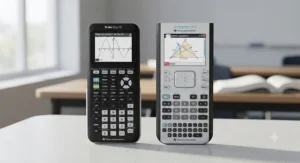
Functionally identical to the standard CE in every way that matters for math class, the Python Edition adds an on-device Python programming environment that plugs directly into Ontario, BC, and Alberta computer-science streams that increasingly touch on Python fundamentals. The same 320×240 colour screen, the same battery life, the same exam approvals apply — the Python interpreter is essentially a bonus app layered on top of hardware TI already perfected.
Who should buy it: students doubling up on math and intro computer science, or anyone whose school has adopted TI’s Python-integrated curriculum resources. Based on the spec comparison with the standard CE, the practical case for paying slightly more here comes down entirely to whether Python coding shows up in your coursework; if it doesn’t, the extra investment buys you a feature you’ll rarely open. Aggregated reviewer sentiment across Amazon listings is nearly identical to the standard CE, since the hardware is the same — most feedback focuses on the calculator itself rather than the Python layer specifically.
Pros:
- ✅ Same exam-approved hardware as the standard TI-84 Plus CE
- ✅ Built-in Python coding environment for CS-adjacent courses
- ✅ Familiar TI ecosystem and widely available accessories
Cons:
- ❌ Python feature is wasted if your courses don’t use it
- ❌ Usually priced slightly above the standard CE for the same math functions
Expect a price in the C$150-C$190 range, and treat the Python capability as a genuine bonus only if your course outline actually mentions it — otherwise the standard CE covers the identical math functionality for less.
3. TI-Nspire CX II — best step up in visualization without CAS restrictions
The TI-Nspire CX II trades the TI-84’s button-grid layout for a touchpad-driven, computer-like navigation system, and the difference in how students interact with graphs is genuinely noticeable — you drag, click, and explore relationships between an equation and its graph in real time rather than re-typing values. Because it skips the CAS engine, it keeps the broad exam approval of the TI-84 family while adding dynamic geometry, data and statistics apps, and Vernier sensor compatibility for science labs.
Who should buy it: students who want the richer, more exploratory Nspire software experience but need to stay CAS-free for exam compliance, particularly students taking both senior math and science courses with lab components. What most buyers overlook about this model is that its non-CAS status makes it accepted virtually everywhere the TI-84 is, including IB exams (in the correct exam mode) and Waterloo’s CEMC contests — a distinction that matters enormously if you’re chasing math contest eligibility. Reviewers frequently mention the touchpad’s learning curve as the main early frustration, with most students reporting they adjust within a couple of weeks.
Pros:
- ✅ Touchpad navigation makes graph exploration far more intuitive
- ✅ Non-CAS status keeps it broadly exam-approved
- ✅ Strong fit for combined math-and-science course loads
Cons:
- ❌ Touchpad interface has a real learning curve for TI-84 switchers
- ❌ Costs more than the TI-84 Plus CE for similar exam access
Pricing tends to land in the C$150-C$190 range on Canadian retailers, putting it roughly on par with the TI-84 Plus CE Python Edition — a reasonable trade if the richer visualization tools genuinely fit how you study.
4. TI-Nspire CX II CAS — best for STEM-bound students who want algebra automated
This is the calculator that can factor polynomials, solve systems symbolically, and manipulate algebraic expressions the way a human would on paper — the computer algebra system (CAS) is the headline feature, and it changes how the calculator behaves rather than just what it looks like. For a student heading into engineering, physics, or a university program that assumes calculator-assisted symbolic manipulation, that’s a genuine leg up in coursework.
Who should buy it: university-bound STEM students whose provincial or school exams explicitly permit CAS devices, and university first-year students where CAS support is often expected rather than restricted. Here’s what the spec sheet won’t tell you, but reviewers and course policies both confirm: CAS capability is precisely the feature that gets a calculator banned from specific exams, including the University of Waterloo’s CEMC contests, which explicitly disallow the TI-Nspire CAS alongside the HP Prime and Casio ClassPad. Reviewers who use it for university-level coursework report it saves substantial time on tedious algebra, while high-school reviewers more often mention that the CAS mode has to be disabled for IB and some provincial exams, adding an extra step on test day.
Pros:
- ✅ Symbolic algebra engine handles complex manipulation automatically
- ✅ Same touchpad and app ecosystem as the non-CAS CX II
- ✅ Strong fit for university-level STEM coursework
Cons:
- ❌ Banned outright from University of Waterloo CEMC contests
- ❌ Must be switched to a restricted mode for IB and some provincial exams
At the time of research, expect the C$180-C$230 range, making it the priciest calculator most Canadian high schoolers will consider — worth it only if your specific exams and courses actually welcome CAS.
5. Casio fx-9750GIII — best budget graphing calculator
Casio doesn’t get nearly the classroom market share that Texas Instruments does in Canada, but the fx-9750GIII quietly does almost everything a first-year graphing-calculator student needs for well under the price of a TI-84. It ships with 3MB of flash memory, USB connectivity, and — as of the GIII revision — a built-in MicroPython programming app, all wrapped in a lighter, AAA-battery-powered body rather than a rechargeable one.
Who should buy it: budget-conscious families, students taking their first graphing-calculator course, and anyone who wants a genuinely capable backup calculator without committing to Texas Instruments’ higher price bracket. Based on the spec comparison, the biggest practical trade-off versus the TI-84 Plus CE is the monochrome screen — fine for functions and stats, less vivid for multi-curve comparisons — and the reliance on replaceable AAA batteries rather than a rechargeable pack, which some reviewers flag as a plus for exam-day reliability and others flag as an ongoing cost. It’s approved for AP exams and most Canadian provincial assessments, since it carries no CAS functionality.
Pros:
- ✅ Noticeably cheaper than any TI graphing calculator
- ✅ AP-exam approved with no CAS restrictions to worry about
- ✅ USB connectivity and MicroPython support included
Cons:
- ❌ Monochrome screen is less vivid than TI’s colour displays
- ❌ Runs on replaceable AAA batteries instead of rechargeable power
Staples.ca lists it around C$86, and Canadian teacher-supply retailer Coopoly prices it in the C$83-C$95 range — comfortably under C$100 either way, making this the strongest budget pick on this list for families juggling multiple kids’ school supply costs.

6. Casio fx-CG50 — best colour-screen value alternative to TI
Think of the fx-CG50 as Casio’s answer to the TI-84 Plus CE: a colour-screen, non-CAS graphing calculator built for exactly the same academic lane, but from a brand most Canadian students have never actually held. It adds 3D graphing, a faster processor, and roughly four times the flash memory of the TI-84 Plus CE on paper, though in day-to-day high school use those extra specs rarely get exercised outside of enrichment or specialized courses.
Who should buy it: students who want a colour display and modern features at a price below the TI-Nspire CX II, or families already invested in Casio’s scientific calculator ecosystem for younger siblings. What most buyers overlook about this model is that despite the stronger spec sheet, functional reviewers repeatedly describe it as “does everything the TI-84 does, and vice versa” for typical high-school coursework — the 3D graphing and faster processor matter far more in university-level applications than in Grade 11 functions class. Because it has no CAS mode, it clears the same exam bar as the TI-84 Plus CE, including AP and most Canadian provincial exams.
Pros:
- ✅ Colour screen and 3D graphing at a mid-range price point
- ✅ No CAS restrictions, so it clears most Canadian exam policies
- ✅ Stronger raw specs than the TI-84 Plus CE on paper
Cons:
- ❌ Far less common in Canadian classrooms, so peer and teacher support is thinner
- ❌ Fewer Canadian-specific tutorial resources than TI models
Expect a price in the C$120-C$160 range at the time of research — a genuine middle ground for a buyer who wants more screen than the fx-9750GIII without stretching to Nspire pricing.
7. HP Prime G2 — the premium multi-touch option for advanced students
The HP Prime G2 is the outlier on this list: a multi-touch, 3.5-inch colour display that behaves more like a small tablet than a traditional calculator, built around a CAS engine that reviewers and calculator-focused blogs describe as more capable than either Casio’s or TI’s implementation. It supports programmable functions, advanced statistics, and — with the right exam mode engaged — SAT, AP, and IB approval.
Who should buy it: advanced math students, competition-math participants (outside of contests that explicitly ban it), and anyone who wants the most powerful handheld on this list and is willing to pay a premium for it. Here’s what the spec sheet won’t tell you, but forum-level reviewer consensus consistently notes: the HP Prime’s CAS is genuinely stronger than the Nspire CX II CAS for symbolic work, but it’s also explicitly banned from University of Waterloo CEMC contests and several standardized test programs, exactly like the Nspire CAS. Reviewers who’ve used both often say the touch interface feels more modern day-to-day, while the smaller user base in Canada means troubleshooting help is harder to find than for TI products.
Pros:
- ✅ Multi-touch colour display feels closer to a tablet than a calculator
- ✅ CAS engine is regarded as more capable than TI’s or Casio’s
- ✅ Approved for SAT, AP, and IB in the correct exam mode
Cons:
- ❌ Banned from University of Waterloo CEMC math contests
- ❌ Small Canadian user base means less peer and teacher familiarity
At the time of research, pricing runs roughly C$180-C$230, putting it in direct competition with the TI-Nspire CX II CAS — the deciding factor for most buyers will come down to which brand’s software their school actually teaches.
How to Choose Between TI-84 and TI-Nspire
Choosing between these two families comes down to matching the calculator to your actual exams, not to whichever one your cousin recommended. Here’s the reasoning, broken into steps:
- Check your exam list first. Look up the calculator policy for every standardized exam you’re likely to write — AP, IB, SAT, or Canadian university admissions contests — before you check specs, since a banned calculator makes every other feature irrelevant on test day.
- Decide if you actually need CAS. If your courses stop at senior functions, calculus, or vectors, a non-CAS TI-84 or Nspire CX II covers everything; CAS mainly pays off in university-level symbolic algebra.
- Weigh the interface, not just the screen. The TI-84’s button grid is faster to learn; the Nspire’s touchpad is more powerful once mastered but takes longer to feel natural.
- Factor in your teacher’s familiarity. A calculator your teacher can actually troubleshoot in front of the class saves real time over four years of coursework.
- Set a genuine budget ceiling. Since exact prices shift constantly, decide on a CAD range you’re comfortable with before browsing, so you’re not swayed by whichever model happens to look shiniest online.
- Confirm battery type matters to you. Rechargeable TI models need a charging routine; AAA-powered Casio models need spare batteries — both work, but they suit different levels of organization.
- Buy once, buy for the whole program. Since most Canadian high schools expect one calculator across three to four years, prioritize exam compatibility for your final years over what’s convenient in Grade 9.
TI-84 vs TI-Nspire CAS: The Core Difference Explained
The real dividing line in this whole debate isn’t screen size or button layout — it’s whether a calculator can manipulate algebra symbolically. The TI-84 family, in every version, is a numeric powerhouse: it graphs, computes, and analyzes data brilliantly, but it treats “x” as a placeholder for numbers you plug in, not as a symbol it can factor or simplify on its own. The TI-Nspire CX II CAS, by contrast, can take an unsimplified rational expression and hand back the fully reduced form, complete with shown steps in some modes — genuinely useful when you’re checking algebra homework at 11 p.m.
That power comes with a cost that goes beyond price. Because CAS calculators can, in theory, be used to sidestep the very algebra skills an exam is trying to measure, testing bodies treat them differently: the AP Calculus and AP Statistics exams permit CAS devices, but College Board’s own approved-calculator list is explicit that certain CAS models require special seating and setup, while Waterloo’s CEMC math contests ban CAS devices outright, listing the TI-Nspire CAS by name alongside the HP Prime and Casio ClassPad, as confirmed on the University of Waterloo’s official contest calculator policy. If you’re a student who plans to write CEMC contests for university scholarship consideration, that single policy line can be the deciding factor in this entire comparison.
✨ Don’t Miss These Exclusive Deals!
🔍 Take your calculator search to the next level with these carefully selected picks. Click on any highlighted item to check current pricing and availability on amazon.ca. The right choice now saves you from a costly re-buy halfway through senior year!
Is TI-84 Allowed on AP Exams in Canada?
Short answer: yes. The TI-84 Plus CE, TI-84 Plus CE Python Edition, and every other TI-84 variant sit on College Board’s approved graphing calculator list for every AP exam that permits calculators, and Canadian AP centres follow the identical College Board policy used across North America — there’s no separate Canadian exception or restriction layered on top. According to College Board’s official AP calculator policy, calculators are permitted on AP Calculus AB and BC, AP Statistics, AP Physics 1 and 2, AP Physics C, AP Chemistry (four-function only), AP Precalculus, and AP Environmental Science, but not on any other AP subject, including Computer Science A.
What trips students up isn’t the TI-84 itself — it’s assuming every calculator in a bag is automatically fine. College Board explicitly prohibits calculators with QWERTY keypads, stylus or pen-input capability, wireless or Bluetooth connectivity, and any device that requires an electrical outlet or makes noise during the exam. The TI-84 Plus CE clears every one of those restrictions cleanly, which is a big part of why it remains the safest default pick for Canadian AP students juggling multiple subjects with different calculator rules. One practical tip Amazon listings won’t mention: College Board does not require you to clear your calculator’s memory before or after the exam, so stored programs and notes are fine as long as they don’t communicate with other devices.
TI-Nspire CX II vs TI-84 Plus CE for AP Calculus
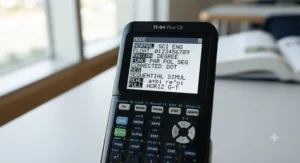
For AP Calculus specifically, both the non-CAS TI-Nspire CX II and the TI-84 Plus CE are fully approved, so the decision comes down to workflow rather than eligibility. The TI-84 Plus CE’s button-based interface tends to be faster for the repetitive graphing-and-tracing tasks that dominate AP Calculus free-response questions, since most students have already spent two or three years building muscle memory on that exact layout by the time they reach Calculus AB or BC. The TI-Nspire CX II, meanwhile, shines when a problem involves exploring how a graph changes as a parameter shifts — its touchpad-driven, computer-like navigation makes that kind of dynamic exploration noticeably smoother, which matters more in the conceptual, exploratory parts of an AP Calculus course than in the exam itself.
Reviewers and AP teachers tend to agree on one practical point: switching calculator families in the middle of AP Calculus is riskier than sticking with whatever you learned functions and pre-calculus on, because the interface fluency you’ve built up is worth more on exam day than either device’s theoretical feature edge. If you’re choosing fresh, and calculus is your primary reason for buying, the TI-84 Plus CE’s simpler learning curve and universal classroom familiarity make it the lower-risk pick; if you’re also taking AP Statistics or a data-heavy science course where the Nspire’s dedicated Data & Statistics app pulls its weight, the CX II becomes easier to justify.
Features That Actually Matter (And Those That Don’t)
Marketing copy loves to list every feature a calculator has, but not every spec changes your actual exam or classroom outcome. Here’s an honest filter: rechargeable battery life matters enormously, because a dead calculator on exam morning is a genuinely stressful problem — the TI-84 Plus CE’s roughly week-long charge cycle is a real, practical advantage over AAA-powered alternatives that demand you remember to buy batteries. Exam-mode compliance matters just as much, since a calculator that can’t be locked into an approved testing configuration is functionally useless on test day regardless of how powerful it is.
On the other hand, 3D graphing capability, prominently marketed on the Casio fx-CG50, rarely comes up in standard Canadian high school coursework — it’s a genuine asset in first-year university multivariable calculus, but it’s decorative for most Grade 9-through-12 students. Similarly, flash memory size sounds impressive in spec sheets, but the practical difference between 3MB and 16MB of storage is invisible to a student who’s mostly storing graphs, a handful of programs, and class notes rather than large data files. The lesson here: buy for exam compliance and battery reliability first, and treat flashy secondary specs as a tiebreaker, not a deciding factor.
Common Mistakes When Buying a Graphing Calculator in Canada
The single most common mistake is buying based on a sibling’s or friend’s hand-me-down recommendation without checking whether it’s still compliant with your specific exam slate — calculator policies do shift, and a model that was fine for AP Calculus in 2019 isn’t automatically fine today. A second frequent misstep is assuming a “school edition” or bundled kit automatically includes everything needed for exams; those bundles usually just add a case, charger, or study guide, not additional exam approval.
Families also regularly underestimate how much battery type matters day to day — a AAA-powered Casio is genuinely more predictable for a disorganized student who forgets to charge things, while a rechargeable TI model rewards routine but punishes forgetfulness on the morning of a test. Finally, plenty of buyers chase the most powerful CAS model available without checking whether their specific courses or contests actually permit it; as the University of Waterloo’s CEMC policy and IB’s exam rules both demonstrate, the most expensive calculator on the shelf is sometimes the one you’re least allowed to bring into the room.
Long-Term Cost and Maintenance
A graphing calculator is a multi-year purchase, so the sticker price is only part of the real cost. Over a typical four-year Canadian high school run, a TI-84 Plus CE owner will mostly spend on replacement cases (the stock slide case is a known weak point), occasional USB charging cables, and possibly a screen protector — modest costs on top of the initial C$140-C$180 outlay. A Casio fx-9750GIII owner trades that rechargeable convenience for an ongoing, if small, AAA battery expense, which adds up to a few dollars every few months rather than a periodic accessory replacement.
| Cost Factor | TI-84 Plus CE | TI-Nspire CX II CAS | Casio fx-9750GIII |
|---|---|---|---|
| Upfront Price (CAD) | around C$140-C$180 | around C$180-C$230 | under C$100 |
| Ongoing Cost | Occasional case/cable | Occasional case/cable | Recurring AAA batteries |
| Exam Compatibility | Very broad | Restricted in some contests | Very broad |
| Resale/Hand-Down Value | High (common model) | Moderate (CAS restrictions limit buyers) | Lower (less recognized brand) |
Looking at the table, the TI-84 Plus CE comes out ahead on total cost of ownership specifically because of its resale and hand-down value — it’s the model younger siblings and classmates most want to buy secondhand, since it’s accepted everywhere. The Casio fx-9750GIII wins on raw upfront cost but loses a little of that advantage back through recurring battery purchases and a smaller resale market. The TI-Nspire CX II CAS, while the most capable on paper, carries the highest total cost once you factor in its narrower resale pool among CAS-restricted contest and exam takers.
Texas Instruments Canada: Support, Warranty and Where to Buy
Texas Instruments sells and supports its calculators in Canada through the same product lines available in the U.S., backed by a standard one-year limited warranty on new units, with authorized educational dealers and major retailers like Amazon.ca, Best Buy Canada, and Staples.ca carrying current stock. Texas Instruments Canada also runs a dedicated education portal offering free classroom software, teacher training webinars, and — notably — a subscription-based online calculator option for schools that can’t provide every student with a handheld device, priced separately from the physical hardware.
For warranty claims or technical support, Canadian buyers go through the same TI customer service channel used across North America rather than a separate Canadian help desk, so keep your original receipt regardless of which Canadian retailer you buy from. One practical tip worth knowing: TI’s authorized Canadian educational dealers, such as school-supply distributors, often offer volume pricing for families or schools buying multiple units, which can meaningfully undercut individual retail pricing if you’re coordinating a purchase with siblings, classmates, or a school math department.
Practical Usage Guide: Your First 30 Days
Getting a new graphing calculator exam-ready takes less than an hour of deliberate setup, but most students skip it and pay for that shortcut later. Start by fully charging (or installing fresh batteries in) the device the day you get it, then update the operating system through TI Connect or Casio’s equivalent desktop software — an outdated OS is one of the most common reasons a calculator gets flagged as non-compliant on IB or provincial exam day. Next, spend twenty minutes graphing three or four functions you already understand from class, just to build muscle memory with the specific button layout or touchpad gestures before you’re under exam pressure.
A common first-30-days mistake is storing every formula and note you can find as calculator programs, assuming that’s allowed everywhere — it’s fine for most AP exams, since College Board doesn’t require memory clearing, but it can run afoul of stricter IB or provincial rules that expect a clean reset before test day. Build a simple maintenance habit early: charge (or check batteries) the night before every test, keep the calculator in its case in your backpack rather than loose, and back up any custom programs to a computer using the free connectivity software, since a factory reset before an exam will wipe unsaved work. Students who set this routine up in the first month rarely think about their calculator again until graduation.
Real-World Scenarios: Matching Students to Calculators
Consider three genuinely different Canadian students to see how this plays out in practice. First, a Grade 10 student in Ontario taking academic math with no AP or IB plans yet: the TI-84 Plus CE or Casio fx-9750GIII both cover every requirement comfortably, and given the uncertainty about future course paths, the lower-cost Casio is a reasonable, low-risk starting point that can be replaced later if needed.
Second, an IB Diploma candidate in British Columbia planning to take Math AA Higher Level: the TI-Nspire CX II (non-CAS) is the safer long-term pick, since it avoids the extra CAS-disabling step required for Nspire CAS models on IB exam day while still offering the richer graphing tools IB’s data-heavy problem sets reward. Third, a Grade 12 student in Alberta planning to write both AP Calculus BC and the University of Waterloo’s Euclid contest for a Faculty of Mathematics scholarship application: this student should specifically avoid CAS models, since Waterloo’s CEMC explicitly disallows the TI-Nspire CAS and HP Prime from its contests — making the plain TI-84 Plus CE or non-CAS TI-Nspire CX II the only choices that keep every door open.
Problem → Solution: Fixing Common Calculator Headaches
Problem: The calculator won’t turn on the morning of a test. Solution: keep a spare set of AAA batteries in your backpack pencil case if you own a Casio, or make charging the night before a permanent habit if you own a rechargeable TI model — a five-second daily check prevents the entire scenario.
Problem: A teacher or proctor says the calculator isn’t allowed. Solution: check the exam’s official calculator policy in advance (AP, IB, or provincial), and if your calculator has a CAS mode, confirm you know how to disable or lock it before exam day rather than discovering the setting for the first time in the testing room.
Problem: Graphs look cramped or unreadable on a small screen. Solution: use the calculator’s zoom-to-fit or window-adjustment functions rather than manually guessing axis ranges — nearly every reviewer complaint about “hard to read graphs” traces back to skipping this step rather than an actual hardware limitation.
Problem: A sibling or friend’s hand-me-down calculator seems outdated. Solution: check the operating system version against your exam board’s current requirements before relying on it; a simple free software update often resolves compliance issues without needing to buy new hardware.
Problem: You’re not sure if your current calculator is CAS or non-CAS. Solution: look for “CAS” explicitly in the model name and on the physical calculator case — Texas Instruments and Casio both label CAS models clearly, so if it’s not printed anywhere, it’s almost certainly a standard non-CAS model.
FAQ
❓ Is the TI-84 allowed on AP exams in Canada?
❓ What's the real difference between TI-Nspire CX II and TI-84 Plus CE?
❓ Which calculator is best for AP Calculus in Canada?
❓ Is a CAS calculator worth it for Canadian high school students?
❓ Where can Canadian students buy an exam-approved calculator?
Conclusion
If there’s one takeaway from digging through exam policies, retailer listings, and years of aggregated reviewer sentiment, it’s this: the “best” calculator in the TI-84 vs TI-Nspire debate isn’t a fixed answer, it’s a function of your specific courses, exams, and how much you value simplicity versus symbolic horsepower. For the overwhelming majority of Canadian high schoolers — anyone taking standard provincial math through senior functions and calculus, or writing AP exams — the TI-84 Plus CE remains the lowest-risk, most broadly compatible choice, and the Casio fx-9750GIII is a genuinely capable budget alternative for families watching costs closely.
Where the calculus changes is for students chasing university scholarship contests through Waterloo’s CEMC, or IB Diploma candidates who want to minimize exam-day friction: for those students, a non-CAS TI-Nspire CX II threads the needle between richer graphing tools and universal compliance, while CAS models like the TI-Nspire CX II CAS and HP Prime G2 should be reserved for students who’ve specifically confirmed their target exams welcome them. Whichever direction you land, buy once, buy for your whole program, and check the exam policy before the price tag.
✨ Found this helpful? Compare the full lineup one more time and pick the calculator that matches your actual exam list — not just the shiniest screen in the store! 💬🤗
Recommended for You
- Best Graphing Calculator for High School Canada 2026
- Casio vs Texas Instruments Scientific Calculator High School Canada: 7 Best Picks in 2026
- Best Scientific Calculator for High School in Canada 2026: Top 7 Picks
Disclaimer: This article contains affiliate links. As an Amazon Associate, I earn from qualifying purchases. If you purchase products through these links, we may earn a small commission at no additional cost to you.
✨ Found this helpful? Share it with your friends! 💬🤗
