

In This Article
Picture this: It’s 2 AM, and you’re staring at your laptop screen, desperately trying to finish that essay due tomorrow. Your eyes feel like sandpaper, your head throbs, and you can’t remember the last time you blinked. Sound familiar?

If you’re a student in Canada, you’re spending an average of 8-12 hours daily in front of screens—between online lectures, research, assignments, and yes, that occasional Netflix break. The hidden cost? Your eyes are paying the price. Digital eye strain affects a staggering 68% of Canadian adults who spend 6+ hours on screens, and students are among the hardest hit.
Blue light blocking glasses for students have emerged as a practical solution to this modern problem. But here’s the thing: not all blue light glasses are created equal. Some are overpriced marketing gimmicks, while others genuinely help reduce eye fatigue and improve focus during those marathon study sessions. This guide cuts through the noise to show you what actually works—and what doesn’t—based on real products available on Amazon.ca, genuine customer reviews from Canadian buyers, and current scientific research.
Whether you’re pulling all-nighters at the University of Toronto, grinding through assignments at UBC, or just trying to protect your vision while gaming between classes, this comprehensive guide will help you find the perfect pair without breaking your student budget.
Quick Comparison Table
| Product | Type | Blue Light Blocked | Price Range (CAD) | Best For | Rating |
|---|---|---|---|---|---|
| ANRRI Classic | Clear Lens | 90% | $25-$35 | All-day comfort | 4.5/5 |
| Cyxus Square Frame | Clear Lens | 99% (380-450nm) | $20-$30 | Budget students | 4.3/5 |
| livho High Tech | Clear Lens | Advanced filter | $30-$40 | Stylish design | 4.4/5 |
| Gaoye Square | Clear Lens | 35-40% | $18-$28 | Value pack | 4.2/5 |
| Felix Gray | Premium Clear | 50% | $95-$145 | Professionals | 4.6/5 |
| Gunnar Amber | Amber Tint | 65-98% | $59-$99 | Gamers | 4.5/5 |
| MEETSUN Round | Clear Lens | UV400 | $22-$32 | Retro style | 4.1/5 |
💬 Just one click – help others make better buying decisions too! 😊
Top 7 Blue Light Blocking Glasses for Students: Expert Analysis
1. ANRRI Blue Light Blocking Glasses – Best Overall for Students
If there’s one pair that Canadian students consistently rave about, it’s the ANRRI. These lightweight champions have become a staple in dorm rooms from Halifax to Vancouver for good reason.
Key Specifications:
- Filters 90% of harmful blue light (380-450nm spectrum)
- Ultra-lightweight TR90 frame (only 17.58g)
- Multi-layer anti-reflective coating
- Available in multiple frame styles
Price Range: $25-$35 CAD on Amazon.ca
Canadian Customer Feedback: Students at McGill and Concordia frequently mention these in online reviews, praising their comfort during 6+ hour study marathons. One York University student noted, “I can finally read my chemistry textbook on my laptop without getting headaches halfway through.”
✅ Pros:
- Incredibly lightweight for all-day wear
- Clear lenses don’t distort colour (perfect for design students)
- Lifetime warranty from the manufacturer
❌ Cons:
- Limited frame colour options
- Some users find the nose pads too rigid
Perfect for: Students who need comfortable, all-day protection without the “gamer glasses” look during video lectures.
2. Cyxus Square Frame Blue Light Glasses – Best Budget Option
When your OSAP isn’t stretching as far as you’d hoped, Cyxus delivers solid eye protection without the premium price tag.
Key Specifications:
- HEV-absorbed technology blocks 99% of blue light (380-450nm)
- Impact-resistant polycarbonate lenses
- Spring-loaded hinges for durability
- UV400 protection included
Price Range: $20-$30 CAD on Amazon.ca
Canadian Customer Feedback: Popular among community college students and those watching their budgets. Canadian buyers specifically mention that shipping within Canada is fast (typically 2-3 business days with Prime).
✅ Pros:
- Excellent value for money
- Very durable construction
- Lifetime warranty with responsive customer service
❌ Cons:
- Slightly heavier than premium options
- Basic frame styling
Perfect for: Budget-conscious students who need reliable protection for online classes and late-night study sessions.
3. livho High Tech Blue Light Blocking Glasses – Best for Style-Conscious Students
Who says eye protection can’t look good? The livho strikes the perfect balance between function and fashion, making them ideal for students who hop from library to coffee shop to evening socials.
Key Specifications:
- Advanced blue light filtering technology
- Flexible nylon frame material
- Anti-glare coating for reduced screen reflection
- Multiple trendy frame designs
Price Range: $30-$40 CAD on Amazon.ca
Canadian Customer Feedback: Particularly popular among students in Toronto and Montreal who appreciate the stylish designs. One Ryerson student mentioned using them for both studying and casual wear, noting “they don’t look like ‘computer glasses’ at all.”
✅ Pros:
- Fashionable frame designs
- Comfortable for extended wear
- Good build quality
❌ Cons:
- Mid-range price point
- Blue light blocking percentage not as clearly specified as competitors
Perfect for: Students who want eye protection that doesn’t compromise their personal style, especially useful for video calls and in-person classes.
4. Gaoye Blue Light Blocking Glasses – Best Value Pack
Sometimes one pair just isn’t enough—especially when you’re prone to misplacing things during exam season. Gaoye’s multi-pack options give you backup pairs for your dorm, your parents’ house, and your backpack.
Key Specifications:
- Blocks 35-40% of blue light in the 450nm range
- TR90 square frames with spring hinges
- Anti-UV coating
- Often sold in 2-3 pack bundles
Price Range: $18-$28 CAD on Amazon.ca (for multi-packs)
Canadian Customer Feedback: Students appreciate having multiple pairs to keep in different locations. One University of Alberta student shared, “I keep one at my desk, one in my backpack, and one at my part-time job. Never without them!”
✅ Pros:
- Exceptional value with multi-pack options
- Durable spring hinges
- Wide variety of frame colours
❌ Cons:
- Lower blue light blocking percentage than premium options
- Slight yellow tint noticeable in bright lighting
Perfect for: Forgetful students who need backup pairs, or those sharing accommodation who want to keep glasses in multiple locations.
5. Felix Gray Jemison – Best Premium Choice
If you’re serious about eye protection and don’t mind investing in quality, Felix Gray represents the gold standard. These are the glasses your future self will thank you for buying.
Key Specifications:
- Proprietary blue light filtering embedded in lens (not just coating)
- Filters 50% of all blue light
- Italian acetate frames
- Professional anti-reflective coating
Price Range: $95-$145 CAD (from FelixGray.com; limited Amazon.ca availability)
Canadian Customer Feedback: Grad students and those in professional programs report these as “investment pieces” worth the cost. Note that ordering from the U.S. site may involve additional shipping to Canada, though some retailers on Amazon.ca carry them.
✅ Pros:
- Virtually no colour distortion
- Premium build quality
- Excellent for video calls (no glare)
❌ Cons:
- Significantly higher price point
- Limited availability in Canada
Perfect for: Graduate students, professional program students, or those planning to use these post-graduation in their careers.

6. Gunnar Amber Lens Gaming Glasses – Best for Maximum Protection
If you’re a gaming enthusiast or someone who experiences severe eye strain, Gunnar’s amber-tinted lenses offer the highest level of blue light protection available.
Key Specifications:
- Blocks 65-98% of blue light (depending on lens type)
- Amber Max lenses for maximum filtering
- Designed specifically for gaming and extended screen use
- Available with prescription options
Price Range: $59-$99 CAD on Amazon.ca
Canadian Customer Feedback: Popular among e-sports students and computer science majors. The consensus is that the amber tint takes getting used to, but the eye strain relief is worth it during gaming marathons or coding sessions.
✅ Pros:
- Highest blue light blocking percentage
- Proven effectiveness for gamers
- Durable construction
❌ Cons:
- Amber tint affects colour perception (not ideal for design work)
- Higher price point
Perfect for: Computer science students, gamers, or anyone who spends 10+ hours daily on screens and experiences severe digital eye strain.
7. MEETSUN Round Blue Light Glasses – Best Retro Style
For students who embrace vintage aesthetics, MEETSUN offers that classic intellectual look while protecting your eyes from modern screen fatigue.
Key Specifications:
- UV400 protection with blue light filtering
- Round metal frame design
- Transparent lenses
- Lightweight construction
Price Range: $22-$32 CAD on Amazon.ca
Canadian Customer Feedback: Arts and humanities students particularly favour these for their classic professor aesthetic. Fast shipping across Canada with most orders arriving within a week.
✅ Pros:
- Unique retro styling
- Affordable price point
- Comfortable lightweight frames
❌ Cons:
- Blue light blocking percentage not clearly specified
- Round frames don’t suit all face shapes
Perfect for: Students who want a distinctive look that channels vintage librarian vibes while protecting against digital eye strain.
What Are Blue Light Blocking Glasses for Students?
Blue light blocking glasses for students are specialized eyewear designed to filter out high-energy visible (HEV) blue light emitted by digital devices like laptops, smartphones, tablets, and e-readers. Unlike regular reading glasses that simply magnify text, these glasses feature specially treated lenses that absorb or block blue light wavelengths between 380-500 nanometres.
Think of them as sunscreen for your eyes—but instead of protecting against UV rays from the sun, they shield your retinas from the artificial blue light that dominates your screen-filled student life. The technology involves either coating the lenses with a blue light filtering layer or embedding the filtering properties directly into the lens material itself.
For Canadian students navigating hybrid learning environments, these glasses serve a dual purpose: reducing immediate discomfort during marathon study sessions while potentially protecting against longer-term eye health concerns associated with extended screen exposure.
Understanding Digital Eye Strain Symptoms
Before you can solve the problem, you need to recognize it. Digital eye strain—also called computer vision syndrome—manifests in ways you might not immediately connect to your screen habits.
Common Symptoms Include:
Visual Discomfort: Blurred or double vision, especially after extended reading. That moment when you look up from your laptop and everything seems fuzzy? That’s digital eye strain calling.
Physical Pain: Headaches concentrated around your temples or behind your eyes. Many students mistake this for caffeine withdrawal or stress, but it’s often screen-induced.
Dry, Irritated Eyes: Your blink rate drops from 15 times per minute to about 7 when you’re focused on a screen. Less blinking means drier eyes, which creates that gritty, burning sensation.
Neck and Shoulder Tension: Constantly hunching to see your screen properly creates postural problems that compound eye strain.
According to the American Academy of Ophthalmology, a Canadian study revealed that children with over two hours of daily screen time were eight times more likely to develop ADHD symptoms. While the mechanism isn’t fully understood, the connection between excessive screen exposure and health issues is increasingly documented.
Here’s the catch: digital eye strain is not caused by blue light itself but rather how we use our digital devices. The symptoms are linked to prolonged screen use, reduced blinking, and poor ergonomics. However, blue light glasses can still provide relief by reducing glare and helping your eyes focus more comfortably.

Computer Glasses for Studying: What Makes Them Different?
Not all glasses labeled “computer glasses” are the same. Understanding the distinctions helps you make smarter purchasing decisions, especially when shopping on Amazon.ca where product descriptions can be confusing.
Blue Light Filtering vs. Reading Glasses
Reading glasses simply magnify text—they do nothing for blue light. Computer glasses for studying combine blue light filtering with optional magnification, making them versatile for students who might also need vision correction.
Clear Lenses vs. Tinted Lenses
Clear lenses block 20-50% of blue light while maintaining natural colour perception—ideal for design students, artists, or anyone doing colour-sensitive work. Amber or yellow-tinted lenses block 65-98% of blue light but distort colours significantly—better for pure coding, writing, or gaming sessions.
Coating vs. Embedded Technology
Cheaper glasses apply blue light filtering as a surface coating that can wear off over time. Premium options like Felix Gray embed the filtering technology within the lens material itself for longer-lasting protection. When shopping on Amazon.ca, check product descriptions carefully to understand which technology is being used.
Screen Protector Blue Light Filter vs. Glasses: Which Works Better?
Canadian students often ask whether they should invest in blue light glasses or just use screen protector filters. Here’s the honest comparison.
Screen Protector Blue Light Filters
Advantages: One-time purchase, protects multiple users, covers entire screen surface.
Limitations: Only protects when you’re using that specific device. If you’re switching between your laptop, phone, and tablet (which most students do constantly), you’d need filters for all three. They also don’t address the multiple light sources in your environment—overhead LEDs, desk lamps, or your roommate’s screens.
Blue Light Blocking Glasses
Advantages: Protect your eyes regardless of which device you’re using. They work against multiple light sources simultaneously and travel with you from library to bedroom to coffee shop.
Limitations: Another item to keep track of, potential to forget or lose them, some people find them uncomfortable initially.
The Verdict for Students: Glasses offer more comprehensive, portable protection. However, the ideal solution combines both—use a screen protector blue light filter on your primary laptop and wear glasses for holistic protection across all devices and environments. This layered approach gives Canadian students maximum protection during heavy exam periods.
Eye Strain Prevention Supplies Every Canadian Student Needs
Blue light glasses are just one piece of the puzzle. Smart students combine multiple eye strain prevention supplies for optimal results.
Essential Eye Protection Kit:
Blue Light Blocking Glasses Your primary defense during screen time. Keep a backup pair in your backpack.
Artificial Tears/Lubricating Eye Drops Canadian winters mean heated indoor air, which dries out your eyes faster. Keep preservative-free drops handy. Available at any Shoppers Drug Mart across Canada.
Desk Lamp with Adjustable Brightness Proper lighting reduces eye strain significantly. Position it to minimize screen glare—never directly behind or in front of your monitor.
Anti-Glare Screen Protector As discussed, this complements your glasses for layered protection on your primary study device.
Blue Light Filter Apps f.lux or Night Shift (built into Mac and iPhone) adjust your screen’s colour temperature after sunset. Free and effective for protecting circadian rhythm protection.
Humidifier Especially crucial for students in Prairie provinces where winter air gets extremely dry. Maintains eye moisture during long study sessions.
The 20-20-20 Rule Reminder
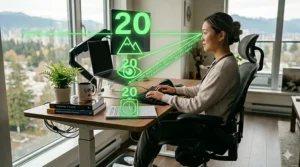
The Canadian Association of Optometrists recommends what they call the “20-6-20 rule” (adapting to metric): every 20 minutes, look 6 metres away for 20 seconds. Set a timer on your phone or use apps like Stretchly that automatically remind you to take breaks.
Reading Glasses vs Blue Light Glasses: Understanding the Difference
This confusion trips up many students shopping on Amazon.ca. The product titles sometimes blur the lines, leading to purchasing mistakes.
Reading Glasses (Traditional)
Purpose: Magnify text for people with presbyopia or farsightedness
Blue Light Protection: None (unless explicitly combined)
Best For: Older adults or those with diagnosed vision problems
Blue Light Glasses (Modern)
Purpose: Filter harmful blue light wavelengths from digital screens
Magnification: None (unless explicitly combined)
Best For: Anyone spending extended time on digital devices
Combination Reading + Blue Light Glasses
Some products on Amazon.ca combine both features—magnification PLUS blue light filtering. These are ideal for students who have minor vision correction needs but don’t want to invest in prescription glasses yet. Look for products clearly stating both “magnification” and “blue light blocking” in the description.
Pro Tip for Canadian Students: If you have a vision prescription through your university health plan, many optometrists across Canada can add blue light filtering to your prescription glasses. Check if your student health insurance covers this upgrade—many plans through UHIP (University Health Insurance Plan) or provincial student health programs include vision care benefits.

Digital Eye Strain Symptoms Explained: What’s Actually Happening to Your Eyes
Let’s get scientific for a moment. Understanding the physiology helps you take prevention seriously.
When you stare at a screen, several things happen simultaneously:
Reduced Blinking Frequency: Normally you blink about 15 times per minute. During focused screen work, this rate can be cut in half. Each blink spreads tears across your cornea—fewer blinks mean drier, more irritated eyes.
Accommodative Stress: Your eye’s ciliary muscles constantly adjust to keep text in focus. Unlike reading a physical book at fixed distance, screens involve varying distances and brightness levels, forcing your eyes to work overtime.
Blue Light Scattering: Blue light has shorter wavelengths that scatter more easily than other visible light. This creates “visual noise” that reduces contrast and contributes to digital eye strain according to the Canadian Association of Optometrists.
Circadian Disruption: Perhaps most insidious—blue light exposure after sunset suppresses melatonin production, the hormone that regulates your sleep-wake cycle. This is why that 2 AM essay deadline feels even harder than it should.
The encouraging news? While using devices won’t damage your eyes permanently, staring at them for long periods causes temporary discomfort that you can manage with the right tools and habits.
Circadian Rhythm Protection: Why Blue Light Matters Beyond Eye Comfort
Here’s something most product reviews don’t tell you: blue light blocking glasses for students aren’t just about preventing headaches—they’re about protecting your sleep quality, which directly impacts your academic performance.
The Science of Light and Sleep
Your body evolved to respond to natural light cycles. Blue light, which peaks in midday sunlight, signals to your brain that it’s time to be alert and active. Artificial blue light from screens hijacks this system.
When you’re grinding through that psychology essay at midnight, your laptop is essentially screaming “IT’S NOON!” to your brain. This suppresses melatonin production for 2-3 hours after you finally close your laptop, making it harder to fall asleep even when you’re exhausted.
The Student Sleep Crisis
Canadian university students average just 6.5 hours of sleep per night during semester—well below the recommended 7-9 hours. Poor sleep doesn’t just make you tired; research shows it impairs memory consolidation (exactly what you need for exams), reduces cognitive performance, and increases stress hormones.
Blue Light Glasses as Sleep Aid: Wearing blue light blocking glasses 2-3 hours before bed helps maintain natural melatonin rhythms. Amber-tinted lenses (like Gunnar’s Amber Max) are particularly effective here because they block nearly all blue light wavelengths.
Real-World Application: If you’re a night owl student who studies best after 8 PM, switching to amber-tinted blue light glasses for evening study sessions can significantly improve your sleep quality without sacrificing productive study time. This is particularly valuable during Canadian winters when sunset comes early (4:30 PM in Toronto in December) and you’re under artificial light for most of your waking hours.
Prescription Blue Light Lenses: Options for Students with Vision Correction Needs
If you already wear prescription glasses, you have several options for adding blue light protection without buying a separate pair.
Option 1: Blue Light Coating on Existing Prescription
Most optical chains across Canada—FYidoctors, Iris, New Look Eyewear—offer blue light filtering as an add-on coating to prescription lenses. Expect to pay an additional $40-$80 CAD depending on the retailer and lens quality.
Pros: One pair does everything
Cons: More expensive than non-prescription blue light glasses
Option 2: Prescription Blue Light Glasses as Secondary Pair
Order prescription blue light glasses specifically for computer work while keeping your regular glasses for other activities. Online retailers like Clearly.ca (Canadian) or Zenni (ships to Canada) offer prescription blue light glasses starting around $60-$100 CAD.
Pros: Dedicated computer glasses optimized for screen distance
Cons: Need to switch between pairs
Option 3: Clip-On Blue Light Filters
Some Canadian students use clip-on blue light filters that attach to existing prescription glasses. Available on Amazon.ca for $15-$30 CAD.
Pros: Most affordable option
Cons: Can be clunky, may not fit all frame styles
Student Insurance Tip: Many Canadian student health plans cover one pair of prescription glasses every 1-2 years. Check your provincial student health program or university health plan to see if blue light filtering is covered under vision benefits. Some plans even reimburse blue light glasses through HSA/FSA accounts.
Screen Time Management: Beyond Just Wearing Glasses
Even the best blue light blocking glasses for students won’t compensate for poor screen habits. Here’s the holistic approach that actually works.
The Pomodoro Technique Adapted for Digital Wellness
Traditional Pomodoro (25 min work, 5 min break) is great, but add these eye-friendly modifications:
During Work Sessions: Position your screen an arm’s length away (50-65 cm). The top of your monitor should be at or slightly below eye level. Canadian ergonomics standards recommend this positioning for workplace computers—why should your study setup be any different?
During Breaks: Look out a window at distant objects. If you’re studying in a Canadian winter and it’s too cold to go outside, at least focus on something far away indoors. This gives your ciliary muscles a break from constant near-focus work.
The Two-Device Rule
Never study with multiple screens at different brightness levels simultaneously. Your eyes hate constantly readjusting between your bright laptop and dim phone. Match brightness levels across all devices or, better yet, eliminate multi-screen distractions during focused study.
Screen-Free Wind-Down
Create a 30-60 minute screen-free buffer before bed. Canadian sleep researchers recommend this for university students specifically. Use this time for low-tech review—flashcards, handwritten notes, or discussing concepts with roommates.
Apps for Screen Time Management
RescueTime: Tracks your screen time across devices, giving you data on where your hours actually go.
Forest: Gamifies staying focused and off your phone during study sessions.
f.lux: Automatically adjusts screen colour temperature based on time of day (essential for Canadian winters with early sunsets).
The Hard Truth: Wearing blue light glasses while doomscrolling Instagram at 3 AM isn’t eye protection—it’s enabling bad habits. Glasses are tools, not magic solutions.
How to Choose Blue Light Blocking Glasses for Students in Canada
Shopping on Amazon.ca? Here’s your systematic selection process to avoid overpriced junk.
Step 1: Determine Your Primary Use Case
All-Day Wear: Choose clear lenses (20-50% blocking) like ANRRI or Cyxus. Won’t interfere with colour perception during video lectures or design work.
Gaming/Coding Sessions: Consider amber-tinted lenses (65-98% blocking) like Gunnar. The colour distortion is acceptable when you’re not doing visual work.
Evening Study: Get two pairs—clear for daytime, amber for evening. Total investment: $45-$65 CAD for both.
Step 2: Verify Blue Light Blocking Percentage
Legitimate products specify their blocking percentage and wavelength range. Look for “blocks X% of blue light at 450nm” in the product description. If it just says “reduces blue light” without numbers, that’s a red flag.
Step 3: Check Frame Material and Weight
TR90: Flexible, durable, lightweight—best for all-day student wear
Metal: Stylish but heavier—better for occasional use
Acetate: Premium feel but pricier
As a student, prioritize comfort over aesthetics. You’ll be wearing these 6+ hours daily.
Step 4: Read Canadian Customer Reviews Specifically
On Amazon.ca, filter reviews by “Canada” to see feedback from Canadian buyers about:
- Actual shipping times (Prime vs. third-party sellers)
- Product quality matching description
- Customer service responsiveness
- Compatibility with Canadian faces (yes, this varies!)
Step 5: Calculate True Cost Including Duty/Shipping
Some Amazon.ca listings are actually U.S. sellers. Check if “Ships from and sold by Amazon.ca” or a third party. Cross-border purchases may incur duty fees on orders over $20 CAD. Factor this into your budget comparison.
Step 6: Confirm Return Policy
Amazon.ca’s standard return window is 30 days. However, third-party sellers may have different policies. Verify before purchasing—you need time to test comfort during real study sessions.
Step 7: Consider Prescription Needs
If you need vision correction, decide whether to add blue light filtering to prescription glasses through an optometrist or buy non-prescription blue light glasses to wear over contacts.
Benefits Comparison: Blue Light Glasses vs. Traditional Reading Glasses
| Feature | Blue Light Glasses | Traditional Reading Glasses | Screen Protector Filter |
|---|---|---|---|
| Blue Light Protection | Yes (20-98% depending on lens) | No | Yes (20-40%) |
| Magnification Available | Optional | Yes | No |
| All-Device Protection | Yes | Yes | Only filtered device |
| UV Protection | Usually included | Sometimes | No |
| Price Range (CAD) | $20-$145 | $15-$60 | $15-$40 |
| Protects Sleep Cycle | Yes (especially amber lenses) | No | Somewhat |
| Colour Accuracy | Good (clear) to poor (amber) | Excellent | Good |
Bottom Line: For students under 40 without vision problems, blue light glasses offer more benefits than reading glasses. If you need magnification, look for combination blue light + reading glasses on Amazon.ca.
Price Range & Value Analysis for Canadian Student Budgets
Let’s talk money—because as a student, every dollar counts.
Budget Tier ($18-$30 CAD)
Best Picks: Cyxus, Gaoye, MEETSUN
What You Get: Basic blue light protection (35-50% blocking), decent durability, standard frames
What You Don’t Get: Premium materials, advanced coatings, extensive style options
Who This Works For: Students on OSAP or part-time work income, those wanting to try blue light glasses without major investment
Value Assessment: Excellent starter option. The protection is real even if the aesthetics are basic.
Mid-Range ($30-$60 CAD)
Best Picks: ANRRI, livho, entry-level Gunnar
What You Get: Better blocking percentages (50-70%), improved comfort, anti-reflective coatings, some style variety
What You Don’t Get: Premium brand cachet, embedded (vs. coated) filtering technology
Who This Works For: Students who’ve tried budget glasses and want an upgrade, those spending 8+ hours daily on screens
Value Assessment: Sweet spot for most Canadian students. Noticeable quality improvement over budget tier without premium pricing.
Premium Tier ($95-$145 CAD)
Best Picks: Felix Gray, high-end Gunnar models
What You Get: Embedded blue light filtering, superior frame materials, minimal colour distortion, professional appearance, better warranties
What You Don’t Get: Affordability, easy replaceability if lost
Who This Works For: Graduate students, those planning to use glasses in professional careers, students with severe eye strain not addressed by cheaper options
Value Assessment: Hard to justify unless you have specific needs or budget flexibility. Most students see 80% of the benefits from mid-range options.
Canadian Student Hack: Shop during Amazon.ca Prime Day or Black Friday. Blue light glasses often see 30-50% discounts, making premium options more accessible. Sign up for Amazon Student (free six-month trial, then 50% off Prime) for additional deals.

Frequently Asked Questions
❓ Do blue light glasses really work for students in Canada?
❓ What's the difference between cheap and expensive blue light glasses available on Amazon.ca?
❓ Can I wear blue light glasses if I already have prescription eyewear?
❓ How many hours before bed should I wear blue light glasses to improve sleep?
❓ Are blue light glasses covered by Canadian student health insurance?
Conclusion: Protecting Your Vision for the Long Study Ahead
The bottom line? Blue light blocking glasses for students aren’t magical cure-alls, but they’re valuable tools in your eye health arsenal—especially for Canadian students navigating long, dark winters with heavy screen demands.
The scientific evidence suggests that while blue light itself might not be as dangerous as marketing suggests, the broader issue of digital eye strain is very real and significantly impacts your academic performance. Whether the relief comes from blue light filtering, anti-glare coatings, or simply the psychological prompt to practice better screen habits, thousands of Canadian students report genuine improvements.
For most Canadian students on typical budgets, the mid-range options like ANRRI ($25-$35 CAD) or Cyxus ($20-$30 CAD) deliver excellent value. They’re affordable enough that losing a pair isn’t catastrophic, yet effective enough that you’ll notice reduced eye fatigue during marathon study sessions. If you’re a gamer or computer science major spending 10+ hours daily on screens, upgrading to Gunnar’s amber lenses makes sense despite the higher cost.
Remember: glasses are just one component of healthy screen habits. Combine them with the 20-20-20 rule (adapted to 20-6-20 in Canada), proper desk ergonomics, screen-free wind-down time, and adequate sleep. Your future self—pulling through finals week with clear eyes and sharp focus—will thank you for investing in comprehensive eye care now.
Shop smart on Amazon.ca by reading Canadian customer reviews, verifying blue light blocking percentages, and choosing comfort over style. Your eyes are going to carry you through years of lectures, readings, and assignments. They deserve protection.
Ready to make the investment? Any of the seven glasses reviewed here will serve you well. The best pair is the one you’ll actually wear consistently—so choose based on comfort, budget, and your specific study habits rather than marketing hype.
Recommended for You
- 7 Best Ergonomic Study Setup for Students in Canada 2026
- 7 Best Christmas Gifts for Students Who Love Studying Canada 2026
- 15 First Day of School Gift Ideas Canada 2026
Disclaimer: This article contains affiliate links to Amazon.ca. If you purchase products through these links, we may earn a small commission at no additional cost to you.
✨ Found this helpful? Share it with your friends! 💬🤗
