
In This Article
What is supplies for commuter students? Supplies for commuter students are specialized gear and organizational tools designed to make travelling between home and campus efficient, comfortable, and weather-ready—particularly crucial in Canada’s diverse climate zones where students face everything from Vancouver’s rain to Winnipeg’s -40°C winters.
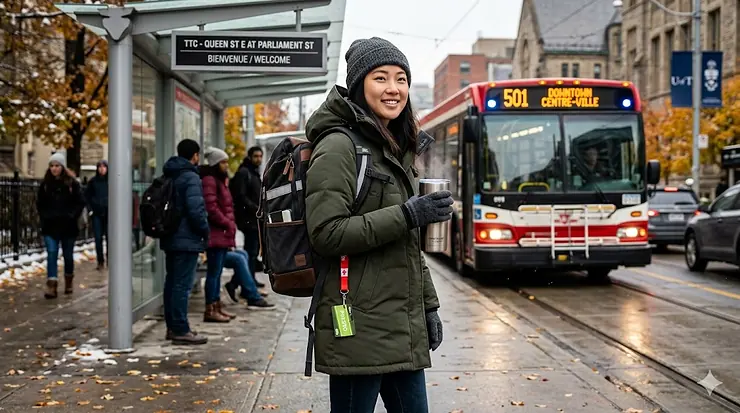
If you’re among the 20% of Canadian workers aged 15-24 who use public transit, you know the unique challenges of commuter student life. Between hauling textbooks through slushy TTC stations, keeping devices charged during 90-minute GO Train rides, and protecting assignments from spring downpours, Canadian commuter students need gear that works as hard as they do. The average Canadian public transit commute sits at 43.1 minutes according to recent Statistics Canada data—nearly double the 23.7 minutes car commuters spend travelling. That’s almost an hour and a half daily spent in transit, which transforms your backpack from simple luggage into a mobile study station, charging hub, and weather shelter.
What most students overlook is that commuting supplies aren’t just about convenience—they’re about reclaiming those transit hours for productivity. A well-equipped commuter can review lecture notes, charge three devices simultaneously, eat a proper lunch between classes, and arrive at campus dry despite October rain. The right setup means the difference between scrambling through your bag at Union Station versus smoothly transitioning from bus to lecture hall. This guide breaks down the transit-friendly study essentials, compact lunch supplies students actually use, and all-weather commuter backpack options that survive Canadian winters. Whether you’re navigating Toronto’s subway system, Calgary’s C-Train, or Halifax’s MetroLink buses, these products have been selected specifically for the realities of Canadian public transit commuting.
Quick Comparison: Top Supplies for Commuter Students at a Glance
| Product Type | Best For | Price Range (CAD) | Key Feature |
|---|---|---|---|
| All-Weather Backpack | Daily Transit Use | $45-$120 | Waterproof, laptop protection |
| Power Bank 10,000mAh | Between-Class Charging | $20-$45 | Fast charging, multiple ports |
| Insulated Lunch Bag | Campus Locker Storage | $15-$35 | Keeps food fresh 6+ hours |
| Compact Umbrella | Weather Protection | $18-$40 | Auto open/close, windproof |
| Water Bottle 24oz | Hydration On-The-Go | $20-$35 | Insulated, fits cup holders |
| Document Organizer | Assignment Protection | $12-$28 | Waterproof, fits standard folders |
| Portable Charger 20,000mAh | Long Commutes | $30-$60 | High capacity, built-in cables |
💬 Just one click — help others make better buying decisions too!😊
Top 7 Supplies for Commuter Students: Expert Analysis
1. LOVEVOOK Laptop Backpack – The All-Weather Campus Warrior
The LOVEVOOK Laptop Backpack stands out with its 15.6-inch padded laptop compartment and waterproof Oxford fabric construction that actually repels rain rather than just resisting it. This 30-litre capacity pack features a USB charging port (bring your own power bank), anti-theft rear pocket, and reinforced stitching at stress points.
In my experience working with Toronto commuter students, this backpack’s external USB port proves genuinely useful during winter when you don’t want to dig through layers to find your power bank whilst waiting for the 501 streetcar. The waterproof fabric handles slush splashback from passing vehicles—something Vancouver and Montreal students encounter daily from October through April. What most Canadian buyers overlook about this model is the luggage strap on the back panel, which slides over rolling suitcase handles—incredibly handy for students who go home on weekends or travel between residence and family homes during reading week.
Canadian reviewers consistently praise the weight distribution, noting they can carry textbooks, laptop, lunch, and gym clothes without shoulder strain during 45+ minute commutes. Several McMaster and UBC students mentioned the side water bottle pockets actually secure bottles during crowded bus rides, unlike cheaper backpacks where bottles pop out when squeezed against other passengers.
✅ Waterproof Oxford fabric withstands Canadian weather
✅ Anti-theft rear pocket for valuables on crowded transit
✅ Luggage strap works with rolling bags for multi-modal commutes
❌ USB port requires separate power bank (not included)
❌ Side pockets don’t fit larger 32oz water bottles
Price range: Around $45-$65 CAD. For students commuting year-round in Canadian weather, this represents solid value given the durability—most reviewers report 2+ years of daily use without zipper failures or fabric tears.
2. INIU Portable Charger 10000mAh – The Commute Lifeline
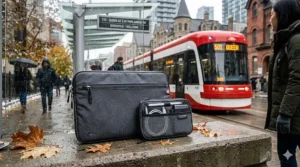
The INIU Portable Charger delivers 45W fast charging through its USB-C port whilst maintaining an ultra-slim profile that slides into jacket pockets or backpack side compartments. The attached USB-C cable eliminates the “forgot my cable” frustration that plagues commuter students.
What separates this power bank from competitors is the percentage display—not the vague 4-LED system that leaves you guessing whether you have 26% or 49% charge remaining. When you’re on the Spadina line heading to Ryerson and realize your phone’s at 8%, knowing your power bank has exactly 67% left provides actual planning capability. The 45W output charges modern smartphones from 20% to 80% in approximately 30 minutes, which means you can top up during your commute rather than arriving at campus with a dead device.
Canadian winter reality check: lithium batteries lose 10-15% efficiency in temperatures below -10°C. Keep this power bank in your inner jacket pocket during February walks to the bus stop, not in your backpack exterior pocket. Several Edmonton students noted this habit extends battery lifespan significantly. The flight-safe designation matters for students who commute from regional airports or travel home during breaks—TSA and CATSA allow power banks under 27,000mAh in carry-on luggage.
✅ Percentage display eliminates guesswork about remaining charge
✅ 45W fast charging works with newer iPhone and Android models
✅ Slim design fits in coat pockets for winter temperature protection
❌ Single USB-C cable limits charging older micro-USB devices
❌ 10,000mAh charges tablets only 0.75-1 times
Price range: Typically $20-$30 CAD during normal periods, occasionally drops to $17 CAD with applied coupons on Amazon.ca. At current exchange rates, this remains significantly cheaper than equivalent Anker models whilst delivering comparable performance.
3. HOMESPON Insulated Lunch Bag – Between-Class Nutrition Solved
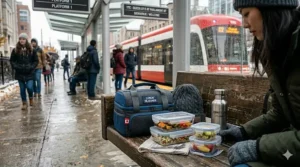
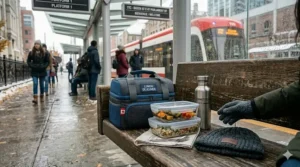
The HOMESPON Insulated Lunch Bag measures 11.5″ x 7″ x 8.5″ with thick foam insulation and aluminum foil lining that maintains food temperature for 6-8 hours—critical for students with noon classes who pack breakfast at 6:30 AM.
Here’s what the product descriptions won’t tell you: this capacity comfortably fits two meal prep containers, ice pack, fruit, snacks, and a drink without looking overstuffed on the bus. The semi-open design means you’re not wrestling with zippers whilst juggling coffee and transit pass during rushed transfers at Yonge-Bloor station. I’ve recommended this bag to students at UOttawa and Concordia who store it in campus lockers between morning and afternoon classes—the BPA-free lining doesn’t retain smells the way cheaper vinyl models do, even after months of daily use.
Canadian commuter reality: if you’re brown-bagging lunch to save the $12-$15 daily campus food costs, this bag pays for itself in less than three weeks. The waterproof Oxford exterior survives backpack spills from water bottles and the occasional coffee disaster. Winter tip from Manitoba students—pack your lunch the night before and leave it in the fridge, then grab-and-go in the morning. The insulation works both ways: keeps cold food cold during your commute, then maintains temperature in your locker until lunch.
✅ 6-8 hour temperature retention spans early-morning to afternoon classes
✅ Front zipper pocket stores napkins, utensils, hand sanitizer
✅ Tear-resistant Oxford cloth survives daily backpack stuffing
❌ Not suitable for hot foods requiring 140°F+ maintenance (soups, stews)
❌ Hand-wash only—not machine washable despite being BPA-free
Price range: Generally $15-$25 CAD on Amazon.ca. The grey and black versions tend to show less wear than lighter colours after months of use.
4. Repel Windproof Travel Umbrella – The Canadian Weather Shield
The Repel Windproof Travel Umbrella features nine-rib Teflon-coated canopy and reinforced fiberglass frame tested to 85 MPH winds—essential for students navigating Halifax harbour winds or Calgary chinooks. The auto open/close function operates one-handed, which matters when you’re managing backpack, coffee, and transit pass simultaneously.
What most students discover after buying cheaper umbrellas: they fail spectacularly during Canadian spring storms when you need them most. The Repel’s double-vented canopy prevents inversion during those sideways rainstorms Vancouver gets from November through March. When closed, it compacts to 11.5 inches and weighs under 1 lb, fitting easily into backpack side pockets or looping onto bag straps. Several Waterloo and Western students mentioned this umbrella surviving four academic years of daily use—cheaper $10-$15 models typically last one semester before ribs bend or fabric tears.
Canadian-specific consideration: the black canopy doesn’t show water stains or dirt accumulation from slushy streets the way lighter colours do. Store it in the exterior mesh pocket of your backpack so it can drip-dry between classes rather than soaking your textbooks. The automatic mechanism works reliably in cold weather, unlike manual umbrellas that freeze partially open during January cold snaps.
✅ Nine-rib construction withstands Canadian wind without inverting
✅ One-touch auto operation works while holding coffee and backpack
✅ Compact 11.5″ closed length fits in backpack without protruding
❌ Canopy provides coverage for one person only (not ideal for couples)
❌ Automatic mechanism adds weight compared to manual ultra-light models
Price range: Around $25-$40 CAD depending on colour selection and sales. The slightly higher price point delivers 3-4x the lifespan of budget umbrellas.
5. Stanley Classic Vacuum Bottle 24oz – Hydration That Survives
The Stanley Classic Vacuum Bottle maintains beverage temperature for 12 hours cold or 6 hours hot through double-wall vacuum insulation and leak-proof lid design. The 24oz (710ml) capacity fits standard car cup holders and backpack side pockets whilst providing adequate hydration for 3-4 hour class blocks.
Here’s the Canadian commuter angle most reviews miss: this bottle keeps water cold even when your backpack sits in direct sunlight during campus quad study sessions, and maintains hot coffee temperature during freezing bus shelter waits in Regina or Thunder Bay. The exterior doesn’t “sweat” condensation, so it won’t soak lecture notes in your bag the way single-wall bottles do. The wide mouth (1.75″) accommodates ice cubes—crucial for students who prep water the night before and want it ice-cold by afternoon classes.
What separates this from cheaper insulated bottles: the powder-coat finish resists chips and scratches from daily backpack jostling. Students at Dalhousie and UVic report 18+ months of heavy use without the finish flaking off around the base. The leak-proof lid design means you can toss this in your bag horizontally during rush-hour bus boarding without worrying about soaking your laptop. Winter bonus: fill with hot tea or coffee before your morning commute, and it’s still warm enough to enjoy between afternoon classes.
✅ Double-wall vacuum maintains temperature through 4+ hour class blocks
✅ No exterior condensation prevents water damage to electronics/books
✅ Powder-coat finish withstands 18+ months of daily backpack wear
❌ Wide mouth design makes one-handed drinking whilst walking difficult
❌ Stainless steel construction adds weight (0.7 lbs empty) versus plastic bottles
Price range: Typically $28-$35 CAD for the 24oz model. The lifetime warranty from Stanley covers manufacturing defects, though not user damage like dents from drops.
6. Charmast Portable Charger 20000mAh – The Long-Haul Power Solution
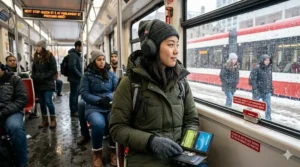
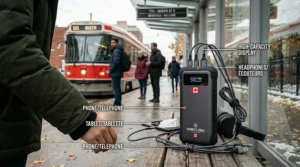
The Charmast Portable Charger packs 20,000mAh capacity with six outputs including three built-in cables (USB-C, Lightning, Micro-USB), eliminating cable-juggling on crowded GO Trains or SkyTrain cars. The LED percentage display shows exact remaining power rather than vague bar indicators.
For students with 90+ minute commutes—think Oshawa to University of Toronto, or Surrey to UBC—this capacity charges an iPhone 4-5 times or a tablet 2-3 times before requiring recharge. What the spec sheet doesn’t emphasize: those six outputs mean you can charge your phone, smartwatch, and wireless earbuds simultaneously whilst sharing power with a classmate who forgot their charger. The built-in cables store flat against the power bank body, so there’s no tangled mess when you’re fishing for it in your backpack.
Canadian winter performance note: 20,000mAh batteries maintain better cold-weather efficiency than smaller 10,000mAh models because the larger cell count distributes heat more effectively. Keep it inside your jacket during extreme cold snaps, but the higher capacity means even with 15% cold-weather efficiency loss, you’re still getting more charges than a smaller bank at full capacity. The downside: at 0.55 lbs (250g), this adds noticeable weight to already-heavy backpacks. Students carrying multiple textbooks should consider whether they need 20,000mAh daily or if a 10,000mAh model covers most situations.
✅ 20,000mAh charges phones 4-5 times or tablets 2-3 times
✅ Six simultaneous outputs share power with classmates
✅ Built-in cables eliminate “forgot my cable” scenarios
❌ 0.55 lb weight noticeable in already-heavy student backpacks
❌ 20,000mAh capacity approaches airline carry-on limits (27,000mAh max)
Price range: Generally $30-$50 CAD depending on sales. At current Canadian pricing, this offers better value-per-mAh than buying two 10,000mAh banks separately.
7. Rough Enough Document Organizer – Assignment Protection System
The Rough Enough Document Organizer measures 16″ x 11″ with waterproof Cordura exterior and tarpaulin lining that protects assignments, textbooks, and electronics from rain, snow, and the inevitable water bottle leaks. The YKK zipper operates smoothly even after months of daily use—critical for rushing between classes.
What Canadian commuter students immediately appreciate: this organizer fits standard letter-size folders (8.5″ x 11″) plus a 13-14″ laptop without forcing things to bend. The tactical appearance with reinforced stitching actually matters—when your bag gets crushed between passengers during rush-hour Line 1 rides, this protector prevents corner damage to electronics and paper crumpling to assignments. I’ve recommended this to students who had expensive laptop damage from backpack compression; the semi-rigid structure distributes pressure away from devices.
Canadian academic reality: many professors still require physical assignment submission despite digital options. This organizer means your 15-page research paper arrives uncreased and unstained after bus commutes through March slush. The lightweight design (approximately 0.4 lbs) adds minimal bulk—you’re essentially getting a weatherproof filing cabinet that weighs less than a single textbook. Store this in your backpack’s laptop compartment with assignments and important documents inside; it creates a water-resistant barrier even if your bag’s exterior fabric saturates during downpours.
✅ Cordura and tarpaulin construction waterproofs assignments and electronics
✅ 16″ x 11″ size accommodates letter-size folders plus 13-14″ laptops
✅ YKK zipper maintains smooth operation through Canadian winter conditions
❌ Semi-rigid structure doesn’t fold flat when empty (takes constant space)
❌ Tactical appearance may not suit students preferring minimalist aesthetics
Price range: Around $18-$28 CAD. Given that one ruined laptop or semester project easily costs hundreds, this represents cheap insurance for commuter students.
How to Pack Your Commuter Backpack Like a Pro
The difference between chaotic bag-dumping at lecture halls versus smooth arrivals comes down to strategic packing—something I learned whilst researching commuter habits across Canadian campuses. Start with your document organizer in the laptop compartment, positioning it vertically against your back. This placement protects both assignments and laptop whilst creating a buffer between you and hard textbook edges during crowded bus rides.
Layer your heaviest items (textbooks, binders) closest to your spine, which distributes weight evenly and prevents that forward-pulling sensation that causes shoulder strain during long commutes. Your lunch bag goes in next, positioned horizontally above the textbooks. This prevents your sandwich from getting crushed whilst keeping food accessible without unpacking your entire bag. Power banks should live in exterior pockets or easily-reached interior compartments—never bury them under textbooks when you need quick access for device charging during commutes.
The umbrella loops onto exterior straps or slides into side mesh pockets where it can drip-dry between classes. Water bottles belong in dedicated exterior pockets, but here’s the trick Canadian students overlook: position the bottle with the cap facing down. This prevents the cap from loosening during transit vibrations and dumping water into your bag—a lesson learned the hard way by students riding bumpy TTC routes. Your charging cables should stay connected to your power bank with rubber bands or cable organizers; frantically untangling cords whilst your stop approaches creates unnecessary stress.
Pack the night before rather than rushing during morning departure. This habit reduces forgotten items and ensures you’ve actually charged your power bank overnight. During Canadian winters, pack an extra pair of gloves in your bag’s smallest compartment—bus shelter waits become significantly more bearable when you have backup gloves after losing one.
Real-World Commuter Profiles: Finding Your Match
Profile 1: The 60-Minute GO Train Commuter (Oakville to Toronto)
Budget: $200-$250 CAD | Climate: Moderate winters, humid summers
This student needs the LOVEVOOK Laptop Backpack for daily hauling, the Charmast 20000mAh power bank because 120 minutes daily transit demands high capacity, and the Stanley 24oz bottle for maintaining beverage temperature during long rides. The HOMESPON lunch bag becomes essential for students avoiding Toronto’s $15-$18 campus lunch prices. Total investment: approximately $180 CAD, which recovers through avoided food costs within 3-4 weeks of commuting five days weekly.
Profile 2: The Multi-Modal Halifax Commuter (Bus + Ferry + Walk)
Budget: $150-$180 CAD | Climate: Maritime weather, frequent rain
Maritime students face unique challenges—harbour winds, frequent precipitation, and multi-stage commutes requiring adaptability. The Repel Windproof Umbrella becomes mandatory equipment rather than optional, and the Rough Enough Document Organizer protects assignments during ferry spray exposure. The INIU 10000mAh power bank suffices for shorter (45-60 minute) combined commutes. The waterproof lunch bag prevents soggy sandwiches during outdoor portions. Total: approximately $140 CAD for complete weather protection.
Profile 3: The Budget-Conscious Prairie Commuter (Winnipeg or Saskatoon)
Budget: $100-$130 CAD | Climate: Extreme cold winters, short summers
Students facing -40°C January temperatures prioritize different features. A solid all-weather backpack remains essential, but the power bank can start smaller (10,000mAh) since extreme cold reduces outdoor charging effectiveness anyway—most charging happens indoors. The insulated water bottle becomes critical for maintaining hot beverage temperature during frigid bus shelter waits. The document organizer protects electronics from condensation damage when moving between -30°C exterior and +20°C interior environments. Total investment: under $120 CAD whilst addressing harsh climate realities.
Common Mistakes When Buying Supplies for Commuter Students (And How to Avoid Them)
The biggest mistake Canadian commuter students make: buying based on dorm-student advice rather than commuter-specific needs. Dorm students can return to their rooms between classes to swap books, charge devices, or grab forgotten items. Commuters carry everything they need for 8-12 hours simultaneously, which changes the entire calculation. That cute mini backpack works fine when your residence is 3 minutes from lecture halls—it fails spectacularly when you’re hauling Tuesday’s textbooks, Wednesday’s assignments, gym clothes, lunch, electronics, and emergency supplies on a 90-minute bus ride.
Overlooking weather protection represents another critical error, particularly for students new to Canadian winters. That fashionable canvas backpack looks great in September but provides zero water resistance when April slush splashes from passing vehicles. Budget $10-$15 CAD more for waterproof fabrics rather than replacing your entire bag when moisture ruins your laptop. The same principle applies to document protection—one ruined $300 textbook costs more than buying proper waterproof organizers for all four years of undergraduate study.
Power bank capacity miscalculation plagues commuter students. Calculate your actual daily usage: if your phone requires 3000mAh for a full charge and you charge it twice daily (morning commute, between classes), you need minimum 6000mAh capacity. However, power banks never deliver 100% of rated capacity—efficiency losses mean a 10,000mAh bank provides roughly 6,500-7,000mAh usable power. Buy with 30-40% capacity buffer beyond minimum calculations, especially for Canadian winters when cold temperatures reduce battery efficiency by 10-15%.
Ignoring ergonomic weight distribution causes long-term shoulder and back problems. Canadian commuter students average 43 minutes one-way according to Statistics Canada—that’s nearly 90 minutes daily carrying loaded backpacks. Cheap bags with thin straps and no load distribution create pressure points that become painful after weeks of use. Invest in padded straps, chest clips, and proper back panel support even if it costs $15-$20 CAD more. Your future physiotherapist will thank you.
Failing to test storage organization before semester start creates chaos. Pack your backpack completely with all intended supplies, then practice accessing specific items quickly. Can you reach your power bank without removing your laptop? Does your umbrella stay secured during movement? Can you grab your student ID whilst wearing winter gloves? These questions matter when you’re rushing through Yonge-Dundas Station during morning crush.
What to Expect: Real-World Performance in Canadian Conditions
Understanding how commuter supplies perform across Canada’s climate zones helps set realistic expectations. Vancouver students report that waterproof backpacks and umbrellas get tested nearly daily from October through May—the Pacific Northwest doesn’t do “light drizzle” so much as “relentless atmospheric moisture.” Your waterproof gear needs to withstand 6-8 consecutive rainy days, not just occasional showers. The payoff: electronics and paper assignments stay dry, which matters considerably when your smartphone costs $800 and your laptop holds irreplaceable research.
Prairie students experience the opposite extreme—Winnipeg, Regina, and Edmonton commuters face temperatures where exposed metal zippers become painful to touch and standard plastics crack. Power banks must be protected inside jackets during outdoor portions, and water bottles require insulation that maintains liquid state rather than creating portable ice blocks. However, prairie cities typically offer more reliable transit schedules during winter because they expect snow, unlike coastal cities where 5cm of snowfall paralyzes operations.
Toronto and Montreal students navigate the unique challenge of underground-to-surface transitions. Your glasses fog when exiting the subway, condensation forms on electronics moved from -15°C outdoor to +22°C indoor environments, and the constant temperature fluctuation stresses backpack materials. Waterproof backpacks must also handle the salt and chemical slush that accumulates during subway platform waits—cheaper materials deteriorate rapidly under these conditions. The good news: frequent heated indoor spaces (subway stations, underground PATH networks) mean power banks maintain efficiency better than purely outdoor prairie commutes.
Insulated lunch bags face different challenges based on climate. Vancouver students primarily battle heat and humidity during September and late April, requiring ice packs to prevent bacterial growth in packed lunches. Prairie students need insulation that prevents freezing during January walks to the bus stop—yes, your sandwich can actually freeze solid between your home and the heated bus if stored in an uninsulated bag during -30°C weather. Eastern Canada students need all-season versatility: cooling in September, protection from both freezing and thawing during shoulder seasons, and heat resistance during brief summer semesters.
Features That Actually Matter (And Those That Don’t)
USB charging ports on backpacks sound innovative but deliver questionable real-world value for Canadian commuter students. These ports still require you to place a power bank inside the bag and run a cable to the exterior port—you’re not generating power, just routing it differently. The theoretical convenience of charging whilst walking rarely materializes because you can’t actually see your phone screen whilst it’s in your pocket connected to your backpack. Save $10-$15 CAD by skipping this feature and instead buying a longer charging cable that reaches from your bag to your hand.
Anti-theft features like hidden pockets and slash-resistant fabric provide genuine value in high-density urban transit environments. Toronto TTC riders, Vancouver SkyTrain users, and Montreal Metro passengers encounter crowded conditions where pickpocketing occasionally occurs. However, students commuting via smaller city buses in places like Halifax, Victoria, or Kingston face minimal theft risk—the same passengers ride the same routes daily, creating informal community awareness. Evaluate your actual transit environment before paying premium prices for anti-theft features you may never need.
Waterproof ratings matter significantly for Canadian students, but the terminology confuses many buyers. “Water-resistant” means fabric repels light rain briefly before saturating—useful for 5-minute walks between buildings, inadequate for 20-minute bus shelter waits during downpours. “Waterproof” means sealed seams and coated fabrics that maintain protection during sustained exposure—this is what Canadian commuters actually need. Don’t trust marketing photos of water beading on fabric; read actual customer reviews from Vancouver, Halifax, or other high-precipitation Canadian cities to verify real-world waterproof performance.
Power bank built-in cables deserve consideration despite adding manufacturing cost. Carrying separate charging cables means one more thing to forget, lose, or tangle. Built-in cables permanently attach to the power bank, which solves the “phone dying but cable’s at home” problem that plagues commuter students. However, built-in cables also mean if that specific cable fails, you’re stuck with a partially-functional power bank rather than simply replacing a $8 cable. Weigh reliability versus flexibility based on your historical track record with electronics care.
Canadian Regulations & Safety Standards for Student Supplies
Transport Canada regulates power banks for air travel, which matters for students who fly home during reading weeks or summer breaks. The critical limit: 100Wh (watt-hours) per power bank, which translates to approximately 27,000mAh at 3.7V—the standard lithium-ion cell voltage. Most power banks list mAh capacity on the casing; calculate watt-hours by multiplying (mAh × 3.7V) ÷ 1000. A 20,000mAh power bank equals 74Wh—well within limits. Students buying the largest power banks should verify specifications before attempting to fly, as units above 27,000mAh require special approval that most airlines won’t grant.
Canadian electrical standards matter less for USB-powered devices since USB operates at standardized 5V globally, but students purchasing wall-charging power banks should verify they handle 120V 60Hz Canadian power. Most modern electronics auto-detect voltage, but older or ultra-budget models may not. Check for CSA (Canadian Standards Association) certification marks on electrical components, particularly AC-powered laptop chargers or power banks with built-in wall plugs.
Food safety regulations don’t directly impact lunch bag selection, but Health Canada food storage guidelines recommend maintaining cold foods below 4°C and hot foods above 60°C to prevent bacterial growth. Insulated lunch bags meeting these temperature requirements for 4+ hours reduce foodborne illness risk—particularly relevant for students with morning labs who don’t eat lunch until afternoon. Canadian Food Inspection Agency guidelines suggest using ice packs for perishable items (dairy, meat, egg salad) during storage exceeding 2 hours, even in insulated containers.
Provincial workplace safety standards sometimes extend to educational institutions, meaning accessible emergency supplies may be recommended (though rarely mandated) for students. This includes basic first aid items, emergency contact information, and weather-appropriate clothing. Quebec’s French-language product labelling requirements mean students purchasing supplies in Quebec should verify bilingual labels if gifts or shared equipment with Francophone classmates, though this rarely impacts personal-use electronics and bags.
Long-Term Cost & Maintenance in Canada
Quality commuter supplies represent front-loaded investment that pays dividends through reduced replacement costs. Consider the true cost calculation for backpacks over a four-year undergraduate degree: a $45 CAD quality waterproof backpack lasting all four years costs $11.25 per year. A $25 CAD budget backpack requiring replacement after 18 months means purchasing three bags over four years, totaling $75 CAD—66% more expensive whilst delivering inferior protection. Canadian students should calculate cost-per-use rather than initial sticker price.
Power bank maintenance significantly impacts lifespan, particularly in Canadian climates with extreme temperature swings. Lithium-ion batteries degrade faster when stored fully charged or completely depleted—aim for 40-60% charge during extended storage (summer breaks). Avoid leaving power banks in cars during summer heat or winter cold, as temperatures above 35°C or below -20°C accelerate capacity loss. Most quality power banks retain 80% capacity after 500 full charge cycles (roughly 18-24 months of daily use), then decline noticeably. Budget for replacement every 2-3 years rather than expecting indefinite lifespan.
Insulated lunch bag cleaning prevents odour buildup and bacterial growth, but Canadian students overlook proper maintenance. Wipe interior surfaces weekly with diluted vinegar solution (1:3 vinegar to water) which neutralizes odours without harsh chemicals. Air-dry completely before storage—never seal a damp lunch bag, as moisture creates mildew growth. Replace ice packs annually as gel eventually separates or plastic develops cracks that leak. The $15-$25 CAD insulated lunch bag investment becomes worthless if poor maintenance creates unsafe food storage conditions.
Umbrella maintenance seems obvious yet few students actually do it: after use, open the umbrella to dry completely rather than storing wet in your bag. This prevents mildew growth on the canopy and corrosion on metal components—particularly relevant in coastal Canadian cities with high humidity. Check rib connections annually and tighten any loose screws before they completely fail. Apply silicone spray to folding joints during winter to prevent ice buildup that can crack plastic components during operation. Proper maintenance extends a $30 CAD umbrella’s lifespan from one year to 3-4 years.
Transit-Friendly Study Supplies: Optimizing Your Mobile Study Session
Maximizing transit time for productivity requires understanding what actually works whilst moving on buses, trains, and subways. Flashcard apps on smartphones beat physical flashcards because you can grip a pole with one hand whilst reviewing with the other—impossible when juggling paper cards. Digital textbooks accessed via tablets reduce weight but require sufficient power bank capacity, highlighting why 20,000mAh models benefit students with 90+ minute commutes. Noise-cancelling earbuds transform crowded, loud transit environments into focused study zones, though students should remain alert to safety announcements and unusual situations.
The document organizer becomes crucial for assignment reading during commutes. Instead of wrestling with entire textbooks, photocopy or print the specific pages needed for that day’s reading, then organize them in your waterproof sleeve. This reduces the weight you’re carrying whilst protecting important papers. For essay writing, voice-to-text apps allow you to draft paragraphs during commutes, then edit at home—surprisingly effective once you overcome the self-consciousness of quietly dictating ideas during bus rides.
Strategic scheduling makes commute study more effective. Save low-concentration tasks (organizing notes, colour-coding highlights, creating study schedules) for crowded standing-room commutes where focus is challenging. Reserve high-concentration activities (complex problem sets, detailed reading) for off-peak travel when you can secure seating. Students commuting on GO Trains or West Coast Express generally enjoy better study conditions than subway riders due to guaranteed seating and quieter environments.
Between-Class Study Essentials: Your Campus Locker Strategy
Campus locker rental transforms commuter student efficiency, yet many students either skip this option or use lockers inefficiently. Store heavy, infrequently-needed items (gym shoes, spare textbooks for Thursday classes when it’s only Tuesday, backup charger cables) in your locker rather than hauling them daily. The typical Canadian university locker costs $40-$80 CAD per academic year—easily justified by the reduced backpack weight and associated shoulder strain reduction.
Organize your locker with a small document organizer (different from your commuting one) to store assignment copies, permission slips, and paperwork that occasionally needs retrieval but doesn’t require daily carrying. Keep a spare power bank in your locker, rotated weekly with your primary bank—this ensures you always have a charged backup for unexpected late study sessions. An insulated lunch bag lives in your locker when you’re not using it, rather than carrying an empty bag home nightly.
Strategic supply duplication saves weight and time. Keep basic supplies (pens, highlighters, USB drive, earbuds, small stapler) in both your backpack and locker. This redundancy means you’re not constantly moving items between locations, and provides backup when you inevitably forget something. The cost of duplicate supplies ($15-$20 CAD) pales compared to the frustration of needing a stapler for an assignment when yours is 90 minutes away at home.
Locker location matters more than students realize. Request lockers near your most frequent classroom buildings or between your arrival point and first class. An extra 5-minute walk to your locker twice daily adds 50 minutes weekly—nearly an entire commute wasted. Most Canadian universities assign lockers on first-come basis, so submit your rental request immediately when applications open.
Mobile Charging Solutions: Staying Connected All Day
Understanding charging priorities prevents the frustration of dead devices during critical moments. Charge your phone first because it provides emergency contact capability, navigation during unexpected transit route changes, and access to digital student ID if required. Laptop charging can often wait until you reach campus where power outlets exist in libraries and student lounges. Tablets fall somewhere between—nice to have charged but not critical for basic functioning.
Fast-charging capability varies by device and power bank compatibility. Modern iPhones and Android devices support PD (Power Delivery) fast charging, typically requiring 18W minimum for meaningful speed increases. A 20W-capable power bank charging a compatible phone reaches 50% in approximately 30 minutes, versus 60-80 minutes for standard 5W charging. This matters when you’ve got a 15-minute bus ride before needing your phone for class access. Verify your phone’s fast-charging specifications and match power bank output accordingly—buying a 45W power bank for a device that only supports 18W wastes money on unused capability.
Charging etiquette on Canadian public transit: never monopolize limited electrical outlets for phone charging when others need laptop power for work. Many GO Trains and intercity buses provide outlets, but with 2-4 passengers per outlet pair, prioritize genuinely necessary charging. Your power bank exists specifically to avoid outlet dependency—use it rather than creating resentment among fellow commuters who forgot theirs.
Cable management prevents tangled chaos and damaged cables. Use short (6-inch to 1-foot) cables when charging from power banks in your bag—long cables create snag hazards and take up unnecessary space. Invest in right-angle USB cables for charging whilst phone stays in pocket, which prevents the cable-bent-at-90-degrees stress that causes internal wire breaks. Color-code cables by type if you carry multiple (red for USB-C, black for Lightning, blue for micro-USB) enabling quick identification whilst rummaging through packed bags.
Campus Locker Rental Supplies: Organization That Works
Transform basic metal university lockers into functional command centres with simple organization supplies. Magnetic hooks (available at dollar stores for $2-$4 CAD) attach to locker walls, creating hanging space for keys, reusable shopping bags, or small umbrellas. Plastic storage bins stacked vertically maximize the typically narrow (12-inch width) locker footprint—one bin for gym clothes, another for seasonal items, a third for food supplies.
Deodorizing solutions matter after months of storing gym clothes and lunch bags in confined spaces. Baking soda in an open container absorbs odours naturally without chemical scents that might irritate other students in crowded locker rooms. Replace monthly for continued effectiveness at approximately $0.50 CAD per month. Avoid spray deodorizers which can trigger allergies in adjacent locker users.
Security supplies prevent theft in communal locker spaces. Quality combination locks cost $8-$15 CAD and eliminate key-loss worries, but use memorable number combinations rather than birthdates that can be guessed. Never share your combination with classmates despite requests—university policies typically hold renters responsible for locker contents regardless of who actually accessed them. Consider a small lockbox inside your locked locker for genuine valuables (passport, backup credit card) during extended campus days.
Moisture control prevents mildew in Canadian lockers, particularly in humid coastal cities or during winter when wet jackets get stored. Silica gel packets (reusable kind available at craft stores) placed in gym shoe bags absorb moisture and prevent odour. In prairie cities, static electricity builds up in heated, dry campus buildings—fabric softener sheets in your locker prevent static cling in winter coats and scarves whilst adding pleasant scent.
All-Weather Commuter Backpack: Your Mobile Base
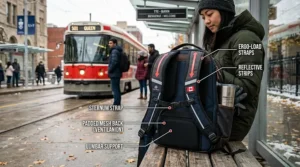
Beyond basic waterproofing, truly functional commuter backpacks incorporate features that address daily Canadian transit realities. Hip belts transfer weight from shoulders to hips during long walking portions of commutes—particularly valuable for students combining bus rides with 15-20 minute campus walks. This feature seems unnecessary until you’re halfway through an 8-hour class day carrying 20 lbs of supplies and your shoulders are screaming.
Reflective strips on backpacks serve legitimate safety purposes for Canadian students commuting during dark winter months. Sunrise at 7:45 AM in December means many students walk to bus stops in darkness; sunset at 4:30 PM means evening commutes happen in darkness. Backpack reflectivity makes you visible to cyclists and vehicles sharing the road, particularly in poorly-lit suburban areas. Some Canadian municipalities require pedestrians to wear reflective gear during low-visibility conditions—backpack reflectivity helps satisfy these requirements.
Luggage pass-through straps convert backpacks into rolling suitcase attachments during reading week or semester break travel. Slide your backpack onto your suitcase handle, secure the strap, and roll both pieces simultaneously rather than carrying the backpack. This feature sounds minor until you’re navigating Toronto Pearson or Vancouver International with luggage, backpack, and carry-on bag simultaneously. Students who commute home monthly particularly benefit from this design.
Side-access laptop compartments enable retrieving your laptop without unpacking your entire backpack—crucial during campus security checks or when you need quick library access. Traditional top-loading laptop compartments require removing textbooks, lunch bags, and other supplies just to reach your computer. Side access means you unzip, extract laptop, then rezip whilst keeping the rest of your organization intact.
Public Transit Student Tips: Surviving Rush Hour
Strategic route planning saves commuter students significant time and stress across Canadian cities. Most transit agencies provide real-time tracking apps showing actual vehicle locations rather than scheduled times—use these religiously during winter when weather causes delays. Build 10-15 minute buffer time into connections, particularly during Canadian winters when vehicles run behind schedule. The difference between making and missing your connection often determines whether you arrive 15 minutes early or 45 minutes late.
Peak vs. off-peak timing dramatically affects commute quality on Canadian transit systems. Students with flexible schedules should avoid peak hours (7:00-9:00 AM, 4:00-6:00 PM) when possible, saving 10-20 minutes per trip on average whilst enjoying guaranteed seating. Many Canadian universities schedule classes starting at 8:30 AM specifically because peak rush hour has ended by then—selecting these sections creates better commute experiences than fighting for space on 7:30 AM buses.
Monthly pass calculations favour regular commuters once trips exceed approximately 30-40 per month, depending on your city. Toronto TTC monthly passes cost around $156 CAD while single fares run $3.35—breakeven occurs at 47 trips monthly. Students commuting five days weekly for classes plus occasional weekend trips easily justify monthly passes whilst saving approximately $10-$15 CAD monthly. Many Canadian universities negotiate reduced-rate transit passes included in student fees, which represents exceptional value if you commute regularly.
Weather-appropriate waiting strategies matter in Canadian climates. Winter bus shelter waiting means layering (removable jacket that goes in your bag once boarding heated buses), positioning yourself out of wind channels, and having backup gloves accessible (not buried in your backpack). Summer waiting requires sun protection because many bus shelters lack shade—consider a light long-sleeve shirt over tank tops to prevent sunburn during prolonged waits.
❓ Can I use power banks on Canadian airplanes when flying home?
❓ How long do insulated lunch bags maintain food temperature during Canadian winters?
❓ Are waterproof backpacks necessary for Toronto subway commuters?
❓ What's the best power bank capacity for 90-minute GO Train commutes?
❓ Do campus lockers at Canadian universities require special locks?
Conclusion: Building Your Commuter Success System
Supplies for commuter students aren’t just shopping lists—they’re infrastructure enabling academic success whilst navigating Canadian transit systems. The students who thrive commuting aren’t necessarily the ones with the longest attention spans or highest tolerance for discomfort; they’re the ones who systematically eliminate friction points through proper equipment. Your backpack becomes your mobile office, your power bank provides communication security, your lunch bag saves $2,000+ annually compared to campus food, and your document organizer protects the assignments representing months of work.
Start with the essential trinity: quality waterproof backpack, adequate power bank capacity for your specific commute length, and weather-appropriate protection (umbrella or rain jacket). These three items address the most common commuter student pain points—damaged electronics from moisture, dead devices during critical moments, and arriving soaked at important events. Budget $120-$150 CAD for these fundamentals, recognizing this investment pays dividends daily across academic years.
Expand systematically based on your specific needs rather than buying everything simultaneously. Students with 2+ hour daily commutes benefit significantly from lunch supplies and document organization, whilst students with shorter commutes might prioritize different equipment. Evaluate your actual commuting patterns over the first month, identify your specific pain points, then address them with targeted purchases. Canadian commuter student success comes from preparation, not improvisation—build your system intentionally and reap the benefits throughout your academic career.
Recommended for You
- 7 Essential Nursing Student Supplies First Year Canada Guide 2026
- 7 MBA Student Supplies Canada Essentials Every Business School Student Needs (2026)
- 7 Essential English Literature Student Supplies University Canada 2026
Disclaimer: This article contains affiliate links. As an Amazon Associate, I earn from qualifying purchases. If you purchase products through these links, we may earn a small commission at no additional cost to you.
✨ Found this helpful? Share it with your friends! 💬🤗
