

In This Article
Somewhere between a dog-eared calculus textbook and a Sunday-night panic about tomorrow’s physics test, every CEGEP student in Quebec hits the same wall: which calculator do I actually need, and why does the price tag swing from “lunch money” to “small car payment” for what looks like the same grey brick? A genuinely useful graphing calculator under $150 CAD does exist — several of them, actually — but the market is stuffed with discontinued models, region-locked exam settings, and Amazon listings that quietly omit whether your CEGEP department will even let you open the box on exam day. That last part matters more than any spec sheet.
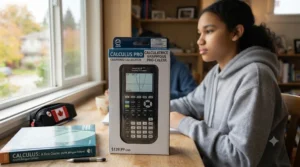
This guide skips the marketing fluff and gets into what actually separates a smart purchase from a wasted C$130. Quebec’s CEGEP system is unique in Canada, and its calculator policies reflect that — so we looked at real, currently sold models from Texas Instruments, Casio, and NumWorks — the three brands that dominate Quebec classrooms — and broke down what each one does well, where it falls short, and who should buy it. You’ll find honest, aggregated review sentiment (not invented five-star quotes), CAD price ranges instead of prices that’ll be stale by next Tuesday, and enough real-world context to make a decision you won’t regret in week three of Calculus NYA. Whether you’re hunting for something specifically flagged on exam-approved calculator lists or just want the most calculator for your money, here’s what 2026’s market actually offers.
Quick Comparison: 7 graphing calculator under $150 CAD Options at a Glance
| Calculator | Power Source | Best For | Price Range (CAD) |
|---|---|---|---|
| Casio fx-9750GIII | 4 x AAA batteries | Best overall value | C$80–C$140 |
| TI-84 Plus CE | Rechargeable Li-ion | Most widely recognized | C$110–C$150 |
| TI-84 Plus CE Python Edition | Rechargeable Li-ion | Coding-curious students | C$115–C$150 |
| NumWorks | Rechargeable Li-ion | Thinnest, most modern | C$100–C$140 |
| TI-83 Plus | 4 x AAA batteries | Rock-bottom budget | C$55–C$90 |
| Casio fx-CG50 | 4 x AAA batteries | 3D graphing for physics | C$110–C$150 |
| TI-84 Plus (classic) | 4 x AAA batteries | Reliable backup unit | C$65–C$100 |
A quick scan of this table tells you something the spec sheets won’t: nearly every serious contender in this price bracket clusters between C$80 and C$150, and the real differentiator isn’t raw power — it’s whether the calculator suits your specific course load. The Casio fx-9750GIII and TI-83 Plus dominate the value end because Quebec CEGEP programs rarely require anything more exotic than function graphing and basic statistics. Meanwhile, the Casio fx-CG50 earns its spot by handling 3D surfaces that come up in mechanics and calculus courses, a feature the cheaper monochrome units simply can’t render. Battery-powered models also tend to sit at the lower end of their price bands, which matters if you’re weighing long-term ownership costs against a rechargeable unit’s higher upfront price.
💬 Just one click — help others make better buying decisions too!😊
Top 7 graphing calculator under $150 CAD: Expert Analysis
Picking a calculator off a shelf is easy. Picking the right one for two years of CEGEP math and science courses is a different problem entirely, so here’s the real analysis behind each of these seven picks — specs, honest aggregated review sentiment, and who each one actually suits.
1. Casio fx-9750GIII — best all-around value under $100
The standout here is simple: this calculator delivers genuine graphing-calculator capability for less than most students spend on textbooks in a single semester. Casio’s Natural Textbook Display renders fractions, exponents, and roots exactly as they appear in a printed problem set, which sounds like a small thing until you’re three hours into a stats assignment and don’t have to mentally translate flattened notation. The Casio fx-9750GIII runs on four AAA batteries rather than a rechargeable cell, has 3MB of flash memory, and includes a built-in Python programming app alongside its spreadsheet and geometry tools — a genuinely unusual amount of functionality for something that regularly sells in the C$80 to C$140 range depending on colour and retailer.
Who should buy this one? Based on the spec comparison against pricier rivals, anyone taking Calculus NYA, Linear Algebra, or introductory statistics at CEGEP gets essentially the same graphing utility here as they would from a model costing twice as much. Reviewers consistently report that the monochrome screen, while less flashy than color alternatives, is easier to read in bright classroom lighting and doesn’t wash out under fluorescent lights the way glossy color displays sometimes do. A recurring theme in aggregated feedback is appreciation for the AAA battery format, since students can replace batteries themselves mid-semester instead of hunting for a proprietary charging cable.
Pros:
- ✅ Genuinely capable graphing tools well under C$100 in most listings
- ✅ AAA batteries mean no dead-battery panic before an exam
- ✅ Built-in Python support for CS-adjacent coursework
Cons:
- ❌ Monochrome screen lacks the visual polish of color rivals
- ❌ Menu navigation feels dated next to icon-driven competitors
At around C$80-C$140, the value here is hard to beat if your coursework doesn’t demand 3D graphing or a touchscreen.

2. TI-84 Plus CE — best all-rounder for CEGEP math and science
What most buyers overlook about the TI-84 Plus CE is that its reputation isn’t really about raw computing power — it’s about ubiquity. This is the calculator every CEGEP math teacher, physics TA, and tutoring center in Quebec already knows inside and out, which means troubleshooting help is never more than a hallway conversation away. The full-color 320 x 240 backlit screen, 154 KB of accessible RAM, and rechargeable lithium-ion battery (rated for roughly a month of typical classroom use per charge) put it a clear step above the monochrome budget tier, and its MathPrint feature mirrors textbook notation just as cleanly as Casio’s equivalent.
Here’s what to weigh: the rechargeable battery is a double-edged sword. It eliminates the ongoing cost of AAA replacements, but if you forget to charge it before a three-hour final, there’s no gas-station backup plan the way there is with battery-powered rivals. Aggregated review sentiment across major retailers consistently praises the slim, lightweight housing and the distraction-free design — no Wi-Fi, no Bluetooth, nothing that could get a student flagged for academic dishonesty during a proctored exam. A recurring complaint, however, is that entry-level pricing on this model frequently sits closer to C$150 than to C$100, so shopping around between Amazon.ca, Staples, and Walmart.ca before exam season pays off.
Pros:
- ✅ Near-universal recognition among Quebec math and physics instructors
- ✅ Full-color display makes multi-function graphs easy to distinguish
- ✅ Rechargeable battery avoids ongoing AAA costs
Cons:
- ❌ Pricing regularly creeps toward the C$150 ceiling
- ❌ No backup power source if you forget to charge it
Typically priced in the C$110–C$150 range, this is the safe, well-supported default pick for most CEGEP students.
3. TI-84 Plus CE Python Edition — best for coding-curious science students
The short version: this is the same hardware as the standard TI-84 Plus CE, with one meaningful addition — an onboard Python editor that runs without needing a computer connection. On paper this means students juggling a CEGEP computer science elective alongside their math requirements get two tools in one device instead of carrying a separate device or relying on a phone app during study sessions. The core specs mirror its sibling: same rechargeable battery, same 320 x 240 color screen, same MathPrint input.
What the spec sheet won’t tell you, but reviewers note, is that the on-calculator Python environment is genuinely limited compared to a real IDE — think of it as a way to sketch and test small snippets, not a substitute for proper coding practice. Still, a common theme in aggregated feedback is that having Python available directly on the exam-legal calculator (rather than a banned phone or laptop) is a meaningful convenience for students bridging math and intro programming courses. Because Python support adds essentially no cost over the base CE model, there’s rarely a reason to choose the non-Python version unless you find one on clearance.
Pros:
- ✅ Built-in Python editor with no extra cost over the base model
- ✅ Identical color screen and MathPrint input as the standard CE
- ✅ Useful bridge for students combining math and CS electives
Cons:
- ❌ On-device Python environment is basic compared to a laptop IDE
- ❌ Same C$115–C$150 price ceiling as the non-Python version
If you’re weighing this against the plain CE, the Python edition is almost always the smarter buy at a nearly identical price.
4. NumWorks — thinnest, most modern design under $140
NumWorks stands out immediately for being the only calculator on this list that isn’t made by Texas Instruments or Casio, and the difference shows the moment you pick it up. At just 0.4 inches thick, it’s noticeably slimmer and lighter than either the fx-9750GIII or the TI-84 Plus CE, with a vivid color touchscreen-adjacent interface that borrows visual cues from smartphone home screens rather than a decades-old calculator menu tree. It runs on a rechargeable battery rated for 20-plus hours of continuous use, and its open-source software means the underlying operating system is publicly auditable — an unusual selling point in a category dominated by closed corporate firmware.
Based on the spec comparison, the trade-off is ecosystem maturity. Reviewers consistently note that while NumWorks handles standard function graphing, statistics, and Python scripting well, it has a smaller library of third-party tutorials and teacher-created resources than the TI-84 family, simply because it’s newer to the North American market. It also supports a dedicated Canada country setting in its software, which adjusts mathematical notation conventions to match what’s taught locally — a small but genuinely useful detail for students switching between French and English coursework. Its built-in exam mode covers several major standardized test frameworks, though students should always confirm compatibility with their specific CEGEP department before test day.
Pros:
- ✅ Thinnest, lightest design of any calculator on this list
- ✅ Open-source software with a genuine Canada notation setting
- ✅ 20-plus hour rechargeable battery life
Cons:
- ❌ Smaller base of teacher resources than TI or Casio
- ❌ Exam-mode compatibility should be manually confirmed per course
Usually found in the C$100–C$140 range, it’s a strong pick for students who want something different from the TI/Casio duopoly.
5. TI-83 Plus — best rock-bottom budget option
Here’s a calculator that has, remarkably, stayed relevant for over two decades. The TI-83 Plus predates the color-screen era entirely, running on four AAA batteries with a monochrome display and none of the Python or 3D graphing capability of newer models. What it does have is an enormous installed base — every tutoring center, every older sibling’s hand-me-down box, and a huge archive of free instructional material built specifically around it.
The honest analytical take: this is a “good enough” calculator, not a great one. It handles the core graphing, statistical, and matrix functions that most first-year CEGEP math courses require, but it lacks the memory headroom and processing speed to comfortably run more demanding applications. Aggregated review sentiment skews positive largely because of price — many listings, especially refurbished units, sit well under C$90 — and because AAA batteries mean it never truly dies, just needs a fresh set. A frequently mentioned drawback is the dated menu system, which can feel clunky to students used to smartphone-style navigation.
Pros:
- ✅ Frequently the cheapest genuinely capable graphing calculator available
- ✅ AAA batteries provide reliable, replaceable power
- ✅ Massive archive of free tutorials and teacher guides online
Cons:
- ❌ Dated monochrome interface and slower processor
- ❌ Limited memory for more advanced coursework
At C$55–C$90, this is the calculator to buy if budget is the deciding factor and you don’t need 3D graphing.

6. Casio fx-CG50 — best for 3D graphing in physics and calculus
The Casio fx-CG50 earns its spot on this list for one specific reason: real 3D graphing. Where the fx-9750GIII and TI-83 Plus render everything in two dimensions, the fx-CG50 can plot spheres, cylinders, and planes — genuinely useful when a mechanics or vector calculus course starts asking students to visualize forces or surfaces in three-dimensional space rather than imagining them from a flat sketch. Its high-resolution color LCD displays over 65,000 colors, and it includes Python support alongside more than 3,000 built-in mathematical functions.
What most buyers overlook about this model is that its extra graphing horsepower comes at essentially no battery-life cost, since it still runs on standard AAA batteries rather than requiring a proprietary rechargeable pack. Reviewers consistently praise the clarity of its 3D renders compared to older Casio models, and it’s explicitly marketed as approved for major standardized exam boards, though — as with every calculator here — confirming CEGEP-specific approval before test day is still the student’s responsibility. A recurring critique in aggregated feedback is that the 3D graphing feature, while impressive, is genuinely overkill for students who are only taking algebra-level courses and never touch vector or multivariable content.
Pros:
- ✅ True 3D graphing for physics and advanced calculus visuals
- ✅ Over 65,000-colour high-resolution display
- ✅ Runs on replaceable AAA batteries, not a proprietary pack
Cons:
- ❌ 3D features are wasted on students in algebra-only courses
- ❌ Pricier than Casio’s own fx-9750GIII for overlapping core functions
Priced around C$110–C$150, this is the pick for students who know they’ll hit vector or 3D content in physics or calculus.
7. TI-84 Plus (classic) — best budget backup or spare unit
The original TI-84 Plus, sometimes still sold new alongside its color CE successor, is the calculator equivalent of a reliable used car: nothing flashy, but it starts every time. It uses a monochrome screen, runs on four AAA batteries, and shares the same underlying TI-BASIC programming language and menu structure that generations of students have already learned from the TI-83 Plus. That familiarity is the whole appeal — if a student’s household already owns one from an older sibling, or finds one significantly discounted, there’s rarely a functional reason to upgrade for typical CEGEP coursework.
Based on the spec comparison against its CE successor, the classic Plus trades color and rechargeable convenience for a lower price point and battery-driven reliability. Reviewers consistently frame it as an excellent “backup calculator” — the unit you keep in a locker or a parent’s car in case the primary calculator’s battery dies or goes missing before an exam. It’s less commonly stocked new than it once was, so availability varies more than with the other models on this list, and buyers should expect to check multiple retailers to find current inventory.
Pros:
- ✅ Shares TI-BASIC and menu logic with the widely used TI-83 Plus
- ✅ AAA battery power means zero pre-exam charging anxiety
- ✅ Often available at a meaningful discount to the CE model
Cons:
- ❌ New-unit availability is inconsistent across Canadian retailers
- ❌ No color screen or Python support
Generally found in the C$65–C$100 range, this is a smart secondary purchase rather than most students’ primary calculator.
Top 7 Products: Full Specs Comparison
| Calculator | Screen | Memory | Power | Price Range (CAD) | Best For |
|---|---|---|---|---|---|
| Casio fx-9750GIII | Monochrome | 3 MB flash | 4 x AAA | C$80–C$140 | Best overall value |
| TI-84 Plus CE | Color, 320×240 | 154 KB RAM, 3 MB flash | Rechargeable | C$110–C$150 | Most recognized all-rounder |
| TI-84 Plus CE Python | Color, 320×240 | 154 KB RAM, 3 MB flash | Rechargeable | C$115–C$150 | Coding-curious students |
| NumWorks | Color, 320×240 | Solid-state | Rechargeable | C$100–C$140 | Thinnest, most modern |
| TI-83 Plus | Monochrome | Limited | 4 x AAA | C$55–C$90 | Rock-bottom budget |
| Casio fx-CG50 | Color, 65K colours | 3D-capable | 4 x AAA | C$110–C$150 | 3D graphing for physics |
| TI-84 Plus (classic) | Monochrome | Limited | 4 x AAA | C$65–C$100 | Budget backup unit |
Laid out side by side, the pattern is clear: color screens and rechargeable batteries tend to push a calculator toward the top of the C$150 ceiling, while monochrome, AAA-powered models anchor the budget end. If your coursework leans heavily into 3D graphing, the Casio fx-CG50 justifies its position near the top of the range, but for the average CEGEP math sequence, the Casio fx-9750GIII or TI-84 Plus CE cover essentially everything you’ll need without stretching the budget.
Practical Usage Guide: Setting Up Your Calculator for CEGEP Success
Buying the right calculator is only half the job — setting it up correctly in the first week can save you real stress later in the semester. Start by updating the operating system the moment you unbox it; both TI and Casio release firmware updates that fix bugs and, occasionally, add features your course might expect. Texas Instruments calculators update through the free TI Connect CE software, while Casio and NumWorks units connect via USB to their respective manufacturer tools — all free downloads, all straightforward on a first attempt.
Next, before your first exam of the semester, confirm your calculator’s exam-mode status with your instructor and put it into that mode as a rehearsal, not on test morning. Every device on this list has some form of restricted or “test” mode that clears programmable memory and disables data transfer, and fumbling through that process for the first time under exam-day pressure is a common, avoidable mistake. Common errors in the first 30 days also include leaving a rechargeable model uncharged over a long weekend, losing the tiny screwdriver needed for battery-cover screws on AAA models, and never actually opening the settings menu to switch to radian or degree mode as needed for trigonometry versus calculus work. A five-minute setup session — charge or install batteries, update firmware, rehearse exam mode, confirm angle settings — pays for itself the first time you’re not scrambling before a proctored test.
Real-World Scenarios: Which Calculator Fits Your CEGEP Program
Consider three fairly typical CEGEP students. First, a Pure and Applied Science student carrying Calculus I, Linear Algebra, and Mechanics in the same semester, on a tight student budget: the Casio fx-9750GIII covers the graphing and matrix work required for the first two courses comfortably, and while it lacks 3D rendering, most first-year mechanics content can still be worked through with careful 2D sketching, making it a defensible budget-first choice.
Second, a Social Science student who only needs one required statistics course and wants to spend as little as possible while still meeting the exam-approved calculator requirement: the TI-83 Plus is close to overkill for the actual math involved, but its rock-bottom pricing and huge base of tutorial content make it the path of least resistance, especially if a family member already owns one.
Third, a student heading into a Science program with an eye toward engineering, who knows vector calculus and 3D visualization are coming in year two: paying the extra C$20 to C$40 for the Casio fx-CG50 upfront avoids a second purchase later, and the 3D graphing genuinely clarifies concepts that are hard to picture from a textbook diagram alone. In each case, the “best” calculator isn’t the most expensive one — it’s the one matched to the actual courses on the student’s schedule.
Problem → Solution: Common Calculator Headaches, Solved
Problem: The calculator won’t turn on before an exam. For rechargeable models like the TI-84 Plus CE or NumWorks, this is almost always a dead battery from an uncharged weekend — keep a USB cable in your backpack, not just at home, and top up during any spare 20-minute window. For AAA-powered units like the Casio fx-9750GIII or TI-83 Plus, carry a spare set of batteries in your pencil case; they’re cheap insurance against a scenario that’s entirely preventable.
Problem: A proctor flags the calculator during an exam check. This usually traces back to memory that wasn’t cleared or an exam mode that was never activated. Solution: rehearse the clearing and exam-mode process at home the week before finals, not the morning of.
Problem: Graphs look wrong or don’t display at all. Nine times out of ten, this is a window/viewing-range setting mismatch, not a hardware fault — resetting the graph window to a standard default range (most models have a one-button reset for this) resolves it immediately.
Problem: The calculator is allowed for math but the physics department has different rules. CEGEP departments in Quebec can and do set their own equipment policies independent of each other, even within the same school. Solution: email or check the course outline for each science and math class separately rather than assuming one blanket policy covers everything — this is one of the most common and avoidable mistakes students make.
Problem: You bought a calculator that turns out to be discontinued or hard to get replacement parts for. Solution: stick to models still actively sold by major Canadian retailers (all seven covered in this guide currently are), since discontinued units become harder to service or replace as years pass.
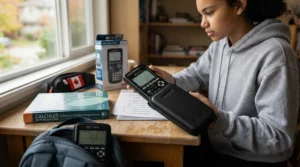
How to Choose a Graphing Calculator for CEGEP
- Confirm your program’s actual math and science sequence first. A Social Science student’s statistics-only path needs far less calculator than a Pure and Applied Science student headed into vector calculus.
- Check exam-approved calculator lists for every relevant course, not just one. Quebec CEGEP departments don’t always share a single unified policy, so verify math, physics, and chemistry separately.
- Decide between battery and rechargeable power based on your habits. If you’re the type to forget to charge things, AAA-powered models remove that risk entirely.
- Weigh color and 3D graphing against your actual course content. These features cost real money and are wasted if your courses never require them.
- Factor in resale and hand-me-down value. TI-83 and TI-84 family calculators hold value well and are easy to pass to a younger sibling or resell used.
- Set a firm budget and stick to price ranges, not sale-day impulse buys. Most of the calculators here fluctuate within a predictable band; patience often beats urgency.
- Buy early, not the week before your first exam. This gives you time to update firmware, rehearse exam mode, and return the unit if something’s genuinely wrong with it.
Approved Calculators for CEGEP Math Exams
Quebec’s CEGEP system is genuinely distinct from the rest of Canada’s post-secondary landscape — it’s the two-year, publicly funded bridge between high school and university that exists only in this province, and its calculator policies reflect that independence. Unlike centralized frameworks such as the College Board’s AP exam rules, individual CEGEP math departments generally set their own equipment policies, which is why “approved calculators for CEGEP math exams” doesn’t point to one single master list the way it might for a standardized international exam.
In practice, this means the safest approach is always to check your specific course outline or ask your professor directly during the first week of class, since policies can vary not just between colleges but occasionally between sections of the same course. The Fédération des cégeps, which represents Quebec’s public colleges, is a useful starting point for understanding how the CEGEP structure differs from other provinces’ post-secondary systems before diving into course-specific rules. That said, graphing calculators from the TI-83/84 family and Casio’s fx-9750 and fx-CG series are broadly familiar to Quebec math instructors and rarely raise red flags, largely because they lack computer algebra systems (CAS) — a feature some departments specifically restrict because it can solve equations symbolically rather than requiring the student to show the work. If a model does include CAS functionality, that’s worth flagging with your instructor before exam day rather than assuming it’s automatically fine.
Best Calculator for CEGEP Physics Courses
Physics courses tend to place slightly different demands on a calculator than pure math sequences do. A calculator for CEGEP physics courses benefits from strong graphing for kinematics and wave functions, solid unit-conversion and scientific-notation handling, and — for students in mechanics-heavy sequences — the ability to visualize vectors and forces in three dimensions. This is where the Casio fx-CG50‘s 3D graphing genuinely earns its slightly higher price tag: being able to rotate and view a force diagram in three-dimensional space, rather than mentally reconstructing it from a flat sketch, measurably reduces the friction of understanding vector addition and torque problems.
That said, most introductory CEGEP physics content — kinematics, basic circuits, waves, and optics — is fully coverable with a standard 2D grapher like the TI-84 Plus CE or Casio fx-9750GIII. Reviewers and student forums consistently note that the jump to 3D-capable models only pays off once a student reaches mechanics or advanced physics content involving vector fields, so there’s little reason for a first-semester student to pay the premium before knowing their full course sequence.
Affordable Scientific Calculator Options for Science Students
Not every science course actually requires a full graphing calculator, and it’s worth being honest about that before spending C$100-plus unnecessarily. An affordable scientific calculator for science students — the non-graphing kind, typically Casio’s fx-115 or fx-991 series, or TI’s 30X line — handles chemistry stoichiometry, basic trigonometry, and statistics functions for a fraction of the price of any model on this list, often under C$30. These are genuinely worth considering as a first purchase if you’re not yet certain whether your CEGEP program will require full graphing capability, since they cover general education science requirements and many introductory courses without the added expense.
The honest trade-off is that scientific calculators can’t plot functions, which becomes a hard limitation the moment a course asks you to visualize a curve, find an intersection graphically, or work with matrices beyond basic operations. For students who know their program includes Calculus I or Linear Algebra, investing directly in one of the seven graphing calculators covered above avoids the wasted expense of buying a scientific calculator first and a graphing model later.
Where to Find Exam-Approved Calculator Lists
Because Quebec’s CEGEP system doesn’t operate under one centralized calculator policy the way some standardized exam boards do, exam-approved calculator lists are typically published at the department or course level rather than institution-wide. The most reliable sources, in order of authority, are: your specific course outline (often distributed the first week of class), direct confirmation from your professor or department office, and your CEGEP’s official student services or academic policy page. National frameworks — like Alberta’s detailed provincial diploma-exam calculator rules — illustrate how thorough these policies can get when a jurisdiction does centralize them, and they’re a useful reference point for understanding why proctors check specific software versions and memory states rather than just brand names.
Manufacturer websites for Texas Instruments, Casio, and NumWorks also maintain their own pages listing which broader standardized exams (SAT, ACT, AP, IB) each model is approved for, which is a helpful starting point even though it doesn’t substitute for confirming CEGEP-specific policy directly with your instructor.
Battery vs Solar Power: What Actually Matters
Here’s something that surprises a lot of first-time buyers: none of the seven calculators in this guide run on solar power, and that’s not an oversight — it’s physics. Solar cells are genuinely well-suited to basic four-function or simple scientific calculators, which draw very little power to run a small LCD and handle straightforward arithmetic. Graphing calculators are a different animal entirely: driving a full-color, high-resolution screen and running more complex processing for real-time graph rendering draws far more current than a small solar strip embedded in the calculator’s face can realistically supply, especially indoors under fluorescent classroom lighting rather than direct sunlight.
That’s why every serious graphing calculator on the market, across every brand, runs on either replaceable AAA batteries or a rechargeable lithium-ion cell. The real decision for buyers isn’t “battery versus solar” so much as “replaceable versus rechargeable.” AAA-powered models like the Casio fx-9750GIII and TI-83 Plus offer a reassuring failsafe — a fresh set of batteries from any convenience store gets you through an exam regardless of how recently you charged anything. Rechargeable models like the TI-84 Plus CE and NumWorks avoid the ongoing cost and waste of disposable batteries but require a small amount of personal discipline to keep charged ahead of test days. Neither approach is objectively superior; it genuinely comes down to which failure mode you’re more likely to avoid.
Calculator Memory Functions Explained
Calculator memory functions get mentioned constantly in product listings, but they cover two genuinely different things that are worth separating. The first is working memory — RAM — which stores variables, matrices, and graph settings while the calculator is actively in use; the TI-84 Plus CE, for example, offers 154 KB of user-accessible RAM, plenty for typical CEGEP coursework involving multiple stored functions and statistical datasets simultaneously. The second is archive or flash memory, which stores programs, apps, and saved data even when the calculator is powered off; most models on this list offer 3 MB or more of this storage.
The TI-84 Plus CE series has been in continuous production for years specifically because this memory architecture strikes a workable balance between capability and exam-integrity requirements. Why this matters beyond specs: exam-mode policies specifically target memory, because a calculator with unrestricted access to stored programs could theoretically hold formulas, notes, or entire solved problem sets — an obvious integrity issue during a proctored test. This is exactly why every model here includes some form of memory-clearing or exam-restricted mode that temporarily locks or wipes user-accessible memory before an exam and restores it afterward. Reviewers and instructors alike note that understanding this distinction — and rehearsing the clear-and-restore process before finals — prevents the awkward, stressful scenario of a proctor questioning your calculator’s contents on test day.
Graphing Calculator vs Scientific Calculator: Which Do You Need
The core difference comes down to one capability: graphing calculators can plot and visually analyze functions, while scientific calculators cannot, no matter how advanced their arithmetic or trigonometric functions get. For a CEGEP student, the practical question isn’t which type is “better” in the abstract — it’s which one your actual course sequence requires. Calculus, linear algebra, and most physics courses lean heavily on visualizing functions, intersections, and derivatives graphically, which makes a graphing calculator close to mandatory rather than optional.
On the other hand, courses like introductory chemistry, certain statistics sequences, or general education science electives frequently only require solid scientific-calculator functionality — trigonometry, logarithms, basic statistics — without ever asking a student to graph anything. Based on the spec comparison, the financial logic favours starting with a scientific calculator only if you’re genuinely uncertain whether a graphing model will be required later; if your program guarantee includes Calculus or Linear Algebra at any point, buying the graphing calculator from day one avoids paying for two devices instead of one.
Common Mistakes When Buying a Graphing Calculator
The single most common mistake is buying based on a sibling’s or friend’s recommendation without checking whether it actually fits your own program’s requirements — a Social Science student doesn’t need the same tool as an Engineering-bound Pure and Applied Science student. A close second is waiting until the week before the first exam to buy, which leaves no buffer time for firmware updates, exam-mode rehearsal, or returns if the unit arrives defective.
Buyers also frequently overpay for features they’ll never use — 3D graphing and CAS functionality both add real cost, and both are wasted on a student who only needs 2D function plotting for a single required stats course. On the flip side, some buyers underspend by purchasing a basic scientific calculator for a program that will require graphing within the first semester, effectively paying for two devices instead of one. Finally, a genuinely underrated mistake is skipping the exam-mode rehearsal entirely; a calculator that’s otherwise perfectly approved can still cause a stressful moment if a student doesn’t know how to activate its restricted mode when a proctor asks.
Long-Term Cost & Maintenance
Sticker price only tells part of the ownership story. AAA-powered models like the Casio fx-9750GIII and TI-83 Plus carry a small but real recurring cost — a fresh set of batteries every few months of regular use, typically a few dollars each time — while rechargeable models like the TI-84 Plus CE and NumWorks avoid that expense but carry a modest risk of battery degradation over several years of daily charge cycles, the same way a phone battery gradually loses capacity.
Durability-wise, aggregated review sentiment across all seven models is broadly positive, with cases and protective sleeves (often included or sold separately for a few dollars) meaningfully reducing screen-crack risk in a backpack. Resale value also favours the TI-83/84 family specifically, since their multi-year classroom ubiquity across Quebec and the rest of Canada keeps demand for used units relatively steady — a real consideration if you’re planning to sell or hand the calculator down after finishing your CEGEP program. Looking at total cost of ownership across a typical two-year CEGEP program, the gap between the cheapest and priciest options on this list narrows considerably once battery replacement, protective cases, and resale value are factored in.

Frequently Asked Questions
❓ What is the best graphing calculator under $150 CAD for CEGEP?
❓ Do CEGEP exams require a specific calculator brand?
❓ Can I use my high school graphing calculator at CEGEP?
❓ Is a rechargeable or battery-powered calculator better for exams?
❓ How much should I actually spend on a graphing calculator?
Conclusion
There’s no single “best” graphing calculator under $150 CAD — there’s only the best one for your specific CEGEP program, and that distinction matters more than any spec sheet comparison. Students on a tight budget and a straightforward stats or algebra sequence get real value from the Casio fx-9750GIII or the well-worn TI-83 Plus, while students heading into vector calculus or advanced mechanics will find the Casio fx-CG50‘s 3D graphing genuinely worth the extra cost. For most everyone else, the TI-84 Plus CE remains the safe, well-supported default that every instructor and tutoring center already knows how to help with.
Whatever you choose, the smartest move is to buy early, confirm your specific course requirements before assuming any blanket policy applies, and rehearse the exam-mode process well before your first proctored test. A calculator is a two-year companion through some of the most demanding coursework in the CEGEP system — pick the one that matches your actual courses, not just the one with the flashiest screen in the store display.
✨ Ready to find your fit? Check current pricing and availability on the models above before your first exam sneaks up on you. ✨
Recommended for You
- 7 Best Backpacks for CEGEP Students in 2026
- 7 Best Planners for High School Graduates Going to University (2026)
- 7 Best Laptop Backpacks for CEGEP Commute in 2026
Disclaimer: This article contains affiliate links. As an Amazon Associate, I earn from qualifying purchases. If you purchase products through these links, we may earn a small commission at no additional cost to you.
✨ Found this helpful? Share it with your friends! 💬🤗
